6-68 Qualitek mR Owner’s Guide
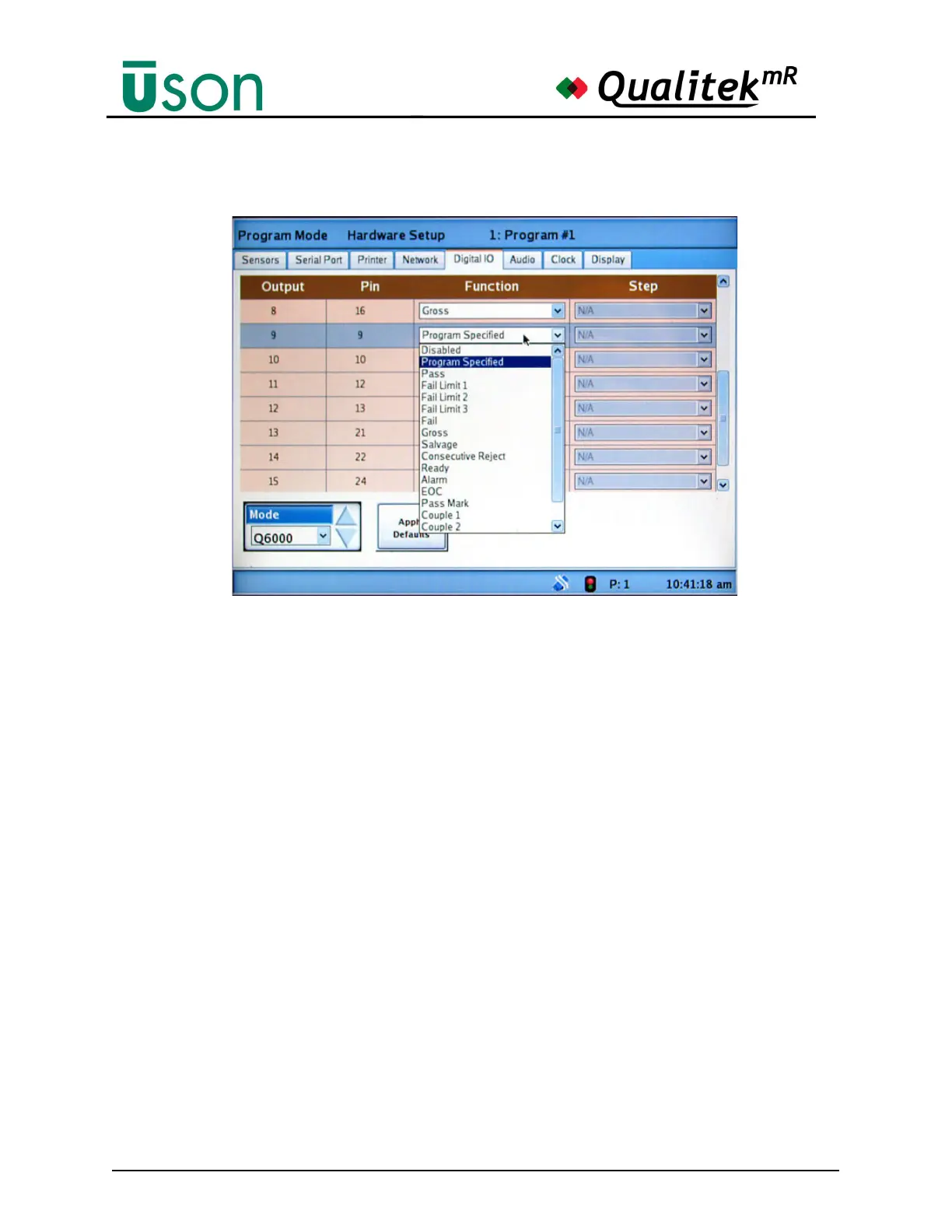
The settings my be further customized by tapping the assignment in the Function
column and selecting the desired assignment.
Available assignments the digital outputs are:
• Disabled
• Program Specified
(Allows setting the output in a program. See "Digital I/O" on page 6-22.)
• Pass
• Fail Limit 1, 2, 3
• Fail
• Gross
• Salvage
• Consecutive Reject
• Ready
• Alarm
• EOC
• Pass Mark
• Couple 1, 2
• *Step Pass Result (Selection activates the Step column)
• *Step Fail Result (Selection activates the Step column)
*The Step column, when activated by selecting Step Pass Result or Step Fail
Result, allows specifying the step for the output function fail/abort/pass condition.
The step result output will be set at the end of the specified step based on the step
result and will be held on for the duration of the test. The step result output is
cleared under normal operation with the standard result outputs.



 To Next Page