License Updates 10-7
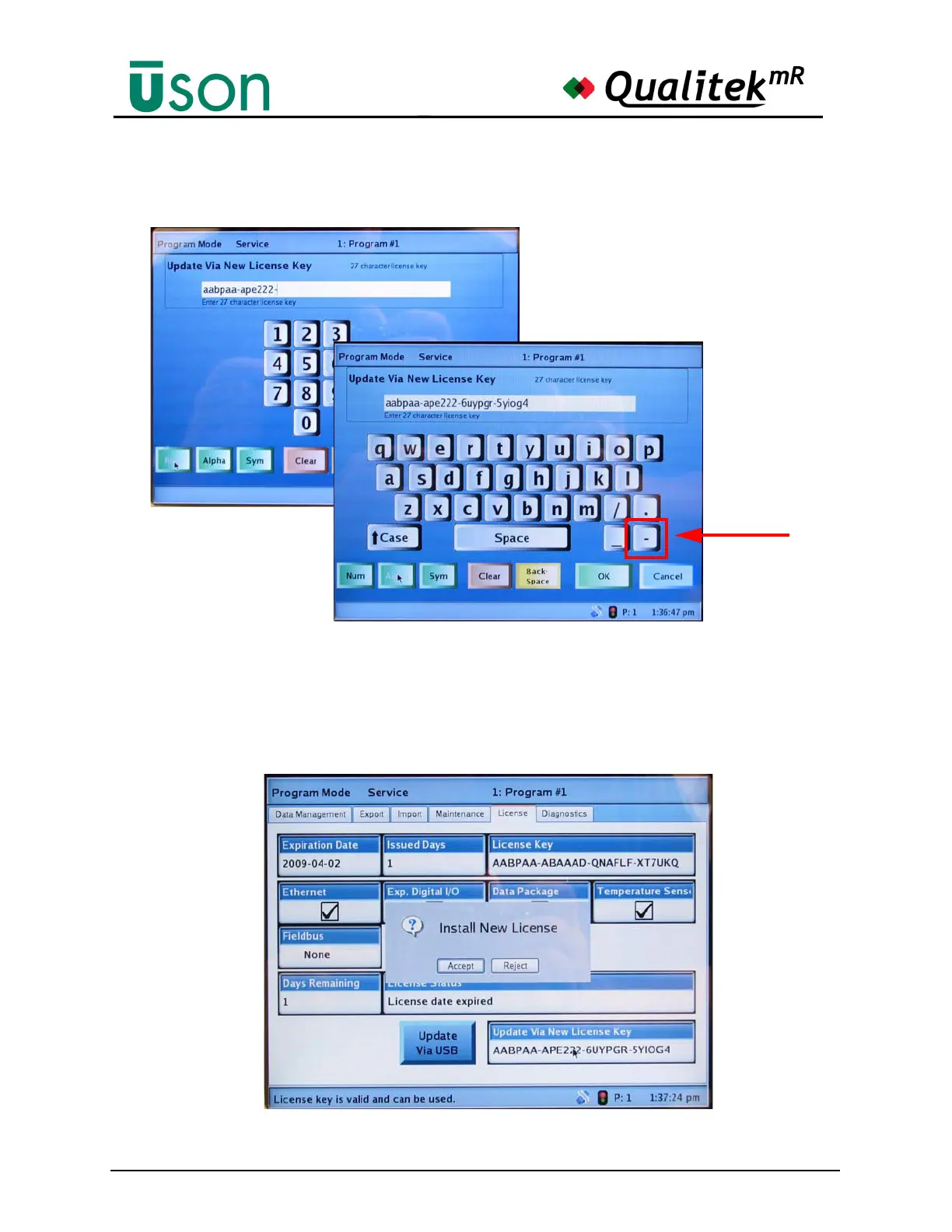
location of the hyphen key As explained previously, the numbers one and zero
are never used..
6. When the 27-character key has been entered, press the green OK button on the
keyboard screen.
7. If the license key has been entered correctly, the screen will now look like the
one below. Press Accept to put the new license number into the QmR.



 To Next Page