EasyManua.ls Logo

Uson Qualitek mR - Page 64

Uson Qualitek mR
266 pages
Print Icon
To Next Page IconTo Next Page
To Previous Page IconTo Previous Page
Loading...
Run Mode 5-29
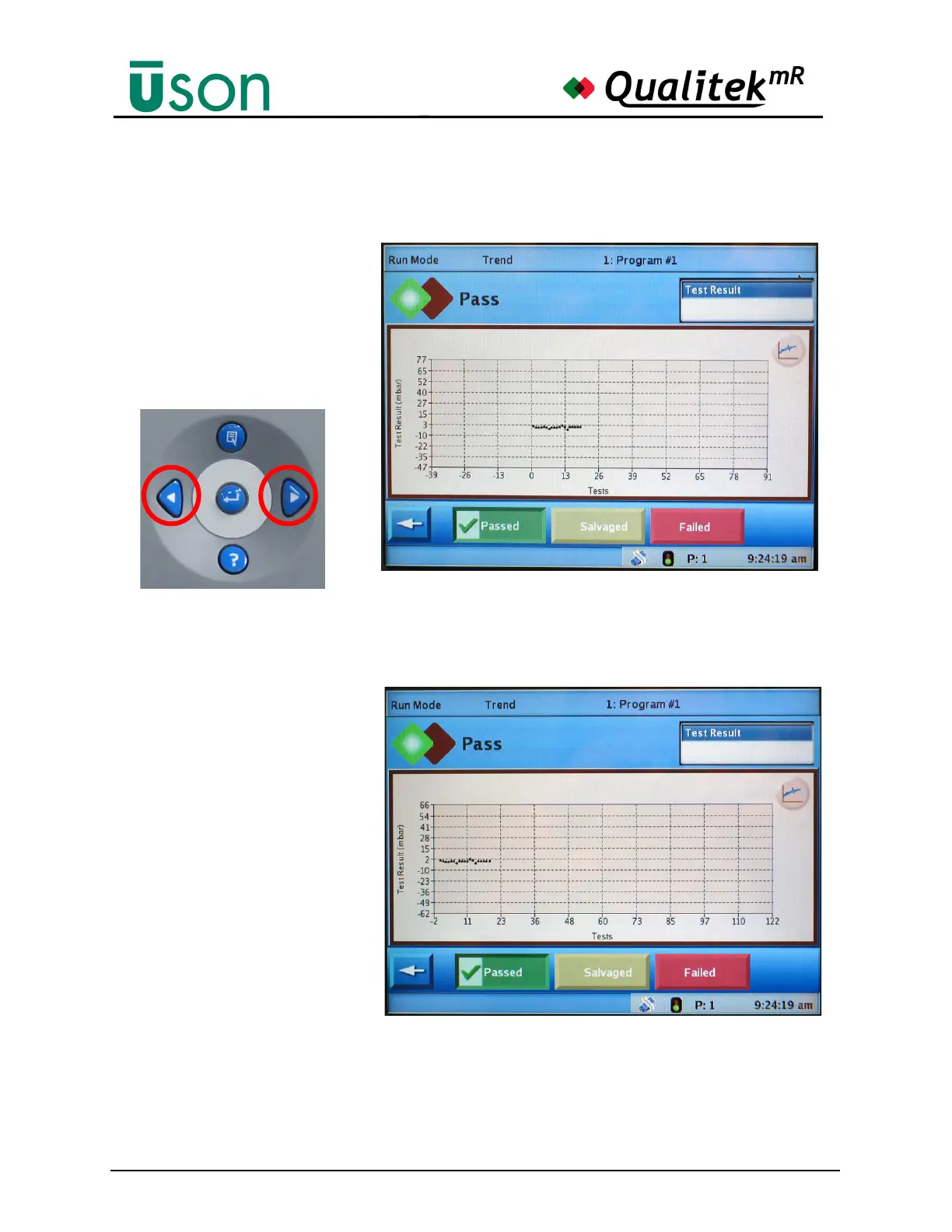
Accompanying the ability reposition the plot by touching and dragging it, the
Arrow Keys are also useful for adjusting the plot position as shown in the
following illustration.
The Left/Right arrow keys are
used to move the x-axis to the
left or right which shifts the
plot accordingly.
The original trend plot is shown above.
The plot is now repositioned as shown after repeatedly
pressing the Right Arrow key.


Table of Contents

Related product manuals