5.10 o: Operator Related Settings
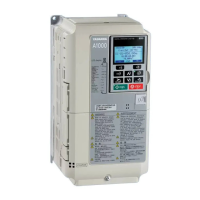
These parameters control the various functions, features, and display of the digital operator.
u
o1: Digital Operator Display Selection
These parameters determine the data display on the digital operator.
n
o1-01: Drive Mode Unit Monitor Selection
The frequency reference display appears when the drive is powered up. Pressing the up arrow key will display the following
data: frequency reference → rotational direction → output frequency → output current → o1-01 selection.
Parameter o1-01 selects the content of the last monitor in this sequence.
No. Name Setting Range Default
o1-01 Drive Mode Unit Monitor Selection
104 to 813
U1-04 (Control Mode) to
U8-13 (DWEZ Custom
Monitor 3)
<1>
106 (U1-06)
<1>
U2-oo and U3-oo parameters cannot be selected.
n
o1-02: User Monitor Selection after Power Up
Selects which monitor parameter is displayed upon power up by entering the 1- oo part of U1-oo. Certain monitors are
not available in some control modes. Refer to U: Monitor Parameters on page 284 for a list of monitors.
No. Name Setting Range Default
o1-02 User Monitor Selection after Power Up 1 to 5 1
Setting 1: Frequency reference (U1-01)
Setting 2: Motor direction
Setting 3: Output frequency (U1-02)
Setting 4: Output current (U1-03)
Setting 5: User-selected monitor (set by o1-01)
n
o1-03: Digital Operator Display Selection
Sets the units used to display the frequency reference and output frequency. Set o1-03 to 3 for user-set units before setting
parameters o1-10 and o1-11.
No. Name Setting Range Default
o1-03 Digital Operator Display Selection 0 to 3 0
Setting 0: 0.01 Hz units
Setting 1: 0.01% units (100% = max. output frequency)
Setting 2: r/min units (calculated by the max output frequency and the no. of motor poles)
Setting 3: User-set units (use o1-10, o1-11)
Set the value used for the maximum frequency reference to o1-10. Set the placement of the decimal point in this number to
o1-11.
For example, to have the maximum output frequency displayed as “100.00”, set o1-10 = 1000 and o1-11 = 2 (i.e., 1000 with
2 decimal points).
Note: 1. Parameter o1-03 allows the programmer to change the units used in the following parameters and monitors:
U1-01: frequency reference
U1-02: output frequency
U1-05: motor speed
U1-16: output frequency after softstarter (accel/decel ramp generator)
d1-01 to d1-17: frequency references
5.10 o: Operator Related Settings
278
YASKAWA ELECTRIC SIEP C710616 31B YASKAWA AC Drive – A1000 Technical Manual


 To Next Page
 Loading...