EVC Services Definition Ethernet Service Configuration
To change the default behavior of the system - i.e. all unclassified traffic – to be dropped or
prioritized, use Lower Order Rule (RULE-31 and lower) to define the behavior.
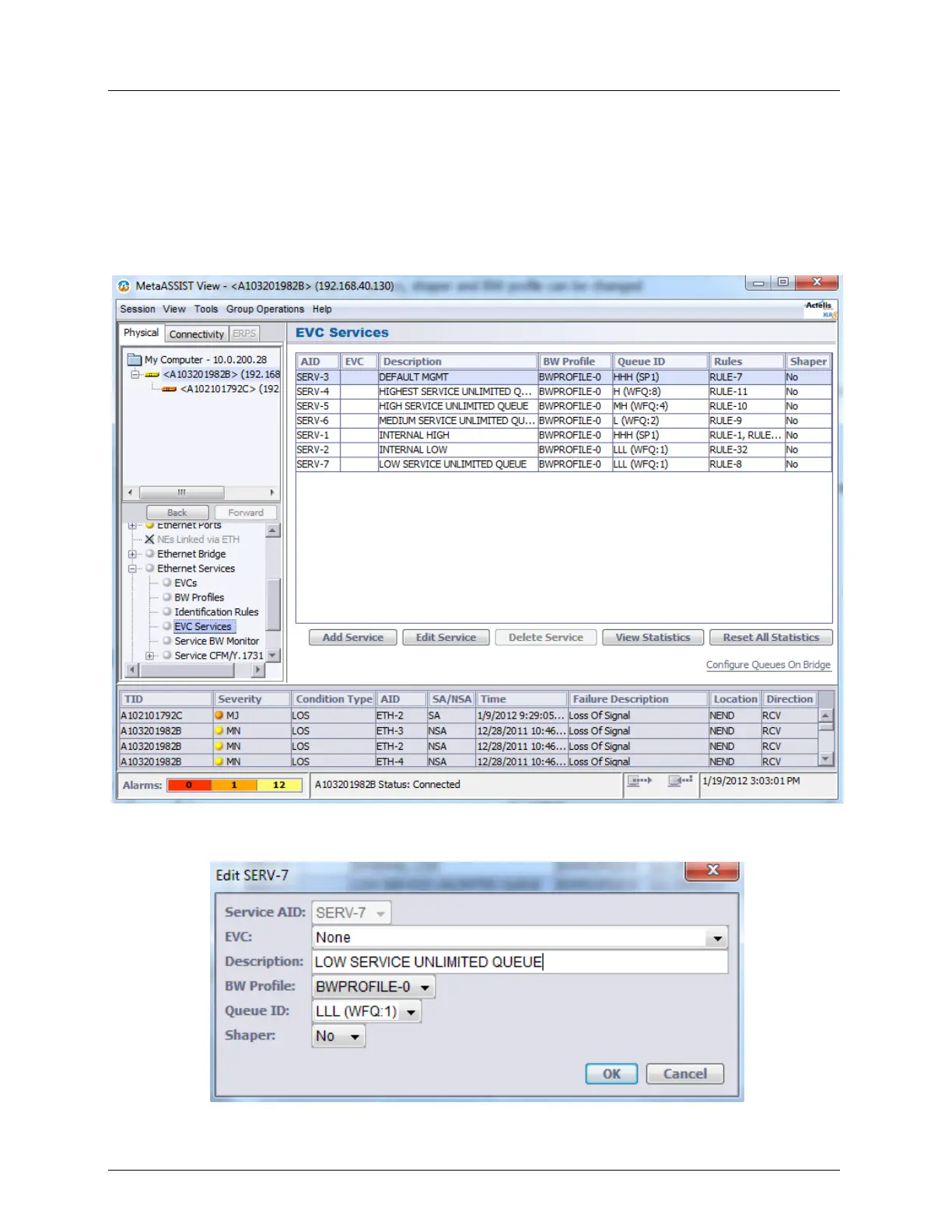
To define an EVC service
1. In the Network Topology tree, under Ethernet Services select EVC Services. The
Services pane appears. The pane lists the currently defined services along with their
attributes.
2. To add a Service, Click the Add Service button at the bottom of the pane. The Add
Service dialog appears.



 To Next Page