802.1ag CFM Ethernet Operation, Administration and Management
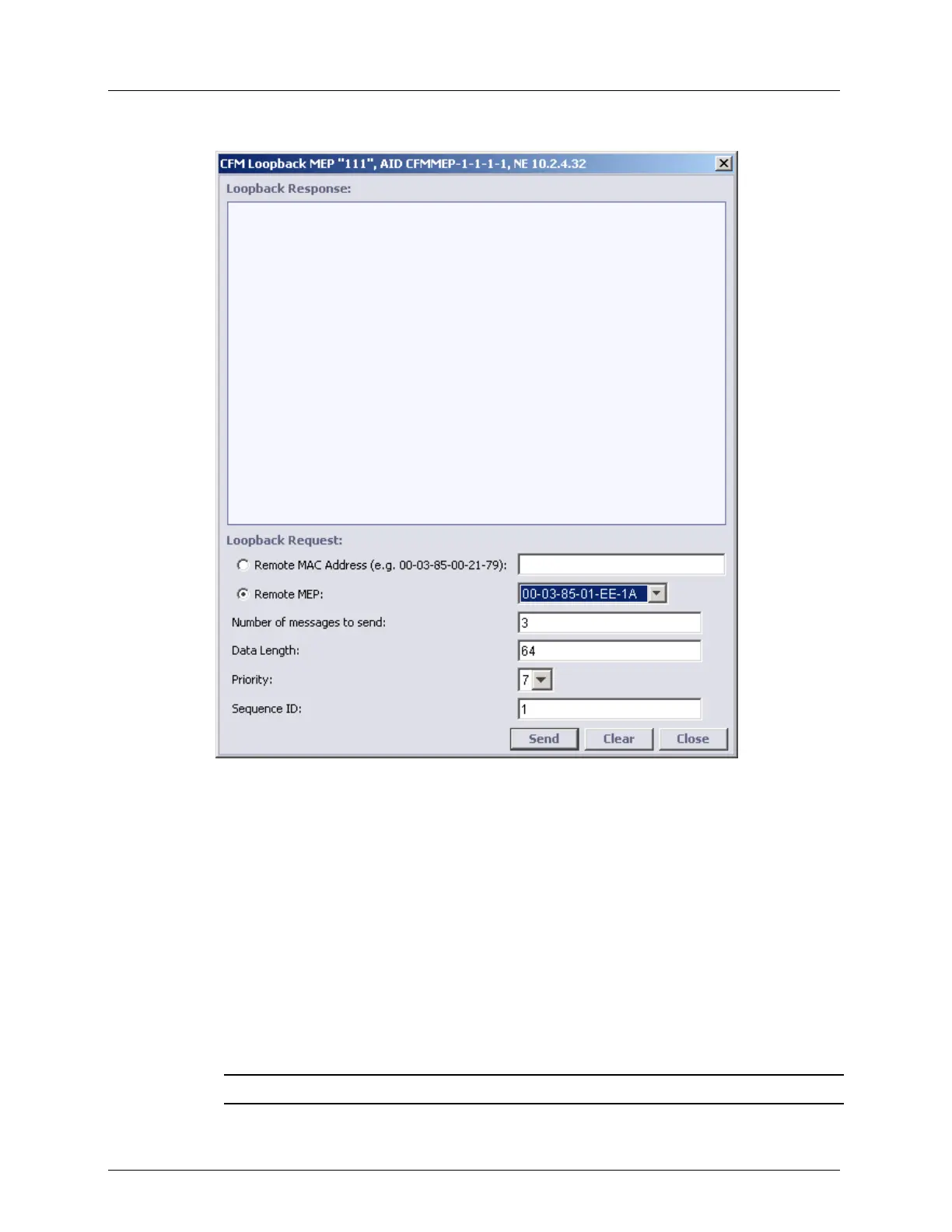
2. Under Remote MEPs (RMEP), select Loopback. The following dialog appears.
3. Set the MAC address to which the loopback will be performed - this is the unicast
address of the remote device. Set the address using one of the following options:
Remote MAC Address - type the address
Remote MEP - select from the list of addresses discovered during CCM remote MEP.
4. Define the attributes of the data to be sent:
Number of messages to send - number of CFM LPBK frames to be sent in series.
Range 1 to 100
Data length - CFM Loopback Message Frame Payload (without CFM header). Range
1 to 1500
Priority - L2 COS bits of CFM LPBK frame to send. Range 0 to 8
Sequence ID - number applied to each CFM LPBK frame. Uniquely identifies the
series.
NOTE: Click Clear to clear the configured definitions.



 To Next Page