802.1ag CFM Ethernet Operation, Administration and Management
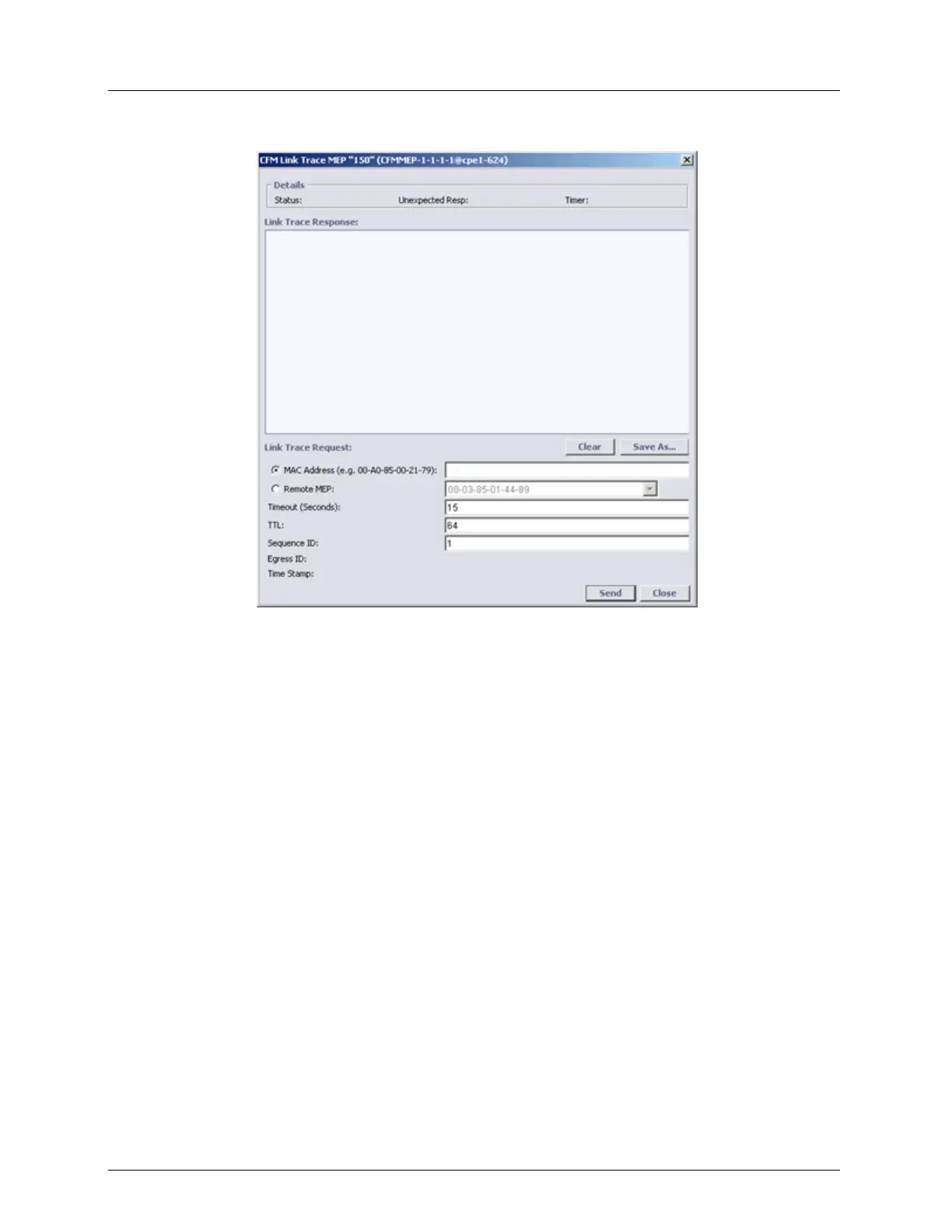
2. Under Remote MEPs (RMEP), select Link Trace. The following dialog appears.
3. Set the MAC address (unicast address) of the remote device to which the link trace will
be performed, using one of the following methods:
Remote MAC Address - type the address
Remote MEP - select from the list of addresses
4. Define the attributes of the data to be sent:
Timeout - Number of seconds before the Link Trace request is transmitted.
TTL (Time To Live) – Period of time a data unit can exist in the network. Used to
prevent packets that have not reached their destination from loading the network.
Sequence ID – user defined ID assigned to the link trace sequence. Used to identify
and analyze the link trace messages.
For Y.1731 mode only:
Egress ID – after the test is run, shows the ID of the port on which the link trace
packet egressed.
Time Stamp – Index showing when the Link Trace test was run (shown after the test
is run).
5. Click Send. If connectivity is available (at some level), the returned message will be
displayed.
The message (e.g. illustrated below) shows the Seq ID (i.e. 5), other configured
parameters (i.e. TTL = 64) and link trace information.



 To Next Page