Using MetaASSIST View Administration
10
(security /
authentication)
All records from Command
Log (except autonomous
REPT ALM <AIDTYPE>),
and in accordance with
COMMAND log level
configured via TL1.
In REPT record, provide
type of REPT (EQPT, MLP,
etc.) as provided in TL1.
TL1 responses for Multiple
Operations (with PARTIAL
or MERR result) may be
not optimized and printed
as is in TL1 (multiple
rows).
Configure Syslog Client
To configure Syslog server Destination
1. From the Network Element tree select System Administration.
2. Select Logs Control which will invoke the Logs Control pane.
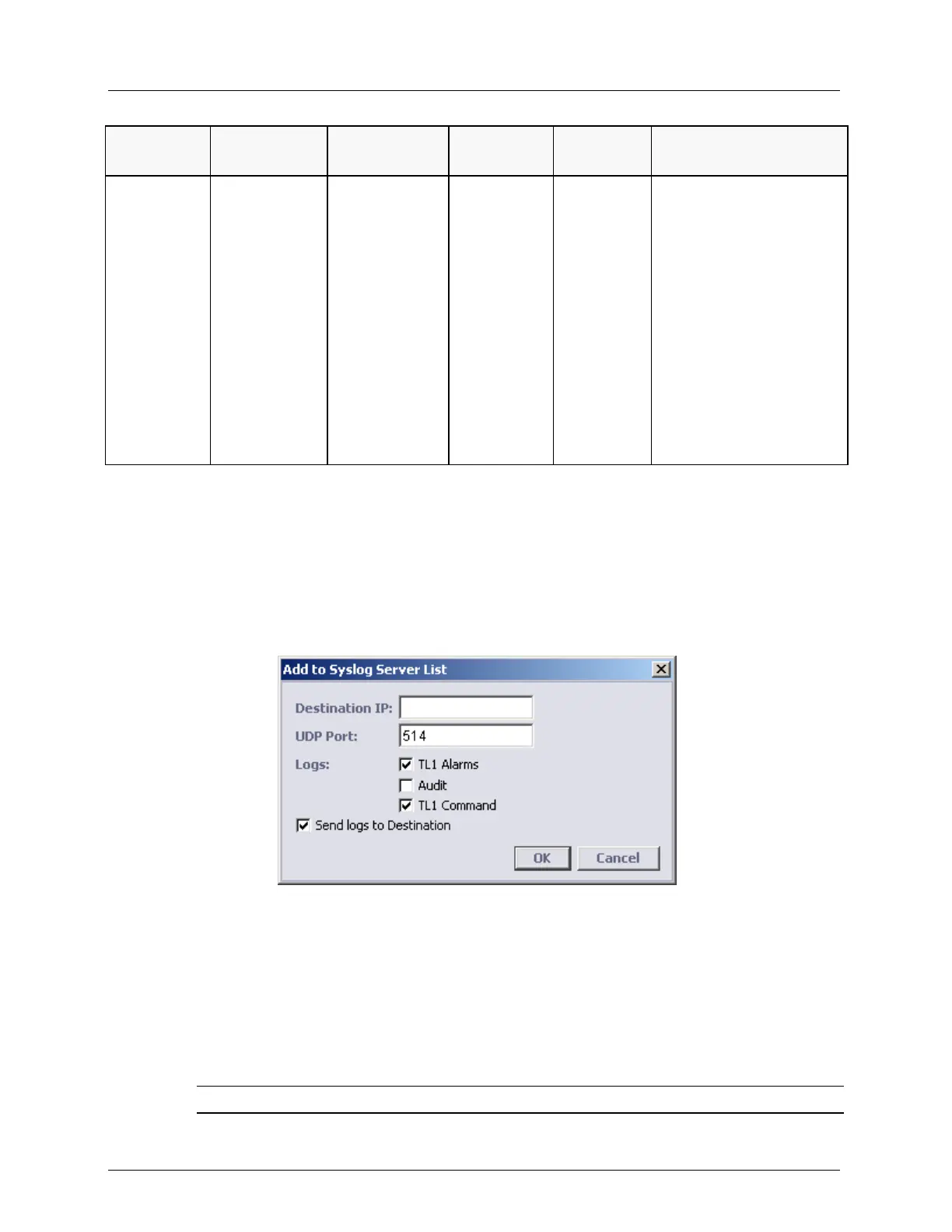
3. In the Syslog Files (Remote storage) area, Click Add. The Add to Syslog Server List
dialog appears.
4. Define the destination location parameters:
IP address
UDP Port
Logs to be saved to that destination
5. Checkmark the Send logs to Destination and click OK. The newly added location is
added to the Syslog Files table.
6. Repeat for additional storage locations.
NOTE: After adding entries to the table, each entry can be edited or deleted.



 To Next Page