Administration Using MetaASSIST View
User Log Files
The following user log files are provided:
COMMAND log - includes all ML device TL1 commands and responses, as configured
by the detail level (see Configuring the COMMAND log file (on page 14-9)). The
COMMAND log assists in locating possible causes of the faults in the ML device.
AUDIT log - includes management access events and SNTP synchronization events (see
Configuring the AUDIT log file (on page 14-9)). The ML device does not log any
broadcast session attempts and attempts on permanently closed ports.
Each successful access attempt is logged with the following information:
Timestamp of event, IP source / IP destination addresses and protocol type.
For rejected attempts, the reason for rejection is also provided: Rejected by Access
Control, rejected by account authentication (SNMP, TL1 or HTTP).
This chapter describes how to manage User Log files stored locally on ML using Log
Control pane.
1. In the Network Element tree, open System Administration.
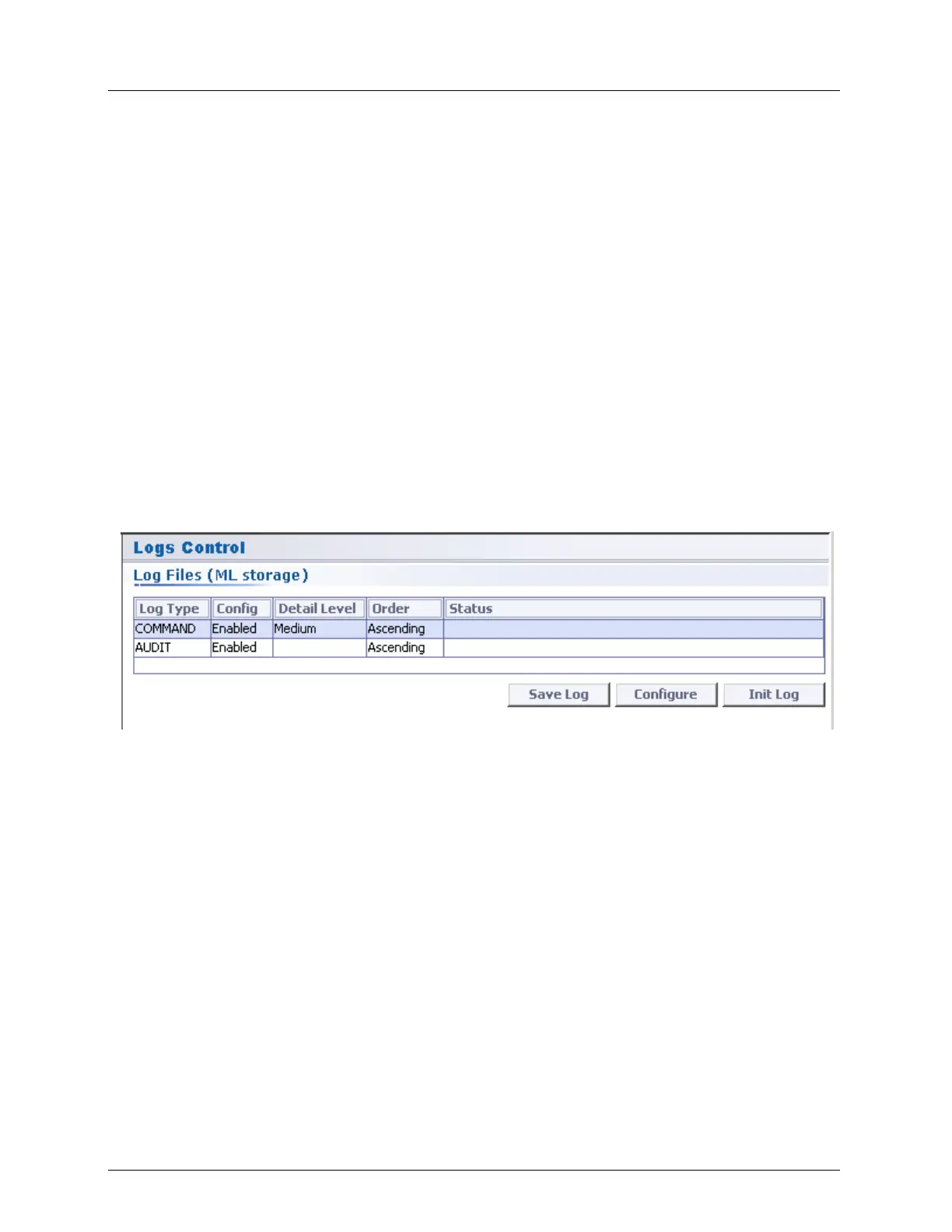
2. Open Logs Control. The Logs Control pane opens in the work area.
3. In the Log Files (ML storage) area, the following operations may be performed:
Configure the selected type of user log file
Save Log - save the user log file
Init Log - Clear (initialize) the specific user log file



 To Next Page