Getting Started Craft Connection to the ML
NOTE: For basic information on navigating the MetaASSIST Main window, refer to
MetaASSIST View Workplace. To resolve unsuccessful connections, see Resolving
Management Connection Problems.
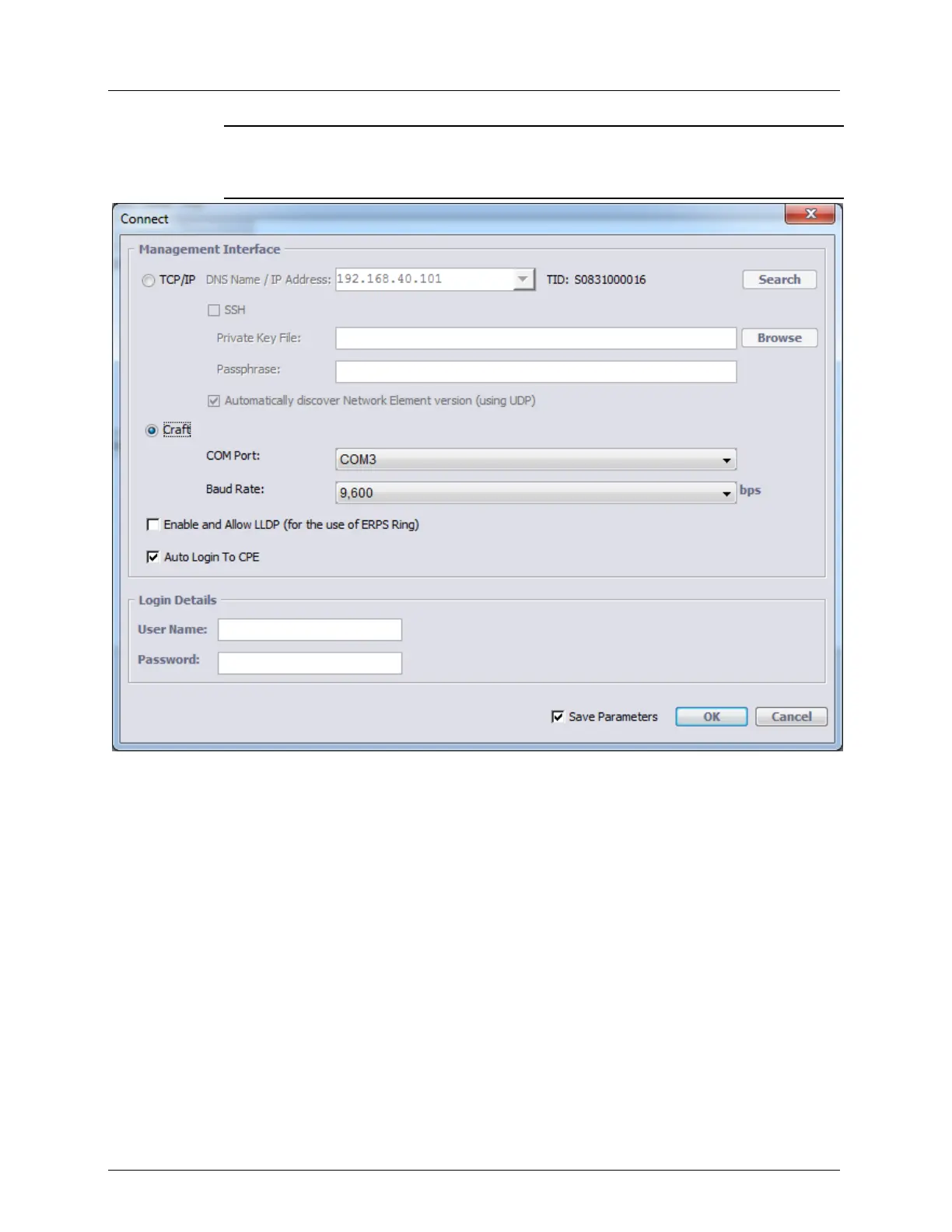
3. Under Management Interface:
Enable the Craft option.
Select the computer COM port to which the ML unit is currently connected.
Set the Baud Rate according to your computer setting: 4,800, 9,600 (default), 19,200,
38,400, 57,600 or 115,200 (bps)
Computer COM1/COM2 ports are usually set to 9600 baud rate. If your computer is
set to operate with a different baud rate than the one configured on the ML unit,
change the computer setting to match the Craft port setting. (There is no auto-
negotiation on the Craft port).
You may also change the baud-rate from the Management Interfaces: In the Network
Element tree, open Management Interfaces. In the displayed pane, Craft Interface
section, click Configure and set the baud-rate in the dialog to match your computer.
4. Determine how sessions will be available to the hosted CPEs displayed under the CO:
Auto Login to CPE enabled - default setting. All the hosted CPEs will be accessible.



 To Next Page