Field Sweeping with the SDA-5000: Considerations for Sweep in the Field
85
4
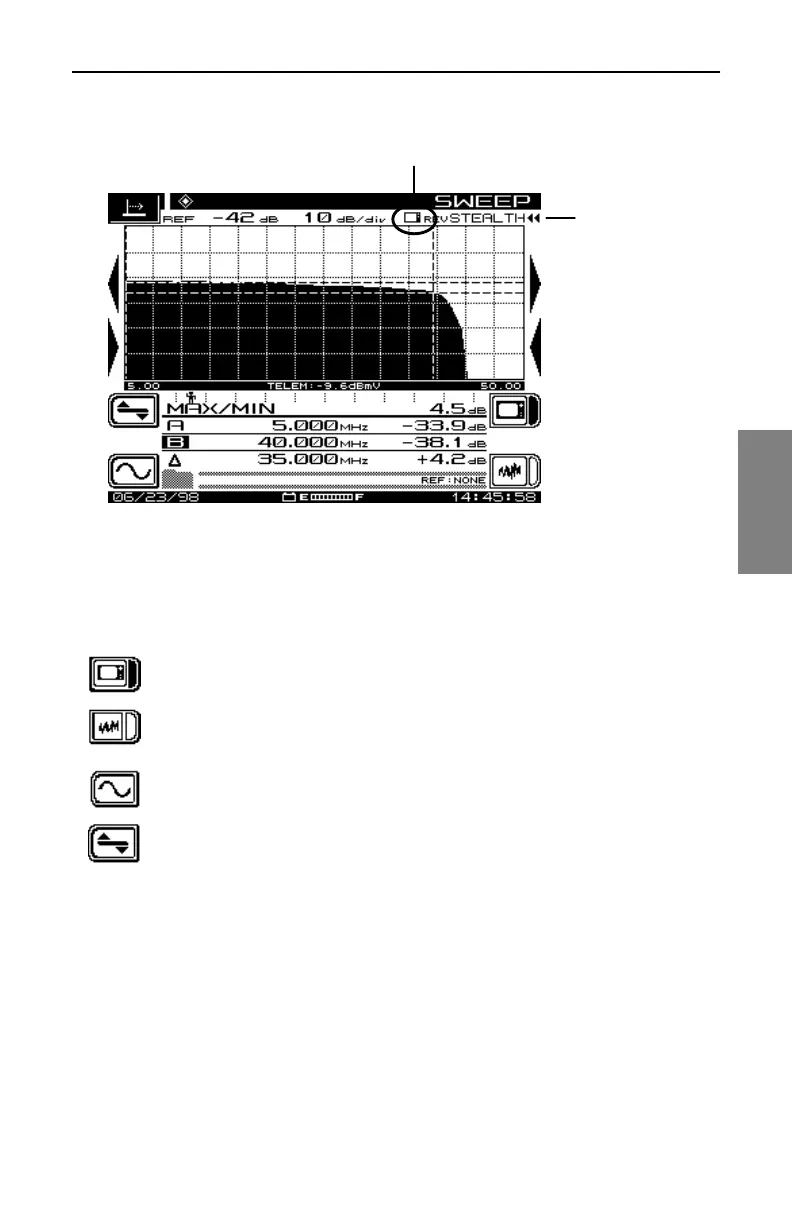
Fig. 4-15 Reverse SWEEP Screen
Notice the small icon at the upper right corner of the graph. This icon shows
whether the unit is Sweep or Noise enabled. (Fig. 4-18 shows a Noise
enabled screen.)
Press the Sweep Enable soft key to display the reverse sweep
trace.
Press the Noise Enable soft key to display the noise trace.
Use the Frequency Submenu icon to call up the Frequency
screen.
Use the Level Submenu icon to call up the Level screen.
Reverse SWEEP Screens
The next five figures and their accompanying descriptions show you how to
make maximum use of the reverse sweep features that your SDA-5000
provides. The screens covered are Frequency, Level, Noise, Noise Level,
and Noise Frequency.
Sweep
direction is
indicated here
This icon shows whether the unit is
Sweep or Noise enabled



 To Next Page