Description and Basic Operation: User Interface Elements
13
2
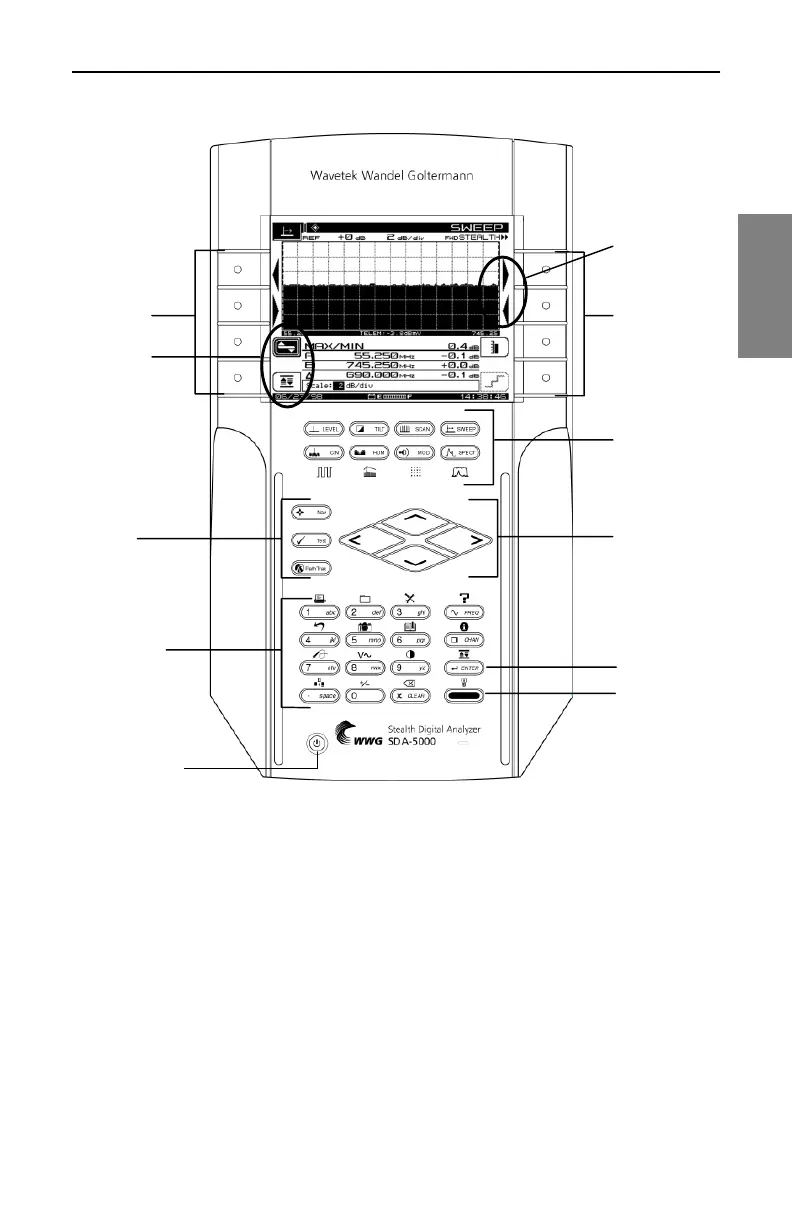
Fig. 2-2 The SDA-5000 Key Controls
Key Controls
There are five groups of keys that control the SDA field units (see Fig. 2-2):
• Eight soft keys. In many cases, icons that represent soft key functions
are displayed in the LCD next to the soft key.
• Eight measurement mode keys, plus an additional four shifted keys if
you have the QAM option (OPT4) (see Chapter 9, Digital Analysis (QAM
View OPT4), Fig. 9-2).
Alphanumeric
Keypad
Enter Key
Function Key
Support
Keys
Arrows are
displayed for
one-hand
convenience
Soft Keys
Measurement
Mode Keys
Diamond
Keys
Soft Keys
Soft Icons
Power On/Off



 To Next Page