Automatic Test: Performing an Auto Test
185
10
information is stored in the Auto Test file along with the measurement data,
and will be available during viewing and when you’re printing Auto Test
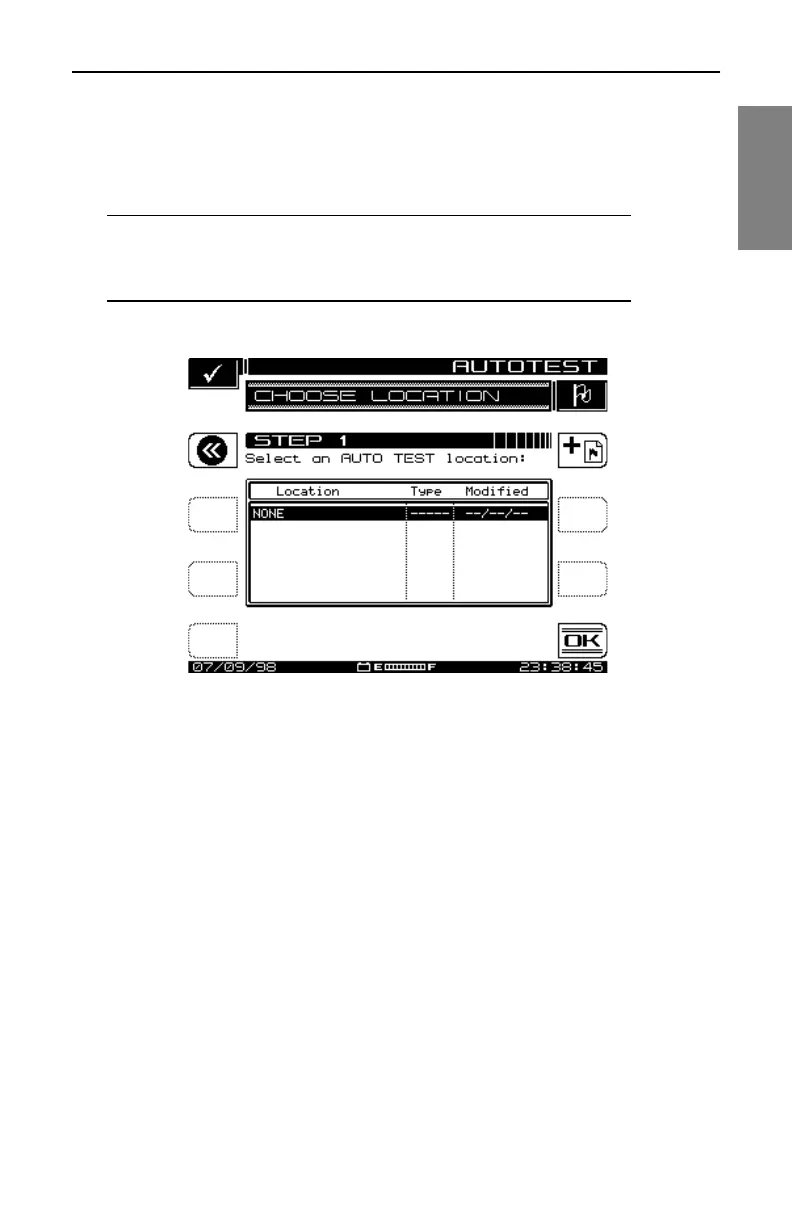
results. This first screen presents you with a list of available locations.
NOTE: If you are not interested in logging the information,
select NONE from the list. The instrument will present you
with only the steps required to configure the test.
Fig. 10-4 The CHOOSE LOCATION Screen
• To select an existing location, scroll with the up and down diamond keys
to the desired test location and press OK.
• To configure a new location, press the Add Location (+Flag) soft key and
follow the directions in “Creating and Editing Test Locations” for entering
a new location.
Edit Location
At the NEW LOCATION screen shown in Fig. 10-5, enter the information for
a new or existing location. Use the up and down diamond keys to select the
item to be edited. The items that appear in the list depend on the type of
location you have selected.
If you regularly perform tests at this location, you can save it for future use so
that you only need to enter the information once. To do this, press the Save



 To Next Page