Maintenance: Maintaining Your SDA Equipment
208
12
Battery Terminal Cleaning
Clean the battery terminal regularly. You should examine it weekly for signs
of corrosion or contamination. One acceptable method of cleaning it is to use
a hard type eraser, such as one for erasing ink; do not use the soft
"moldable" types.
Charging the Battery
SDA field units come with an extended-life battery that you can charge with
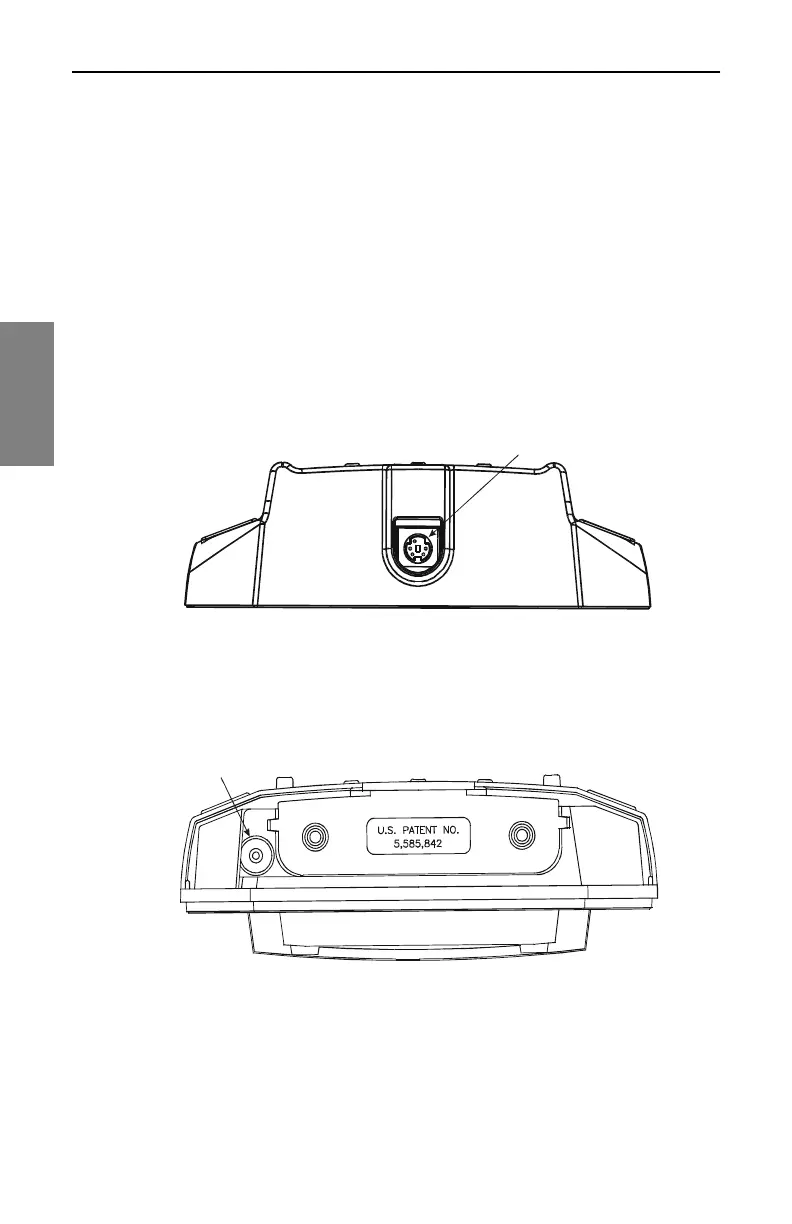
the supplied charger via the charger port on the battery housing (see Figure
12.1). With the battery inserted in the unit, the port is visible at the bottom of
the SDA, on the opposite end from the cable connection ports shown in
Figure 2.5 on page 17.
Fig. 12.1 The Battery Charger Port on the Bottom of the
Extended Life Battery
On these units, the charger port visible on the unit chassis when the battery
is removed is not functional (see Figure 12.2).
Fig. 12.2 The Charger Port on the Unit Housing (Battery
Removed)
Battery Charger Port



 To Next Page