Digital Analysis (QAM View OPT4): Digital Summary Mode
157
9
Connect the cable to the digital port on the unit before using any of the four
digital modes.
If initially unsuccessful, the following error message will appear:
“ERROR … Signal Unlocked! Confirm Connection to Dig Port. Retry.”
Press this soft key to retry to lock onto the QAM signal. This key
will appear in the lower right corner of the screen when lock
errors occur, otherwise the key will remain blank.
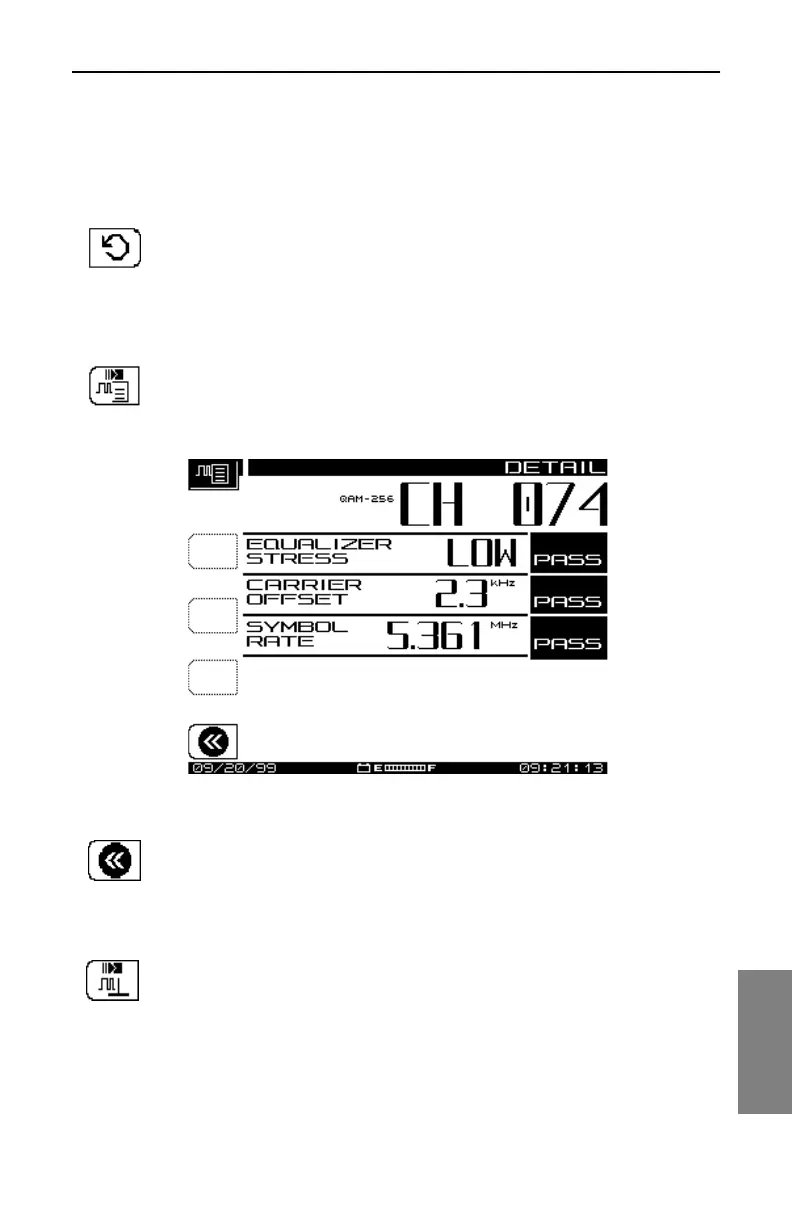
Viewing the DETAIL Display
Press this key to view digital DETAIL display (see Fig. 9-4).
Fig. 9-4 Digital DETAIL Display
Press this key to return to Digital Summary Mode.
Viewing the QAM Level Display
Press this key to view the QAM Level display.



 To Next Page