Channel Plans: Setting Channel Plan Parameters
56
3
NOTE: You can use the Factory icon soft key at the upper
right of the screen to set FCC (US) recommended default
values automatically.
NOTE: You cannot use the Factory icon to set FCC
recommended values when you’re setting Digital Limits.
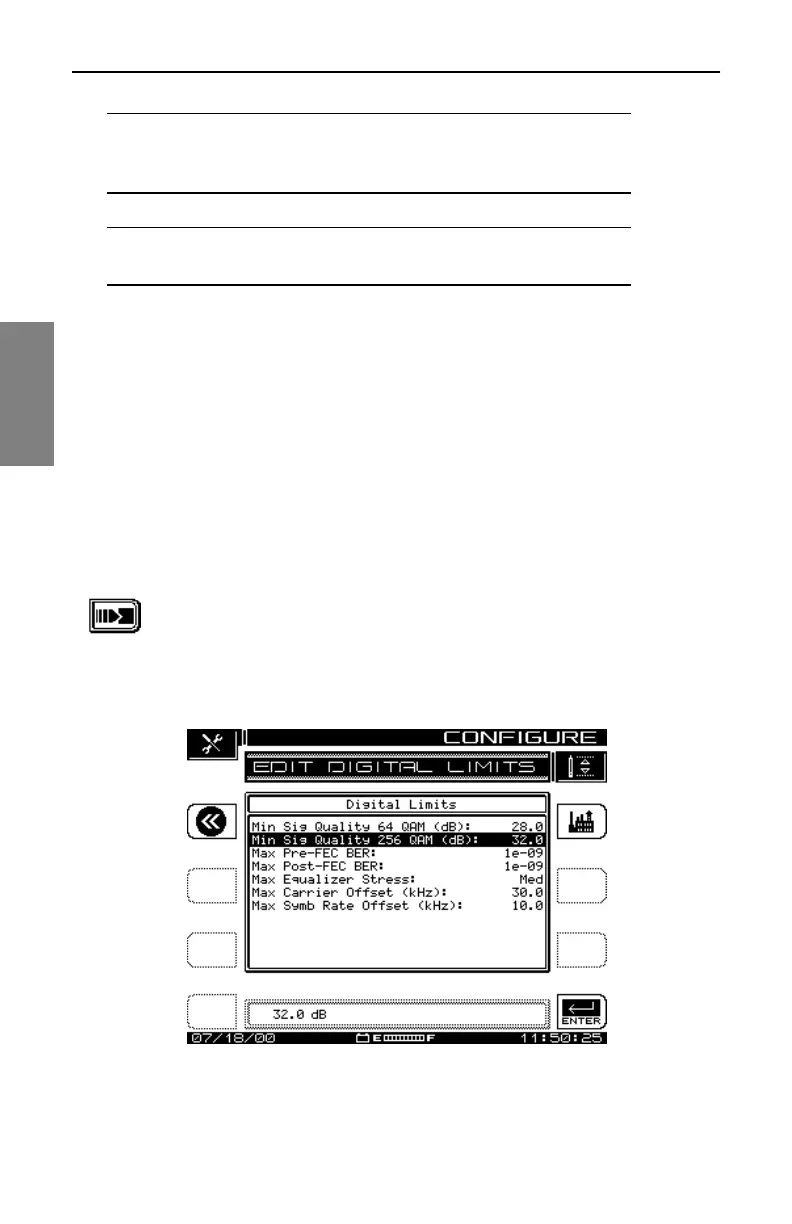
Edit Digital Limits
The Edit Digital Limits option on the CHANNEL PLAN menu appears only if
your SDA unit is equipped with the QAM option (OPT4). The parameters you
set here are compared to the measurements displayed in the Digital
Summary and digital Detail screens in QAM Mode.
See Also
½ Chapter 9, Digital Analysis (QAM View OPT4), describes
these modes in detail.
1. From the CHANNEL PLAN menu shown in Fig. 3-2, scroll to
the Edit Digital Limits item and press the Continue soft key.
The screen shown in Fig. 3-14, EDIT DIGITAL LIMITS,
appears.
Fig. 3-14 The Edit Digital Limits Screen



 To Next Page