Field Sweeping with the SDA-5000: Considerations for Sweep in the Field
90
4
and down diamond keys. Save your setting by pressing the
Enter key.
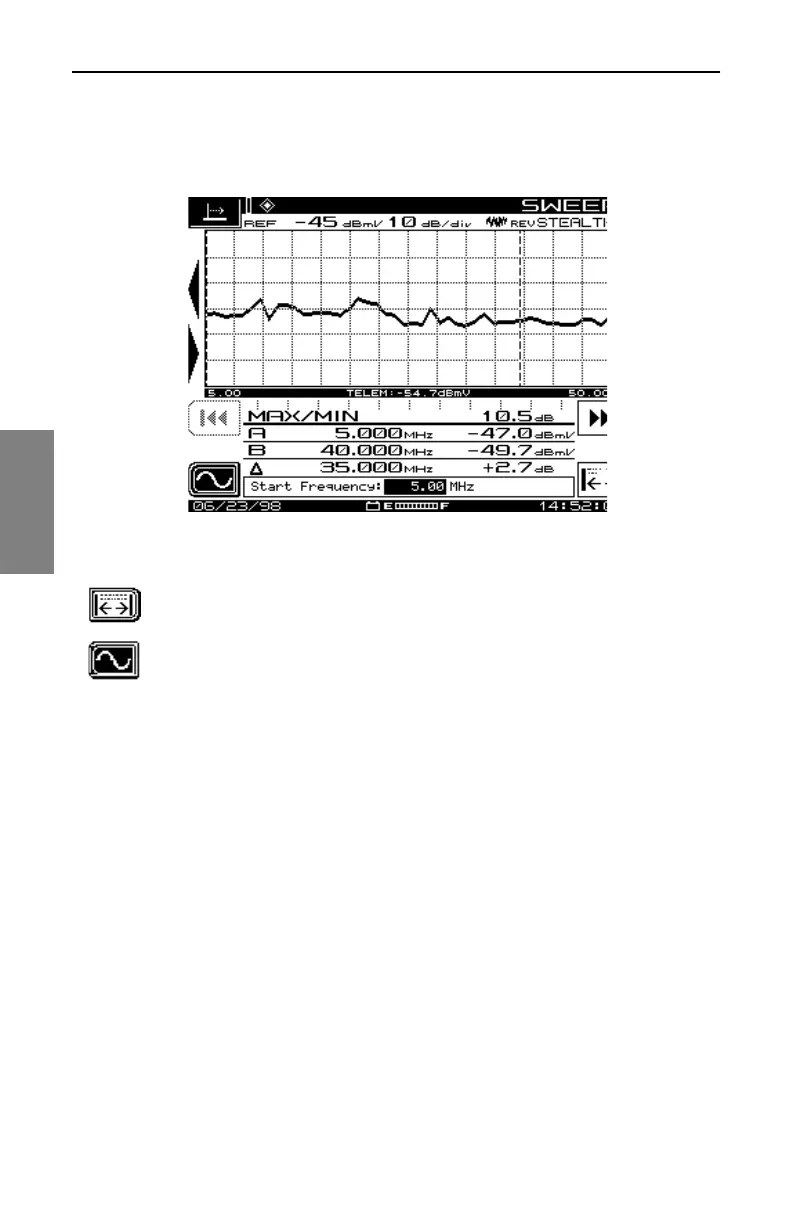
Fig. 4-20 The Reverse SWEEP Noise Frequency Screen
You can return to values previously set with the icon in the lower
right of the display.
When you’re finished, press the soft key next to the Frequency
Submenu icon on the left side of the display to return to the
SWEEP menu.
Reverse Amplifier Alignment Screens
To ensure the proper operation of the reverse path, the amplifiers must be
correctly aligned so that the digital signals are not clipped or compressed.
You get to the Reverse Amplifier Alignment mode using the Navigator’s
ALIGN option. The screens and descriptions shown in this section enable
you to align the amplifiers.
See Also
½ For more information, see “The Noise Mode” in Appendix A
(page 331).
REV ALIGNMENT Main Screen
Use the screen shown in Fig. 4-21 to set the low and high frequencies for tilt/
gain.



 To Next Page