Channel Plans: Setting Channel Plan Parameters
38
3
To set the channel plan parameters, follow the prompts in the Edit Box and
the directions in the following sections.
NOTE: The Return soft key in the upper left moves the
menu back one screen. Press the soft key next to the Edit
Box at the lower right to enter each Channel Plan
submenu.
Select Channel Plan
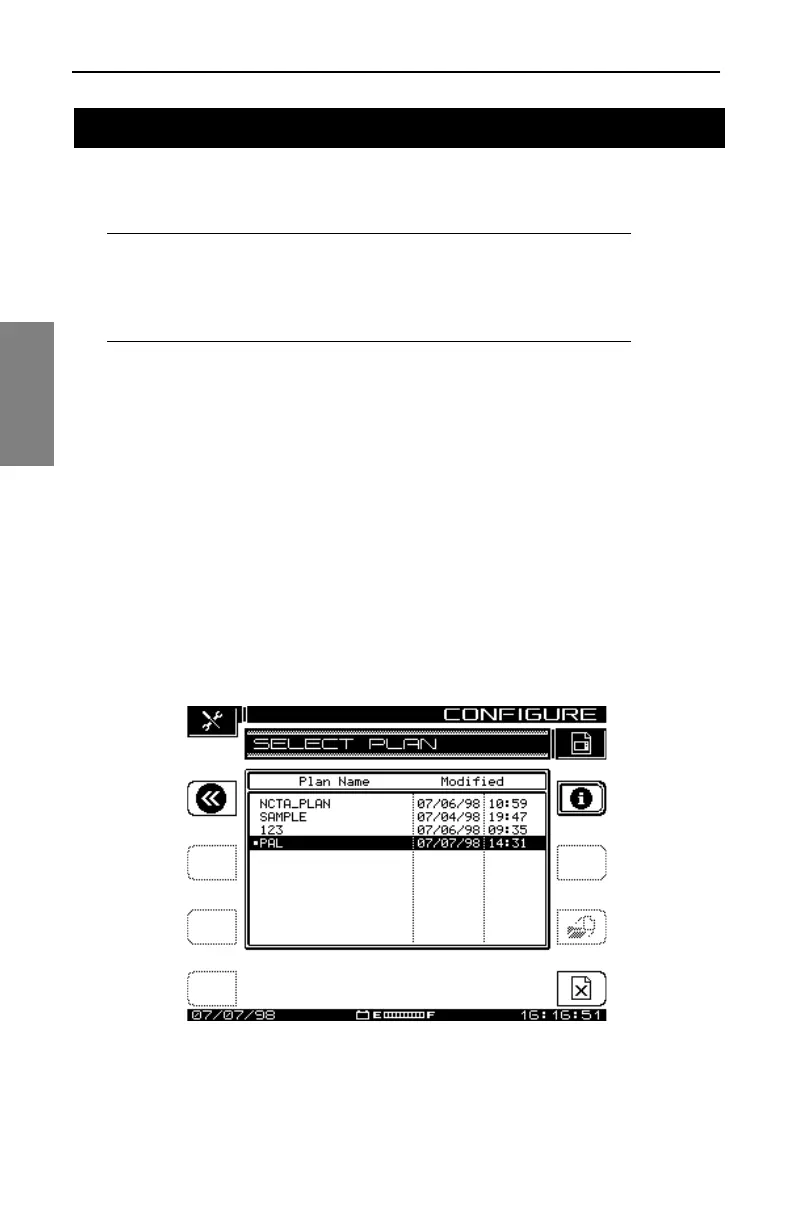
Selecting the top item, Select Channel Plan, takes you to the screen shown
in Fig. 3-3. This is a list of existing channel plans. If this is the first time
you’ve used your SDA field unit, the only channel plan shown is the standard
NCTA plan.
See Also
½ The “Build Channel Plan” section later in this chapter shows
you how to create and name new channel plans, and add
them to the list displayed here (page 40).
Fig. 3-3 Select a Channel Plan
SETTING CHANNEL PLAN PARAMETERS



 To Next Page