Description and Basic Operation of the SDA-5500 and 5510: Basic Modes of Operation
234
13
Audio Carriers
If desired, the audio carriers can be omitted resulting in a faster scan. This
feature is selected in the MEASUREMENT setup menu. An indicator
appears in the upper left hand corner of the Scan screen when audio carriers
are omitted.
Limits
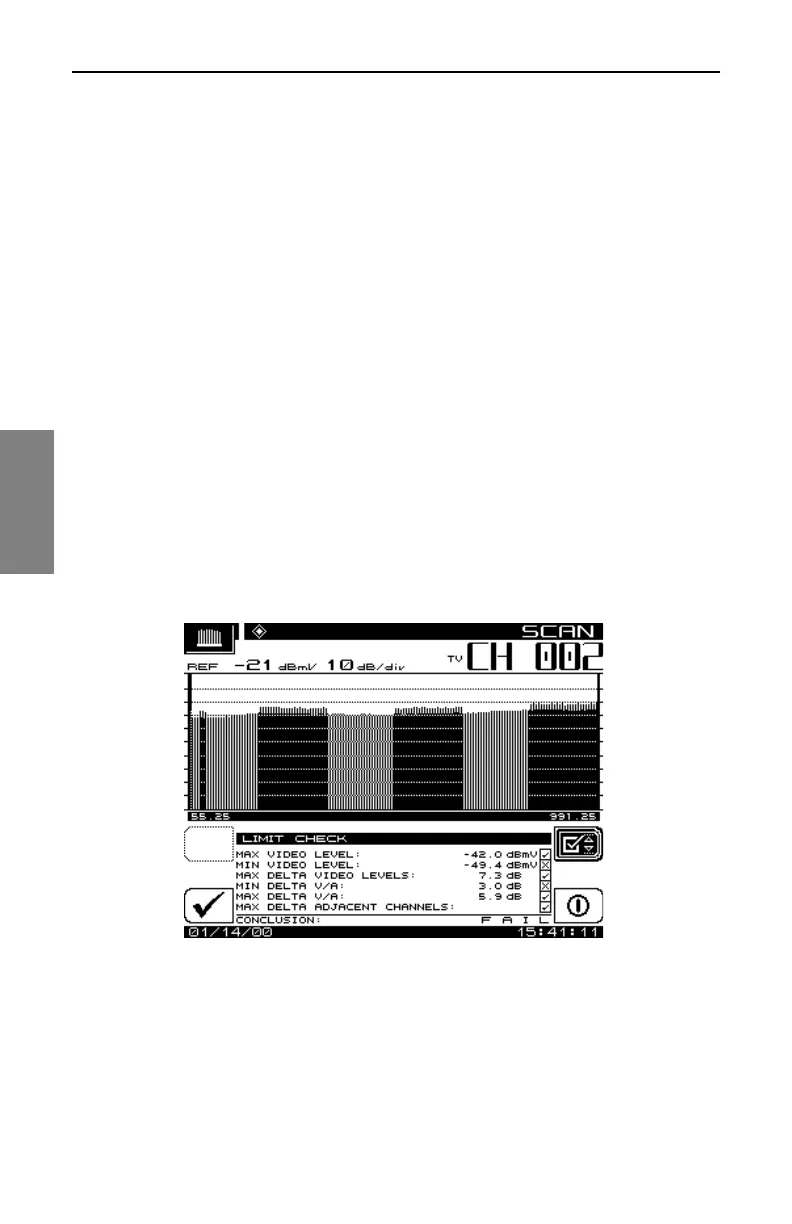
The Limits feature (Fig. 13-10) allows for comparison of the current scan
measurement with the limits that are defined in setup. There are two parts to
this feature:
• When an out of tolerance condition exists a set of annunciators will appear
below the scan graph. The annunciators indicate the following out of
tolerance conditions:
• Adjacent Channel Error
• Video Level Too High/Low
• ∆VA Too High/Low
The limit annunciators are updated with each scan update.
Fig. 13-10 The Limit Check Screen
An aggregate result summary can be accessed by pressing the LIM soft key.
This performs a limit check of all channels contained within the scan and
reports an overall pass/fail conclusion. The aggregate limit check is not



 To Next Page