Description and Basic Operation: User Interface Elements
11
2
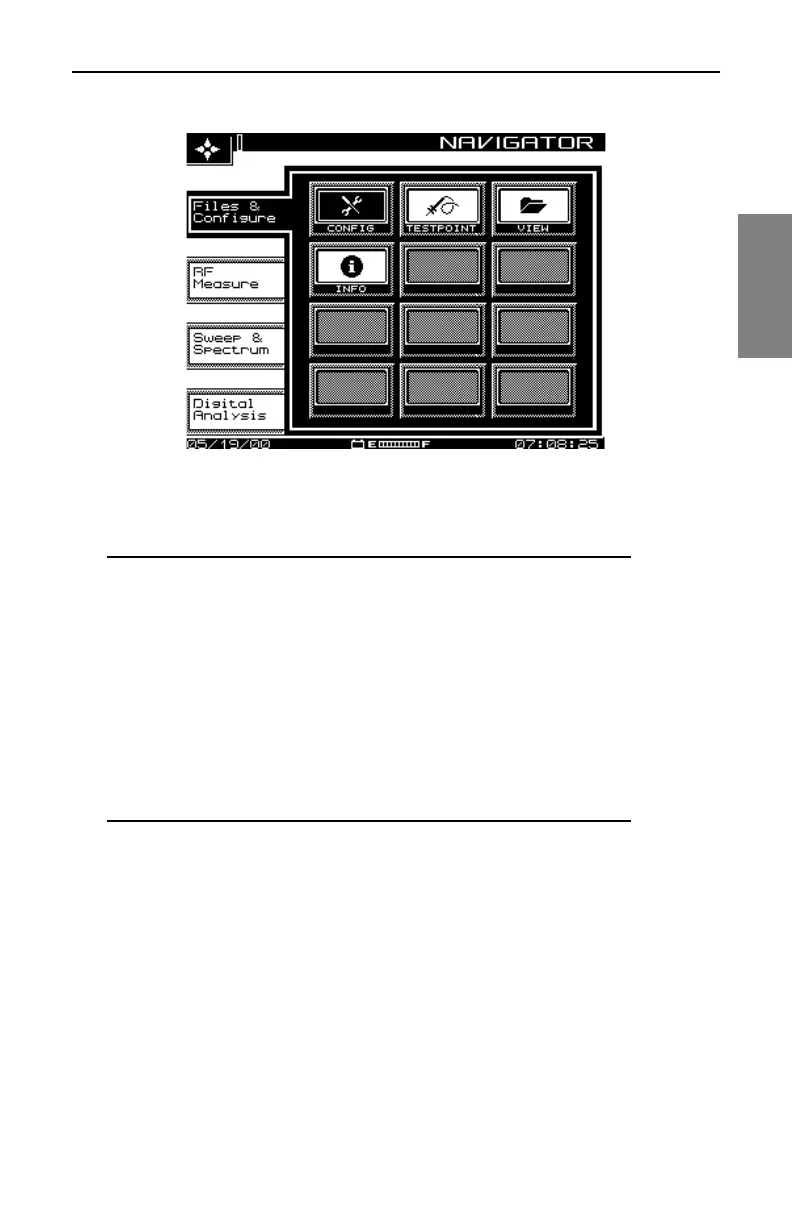
Fig. 2-1 The SDA-5000 Navigator Interface Showing the
Files and Configure Tab
NOTE: If you’re having trouble reading the screen, there
are two adjustments you can make:
• Adjust screen contrast by pressing the Function key
(the green key in the lower right corner of the unit), then
the 9 yz key to call up the contrast slider. Use the
diamond keys to make the desired adjustment. Then
press the Enter key (just above the Function key) to set
the new contrast level.
• The LCD screen backlight is activated (or deactivated)
by pressing the Function key twice.
Navigator Tabs and Icons
Page references in the following list point you to the main discussion in the
manual. Note that the icons displayed depend on the unit’s options. Your unit
might not show all of them.



 To Next Page