SDA-5500/SDA-5510 Sweep Configuration: Configuring Reverse Sweep
291
14
• The best way to set up the reverse sweep channel plan is to build a plan
with 250 kHz sweep insertion points from 5 to 45 MHz and then delete
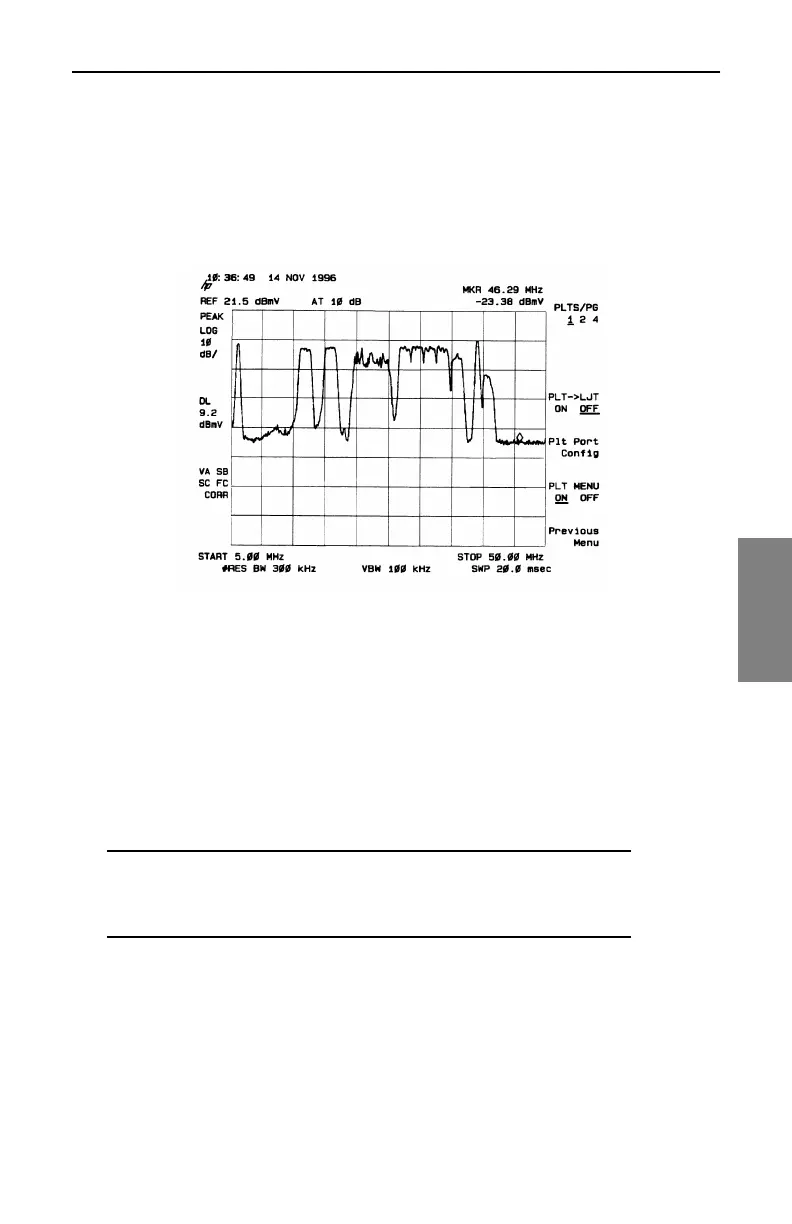
points that fall within the service frequencies. A close look at the peak
held scan, using a marker, may indicate frequencies within the bands
specified above for insertion points (34.5 MHz, for example).
Fig. 14-13 Max-Held Spectrum Display
Creating a New Reverse Sweep Channel Plan
1. To access your reverse sweep plans, select the Reverse Sweep Plans
option and press the ENTER key. At the REVERSE SWEEP PLANS
menu, press the New soft key. The CREATE A NEW PLAN menu will
appear (see Figure 14-14). Enter a name for the plan using the
alphanumeric keys and press the Enter key. Then press the OK soft
key to continue.
NOTE: A warning message will appear if a reverse sweep
plan currently exists with the same name as the plan you
are creating.



 To Next Page