SDA-5500/SDA-5510 Sweep Configuration: Forward Sweep Configuration (SDA-5500)
281
14
827.63 to 827.87 lower to 827.62
882.63 to 882.87 lower to 882.62
938.13 to 938.37 lower to 938.12
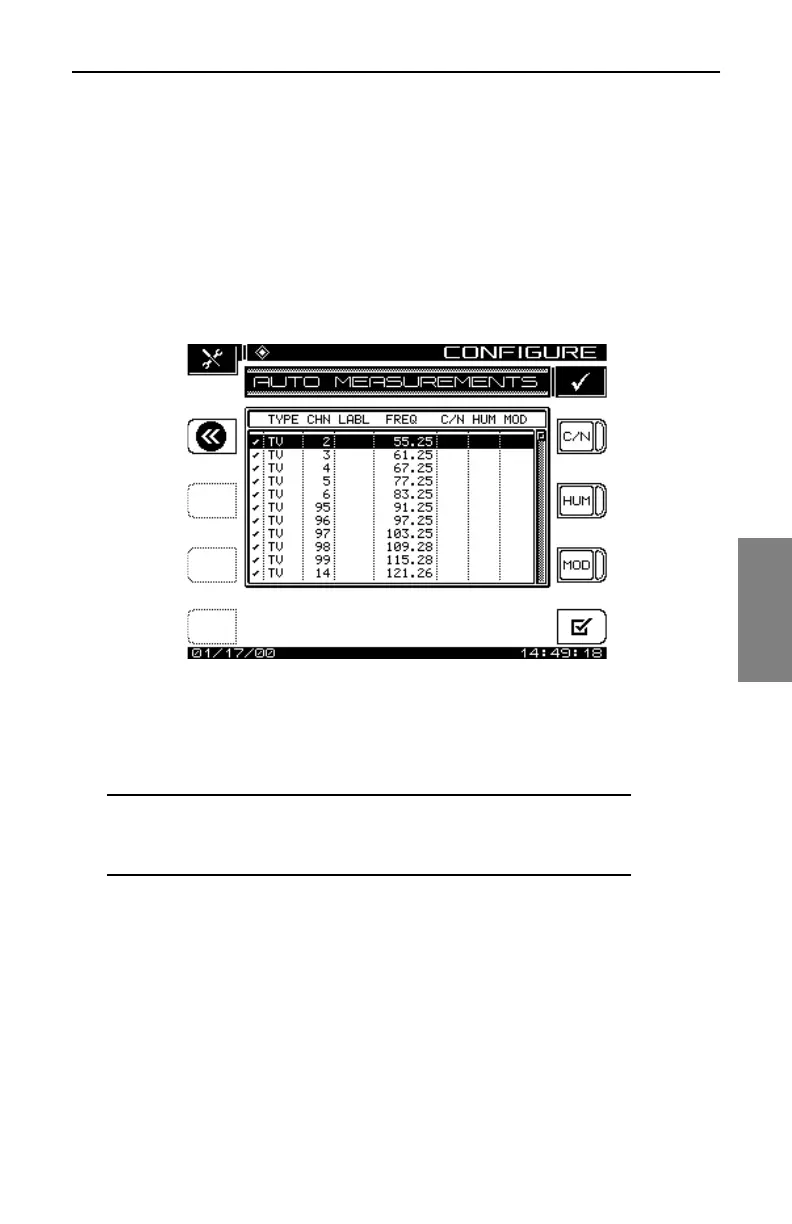
• Specify Auto Measurements: Press the Enter key to specify the
measurements to be taken during the performance of an Auto Test (see
Fig. 14-7). This feature allows the user to specify which channels C/N,
Hum, and Modulation measurements are made on.
Fig. 14-7 The AUTO MEASUREMENTS Screen
• Use the up and down arrow keys to scroll to a channel. Use the C/N,
HUM, and MOD soft keys to select the desired Auto Test measurements.
NOTE: C/N, Hum, and Modulation cannot be measured on
a scrambled channel or a sweep point. Hum and
Modulation cannot be measured on a Digital type carrier.
Use the All/None soft key to quickly select or deselect Auto Test
measurements. If a test is selected, the None soft key is displayed. If no
tests are selected for a particular channel, then the All soft key is
displayed.
• Edit Limits: The Edit Limits function works in conjunction with the
performance of an Auto Test. As the Auto Test measurements are made,
the values are compared to the above limits (Fig. 14-8).



 To Next Page