Description and Basic Operation: Configuring the SDA-5000
24
2
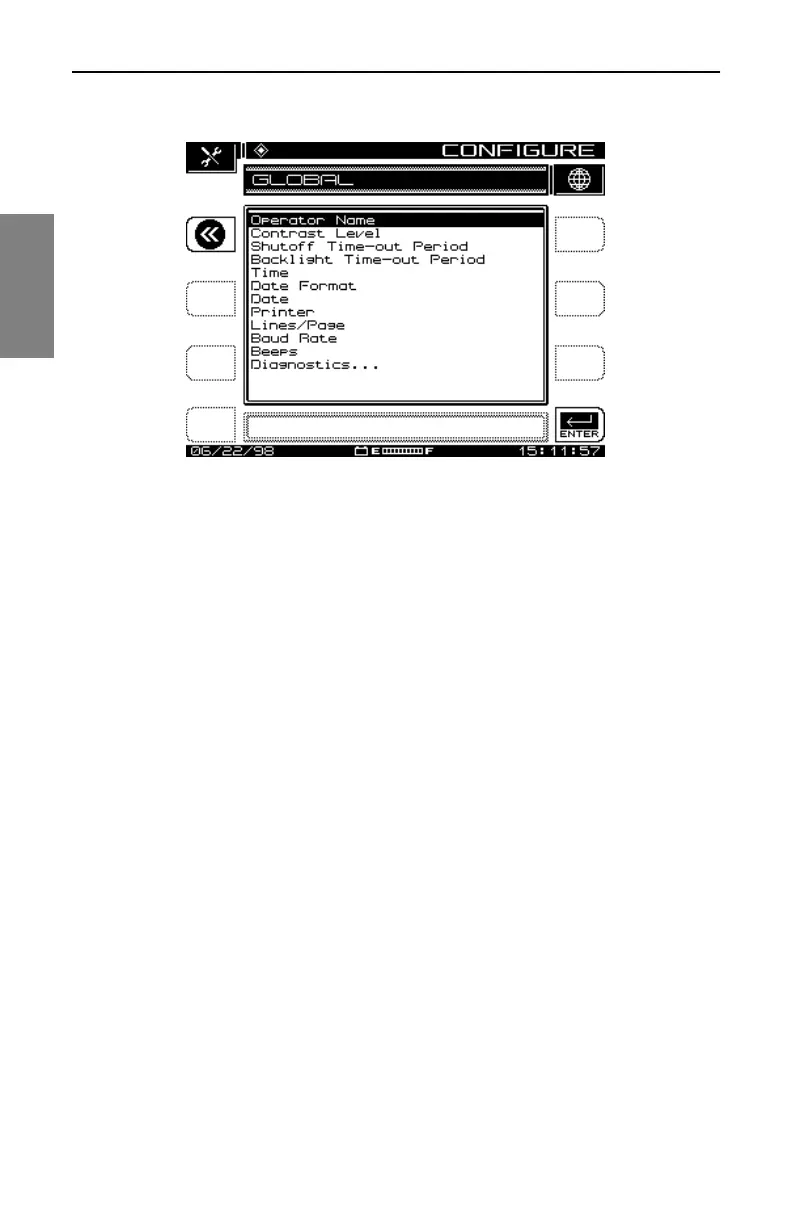
Fig. 2-7 The GLOBAL Menu
• Backlight Time-out Period: You can also conserve battery life using
the screen backlight’s automatic time-out. The time-out period is
programmable: Always Off, 5 sec, 10 sec, or Always On. (You can turn
the backlight on or off manually at any time by pressing the Function key
twice.)
• Time: Use the numeric entry keys to enter the time in HH:MM:SS
format. The time is set using a 24 hour scheme (for example, 18:05:30
for 6:05 and 30 seconds PM).
• Date Format: Use the up and down diamond keys to select the date
format. When you change the date format, the new format will appear
everywhere the date is displayed or printed. The following formats are
available:
MM/DD/YY
DD.MM.YY
YY.MM.DD
• Date: Use the numeric entry keys to enter the date. Select Date Format,
Next . . . to determine which date display format is used.
• Printer: Sets the printer interface. Use the up and down diamond keys
to choose between Diconix, Seiko, IBM, or Epson.



 To Next Page