Description and Basic Operation: Configuring the SDA-5000
26
2
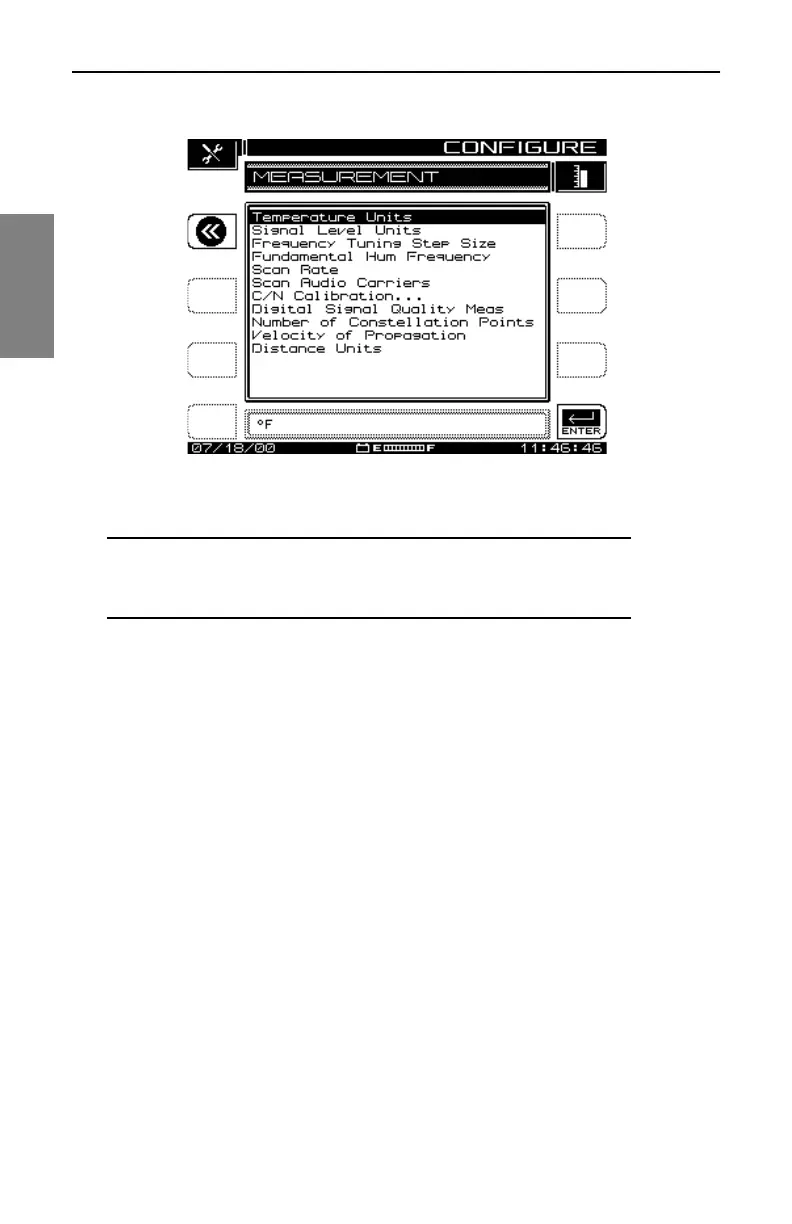
Fig. 2-8 The MEASUREMENT Menu
NOTE: The Test Point Compensation item has been
moved to another menu, TESTPOINT, accessible from the
Navigator or by pressing the Function and 7 stu keys.
• Temperature Units: Select the desired temperature units (degrees
Celsius or degrees Fahrenheit).
• Signal Level Units: Select the units to be used for checking signal
power levels (dBmV, dBuV, and dBm).
• Frequency Tuning Step Size: Adjust the Tuning Step Size using the up
and down diamond keys or the numeric entry keys (0.01 to 100.00 MHz
in 10 kHz steps).
• Fundamental Hum Frequency: Select the fundamental hum frequency
to be measured (60 Hz, 50 Hz, 1Hz, or, Auto). With Auto selected, the
unit will automatically switch to 50 Hz on PAL type plans and 60 Hz for
NTSC plans. 1Hz is used in the case of a 1Hz power supply.
• Scan Rate: Two scan rates are available in the Scan mode, Normal and
Fast. The Fast scan feature allows for rapid scan displays, but sacrifices
accuracy. The Normal scan rate is slower but more accurate.
• Scan Audio Carriers: Omitting the audio carriers during the scan
produces a faster scan.
• C/N Calibration: To obtain a valid carrier-to-noise measurement, the
measurement algorithm incorporates a noise floor calibration. To perform



 To Next Page