Rockwell Automation Publication 193-UM015E-EN-P - October 2015 573
EtherNet/IP Communication Chapter 10
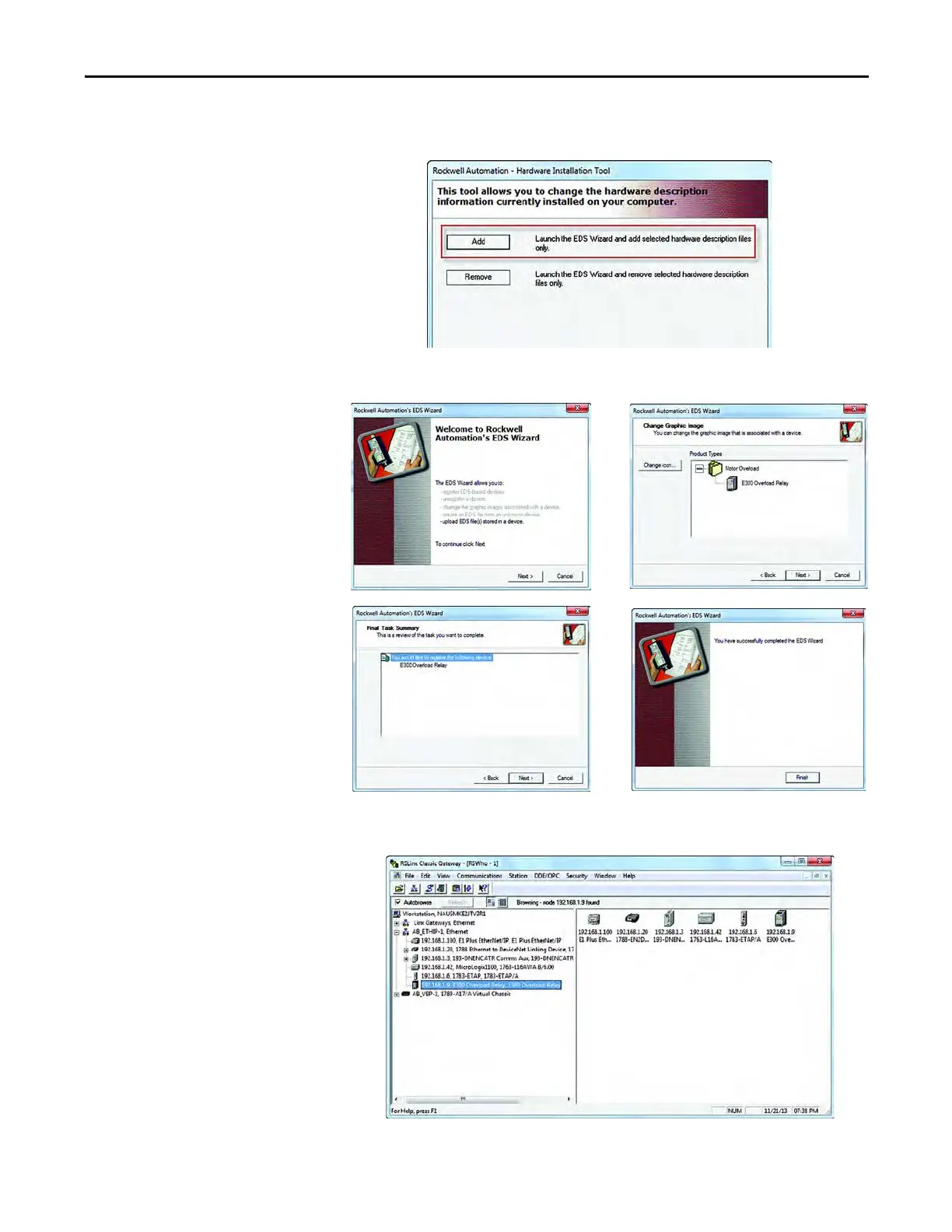
4. Start the EDS Hardware Installation Tool located at
Start>Programs>Rockwell Software>RSLinx Tools and Add a new device
5. Using the EDS Wizard, install the downloaded E300 relay EtherNet/IP
Communication Module EDS file.
6. When finished, RSLinx Classic recognizes the newly registered E300 relay
EtherNet/IP Communication Module.



 To Next Page
 Loading...