Testing using Remote Loopback Audio Measurements
14-2 PN: 13000-00205 Rev. N MT8852B Operation Manual
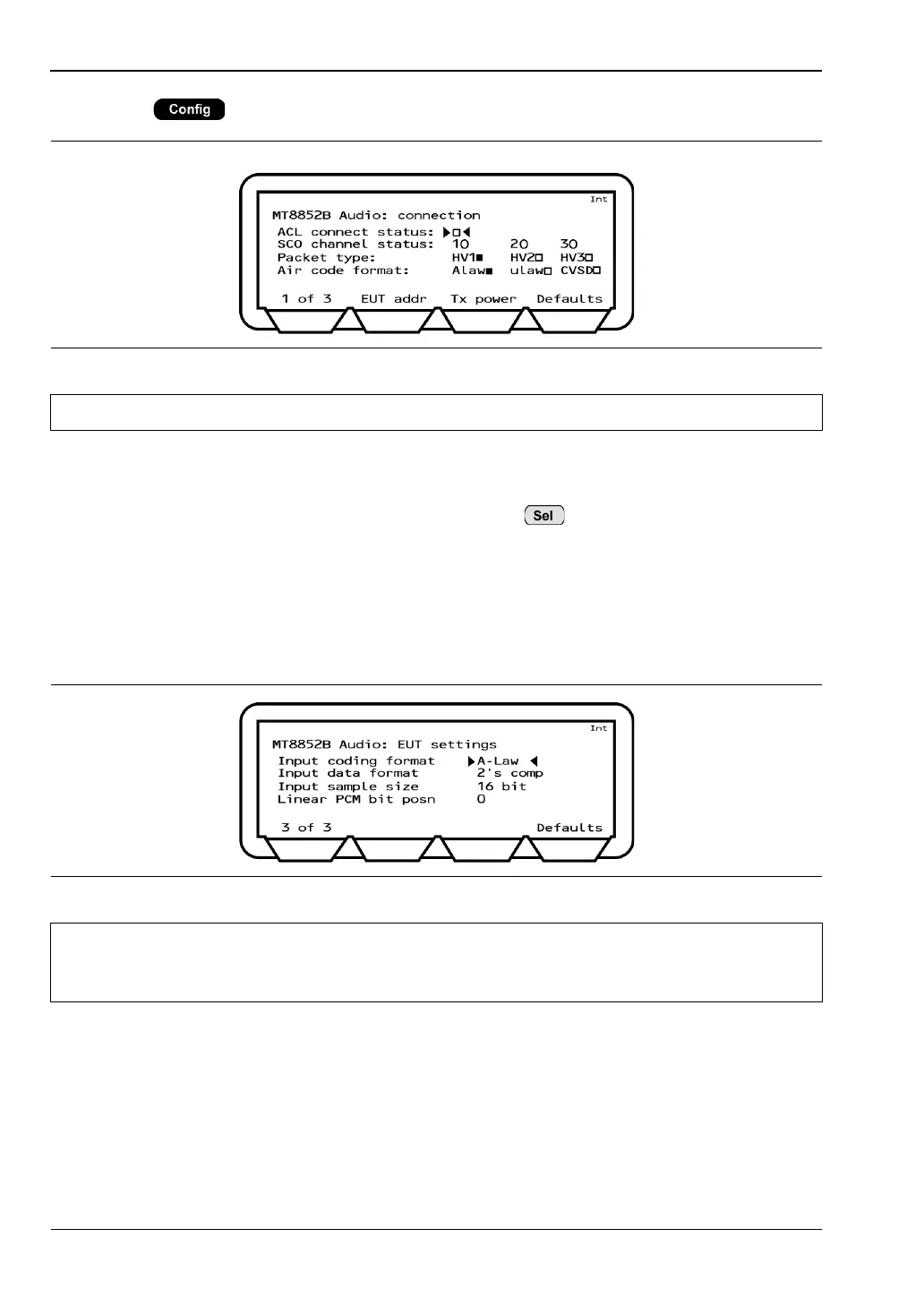
1. Press > "MT8852B" > “Audio” to display the page below.
2. Press the [EUT addr] soft key and set the EUT address in the normal manner. Refer to
chapter 6 for details.
3. Move the cursor to "ACL connect status" and press to establish an ACL
connection. When the ACL connection has been established, the square indicator at the
right of this item becomes solid and, if the EUT supports SCO, the indicators on the
"SCO channel status" line change to hollow squares to reflect this.
4. If the address source is set to RS232, or USB it is necessary to make the EUT settings
shown in the page below. Press the [1 of 3] soft key followed by the [2 of 3] soft key to
display the third page.
Input coding format: Select the EUT baseband sample input/output data format. There
are three possible settings, "Linear", "A-Law", and "u-Law".
Input data format: Select the EUT baseband sample data format. There are three
possible settings, "1's", "2's", and "sign magnitude".
Input sample size: Select either an 8 or 16 bit baseband sample size.
Figure 14-2. MT8852B Audio Connection
Note The RF level used is the same level as that set for the script that was last run.
Figure 14-3. Audio EUT Settings
Note
No settings are required on this page if the EUT address source is not set to
RS232 or USB. Skip to step 7 in this procedure if not initializing the EUT using the
MT8852B "EUT Control" interface.














 To Next Page