Testing using Remote Loopback Audio Measurements
14-4 PN: 13000-00205 Rev. N MT8852B Operation Manual
11. Press the [2 of 3] soft key followed by the [3 of 3] soft key to return to the first page.
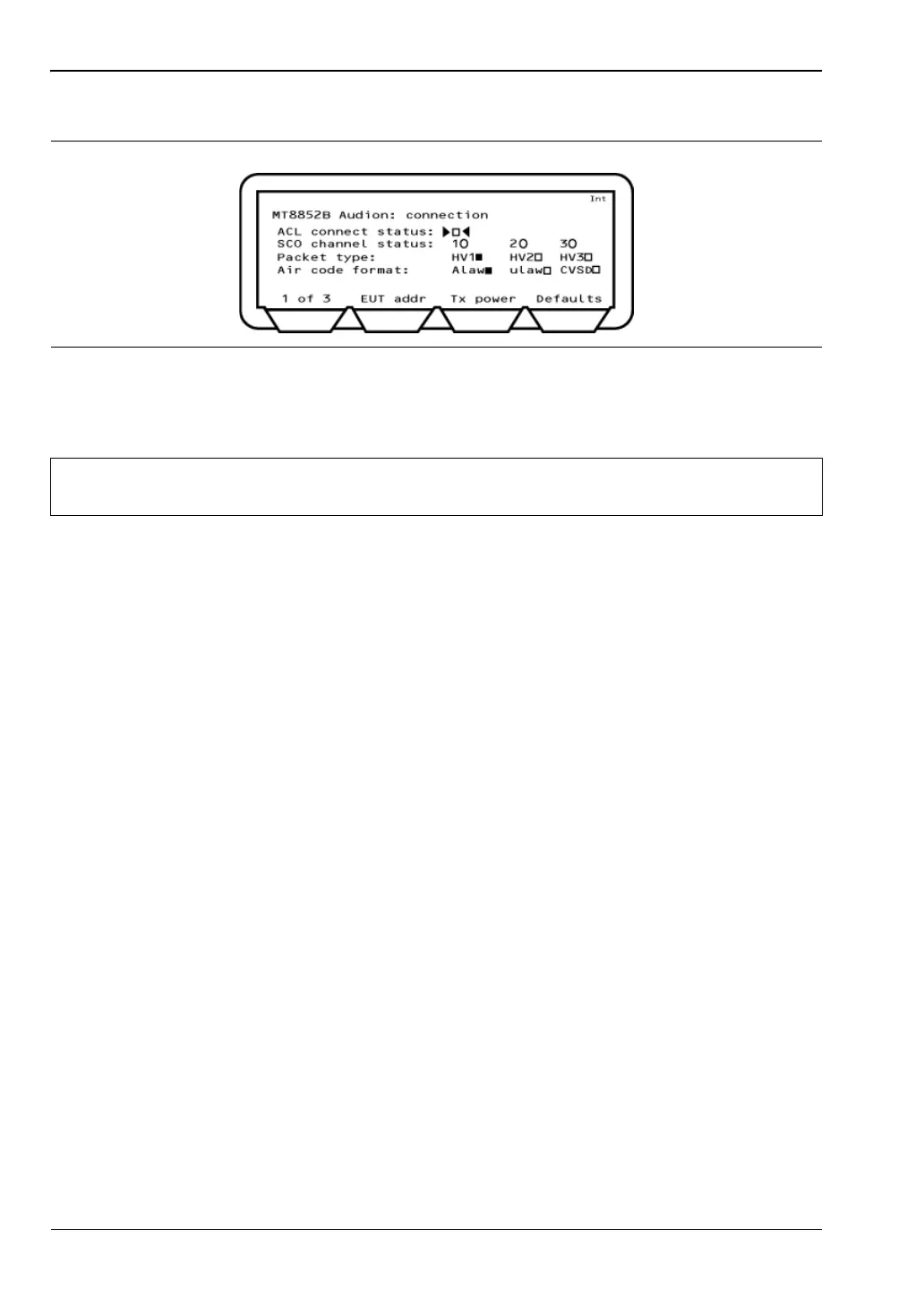
12. Move the cursor to "Packet type" and select the HV packet type to be used. When the
packet type is selected, the indicator to the right changes from hollow to solid.
HV1
Speech length / packet: 10 voice bytes (1.25 ms of speech)
Payload length: 240 bits
FEC: 1/3 FEC
Transmission rate: Every TX time slot
HV2
Speech length / packet: 20 voice bytes (2.5 ms of speech)
Payload length: 240 bits
FEC: 2/3 FEC
Transmission rate: Every second TX time slot
HV3
Speech length / packet: 30 voice bytes (3.75 ms of speech)
Payload length: 240 bits
FEC: None
Transmission rate: Every third TX time slot
13. Move the cursor to "Air code format", and select the required type. When the packet
type is selected, the indicator to the right changes to solid. If the EUT is not being
initialized via the MT8852B RS232 control interface, the MT8852B aircode must be set
to match the setting of the EUT.
Figure 14-5. MT8852B Audio Connection
Note
Some EUTs may not support all packet types. Only packet types reported as
supported in "supported features" are available.














 To Next Page