Test Scripts Configuring a Script
MT8852B Operation Manual PN: 13000-00205 Rev. N 5-9
When over-the-air RF measurements are being made, it is recommended to set the TX
power level to 0 dBm. For cable connections, set the power level so that the signal level
at the EUT receiver is around -40 dBm after allowing for cable/path loss.
6. If option 34 (low energy data length extension support) is installed, LE Packet Length
Mode and LE Packet Length settings are applicable. The LE packet length mode can be
set to MANUAL or AUTO. Manual mode is the default setting. In Manual mode, LE
Packet Length is used to set the packet length. In Auto mode the tester will attempt to
read the MAX_TX_LENGTH value from the EUT using the HCI command
LE_READ_Maximum_Data_Length. If this command fails, the length will be set to the
default of 37 bytes.
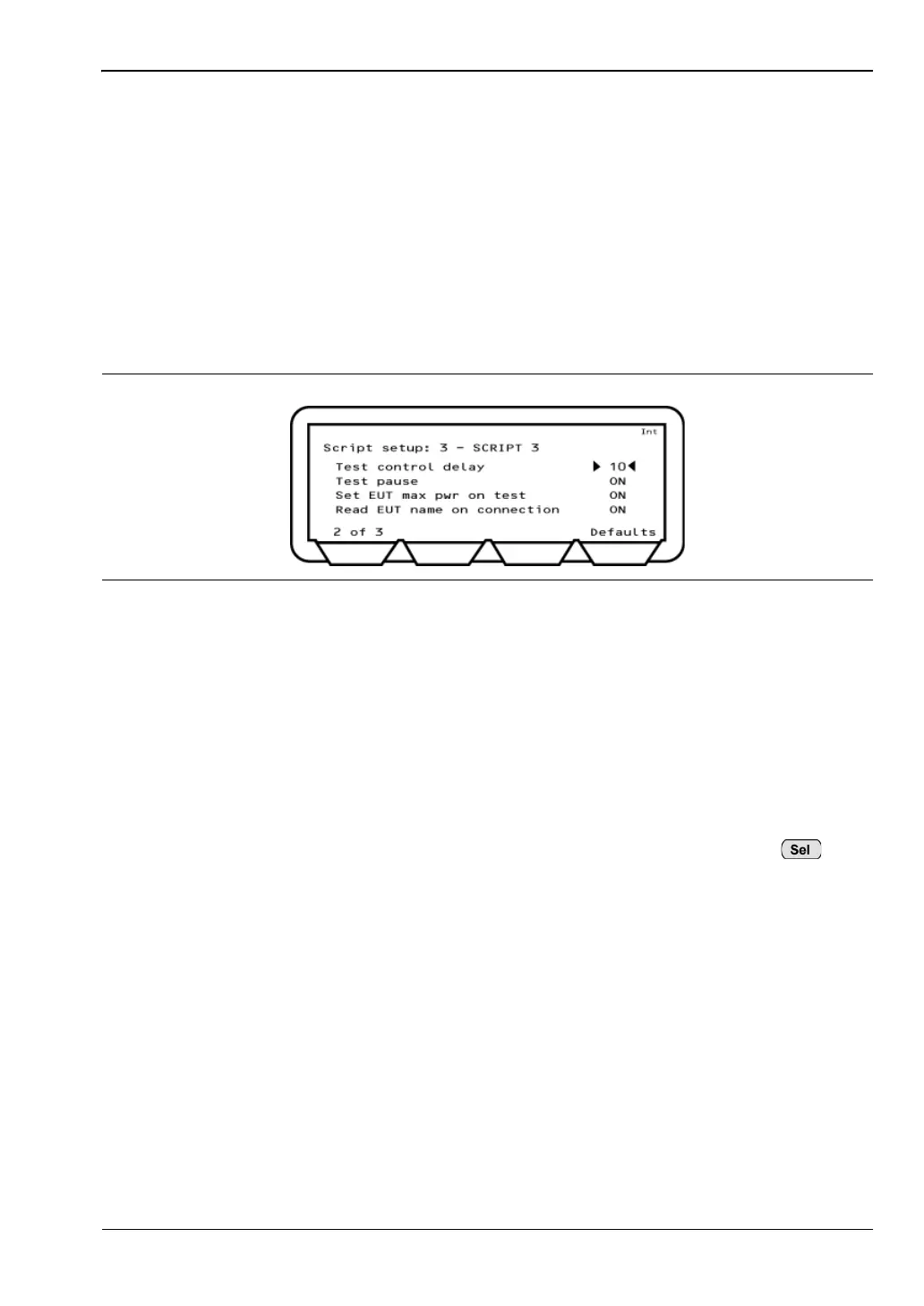
7. Press the [1 of 3] soft key to move to the second page.
8. Enter the “Test control delay” value using the keypad.
When the MT8852B sends a Test Control command (Loopback, TX or Test Pause), the
EUT may require a period of time to respond. This time varies between differing
Bluetooth device. Test control delay causes the MT8852B to wait until the EUT has
had time to respond. The “Test control delay” value represents the number of packets
transmitted from the EUT that are ignored before measurements are started. The
“Test Control delay” value can be set to any value between 0 and 100.
9. Enter the “Test pause”. The test pause command is defined in the Bluetooth
specification to improve the efficiency of device testing. If an EUT does not support test
pause, it can de disabled by moving the cursor to "Test pause" and pressing to
change the setting to Off.
10. Leave "Set EUT max pwr on test" at “ON”. When the MT8852B connects with an EUT
it is required that, before measurements start, the EUT power be set to maximum. It
has been found that this requirement may pose a problem for certain EUTs in
development, and so it is possible to set "Set EUT max pwr on test" to "OFF".
11. Leave “Read EUT name on connection" at “ON”. Under normal circumstances, the
user-friendly name is read when a connection is established. However, for certain
EUTs still in development, this may result in a dropped link, and for this reason it can
be set to "OFF".
Figure 5-9. Script Setup 2 of 3














 To Next Page