Configuring a Script Test Scripts
5-10 PN: 13000-00205 Rev. N MT8852B Operation Manual
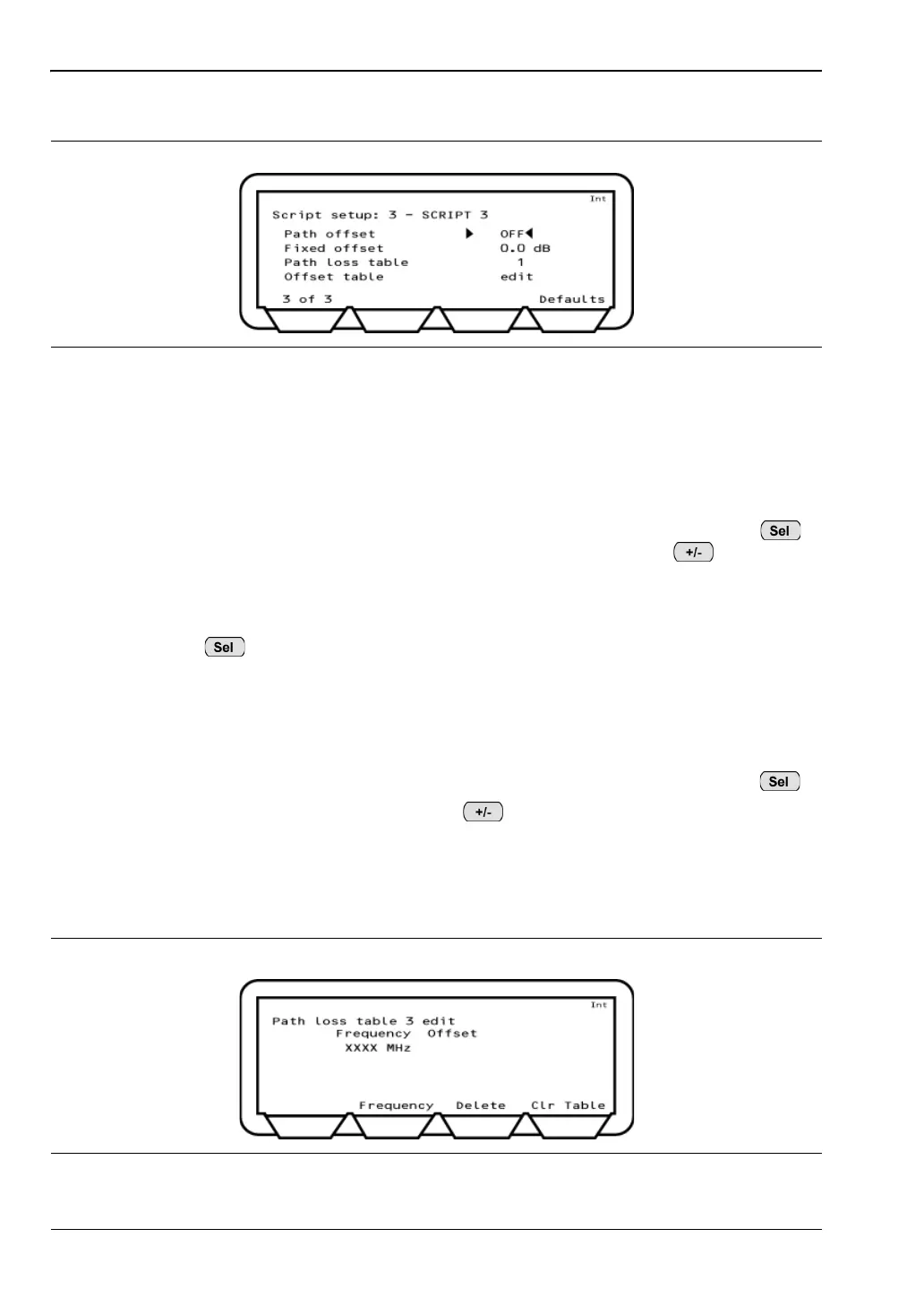
12. Press the [2 of 3] soft key to move to the third page.
13. Set the “Path offset” as required. The path offset feature is used to correct power and
sensitivity measurements for the losses in test system cable and connectors. Three
settings are available:
OFF: Path offsets are not applied.
FIXED: When path offset is set to FIXED, the specified offset value is applied to
every frequency. Enter the offset value from the keypad and press .
Values must be entered in the negative by first pressing .
TABLE: When path offset is set to TABLE, a different path offset can be applied to
each frequency as required. The user can specify use of one of five loss
tables for the selected script. Move the cursor to "Path loss table", press
and enter the number (1 to 5) of the loss table that will be used.
Press the [Enter] soft key when a selection has been made.
When path offset is set to TABLE, follow the procedure below to create or edit a path
offset table.
1. Specify the table number (1 to 5) at the "Path loss table" item as described above.
2. Position the cursor at "edit" directly beneath the table number and press .
3. Press the [Frequency] soft key, press , and enter the required frequency.
4. Repeat this process as required for all or any of the 79 frequencies. If fewer than
79 frequencies are entered, the MT8852B interpolates the intermediate values.
If a mistake is made, press the [Delete] soft key to delete the selected data line, or
press the [Clr Table] soft key to delete the entire table.
Figure 5-10. Script Setup 3 of 3
Figure 5-11. Path Loss Table














 To Next Page