Chapter 9
9.4 Synchronization
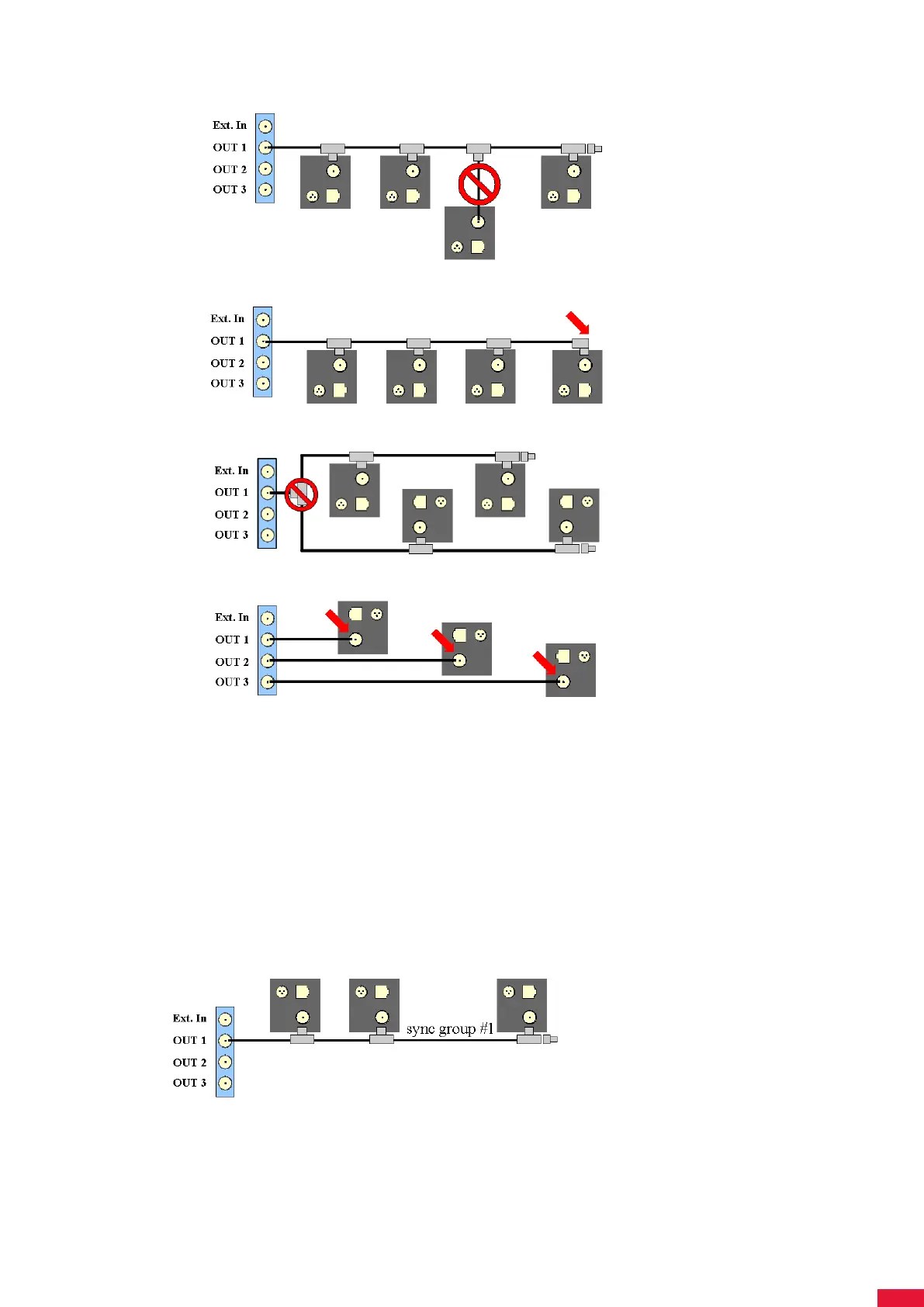
• double-check if the terminating resistor is missing at the end of the signal line.
• Splitting of the synchronization line is not allowed.
• Do not connect the cable directly to the camera.
2. Check the synchronization settings (software issue):
• Go to Settings → Synccard and double-check the settings (internal or external
synchronization) for the synccard.
• In case of external synchronization, please make sure that the synchronization
signal is being sent by the external source.
How do I guide the synchronization cables correctly in ARTTRACK 2 & 3
systems (discontinued)?
• When using only one syncgroup the correct cabling would look as follows:
• When using two syncgroups the correct cabling would look as follows:
199



 To Next Page