7. Cues - Page 167
TitanUniversal_Man_v10_QU.doc 15 March 2016
Click on the
button for a help window on each setting.
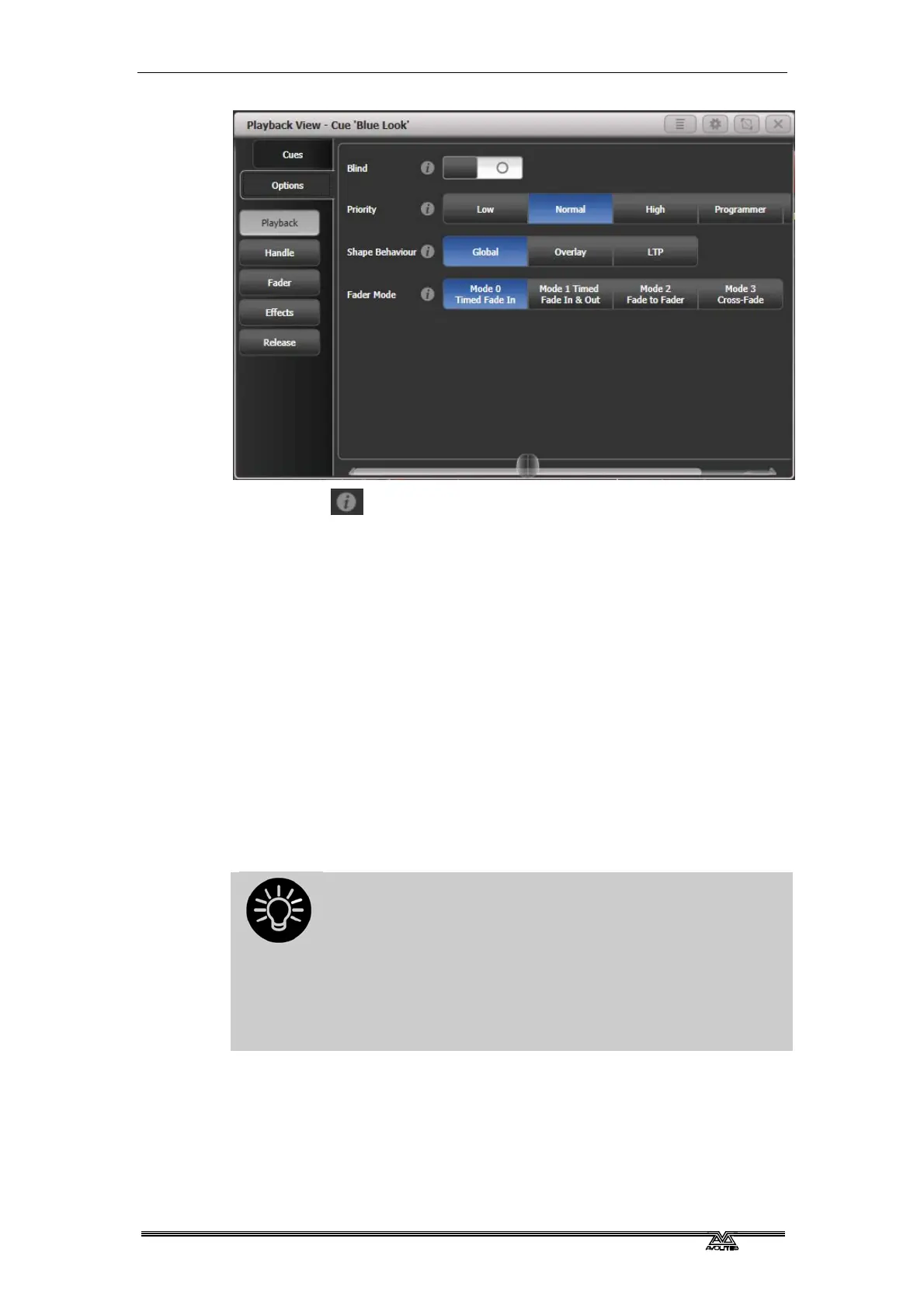
7.6.1 Playback options - Playback
Blind: Sets this individual playback to Blind mode. The playback will
then output only to Visualiser, not to the stage. This can be very
useful if you need to program and test a cue during a live show.
Priority: allows you to configure how playbacks will behave if you
turn on two playbacks controlling the same fixture. The priority can
be set to Low, Normal, High, Programmer or Very High. (Programmer
gives the same level as manually set attributes in the programmer).
If a fixture is being controlled by a playback and you turn on a
playback of the same or higher priority, then the new playback will
take over. However, if the new playback is set to lower priority than
the first playback, the fixture will not change.
This is useful if, for example, you’ve programmed looks using all your
fixtures, then you decide you want a couple of them to spotlight a
singer. If you set the Spotlight playback to be high priority, then
while it is active no other playback will affect the spotlight fixtures.
Priority is useful when using Swop buttons for strobe-
type effects where you want to black out everything
else. If you have a position shape running on other
fixtures, you don’t want that to stop during the Swop, or
it will look messy when you release the Swop button. So
set the shape playback to have a higher priority than
the strobe playback, and it will keep going during the
strobe and continue smoothly when you release the
Swop button.
• Attributes set by manually applying a palette to a fixture will
override all playback priorities except Very High.
Shape behaviour: Controls the behaviour of Key Frame Shapes in
this playback.
Global – Use global setting from User Settings.
Overlay - Shape continues to run over changes to attributes


 To Next Page