3. Patching - Page 55
TitanUniversal_Man_v10_QU.doc 15 March 2016
3.1.6 Patching by RDM
RDM (Remote Device Management) is a system which allows the
console to interrogate the lighting rig to find out what’s there. It can
then patch itself to match the existing DMX addresses. You can also
remotely change modes and other settings on the fixture.
Fixtures must be equipped with RDM for this to work;
many fixtures are not. Also if you have DMX buffers or
splitters in your rig, they must be RDM enabled or they
will block the information being sent back to the
console.
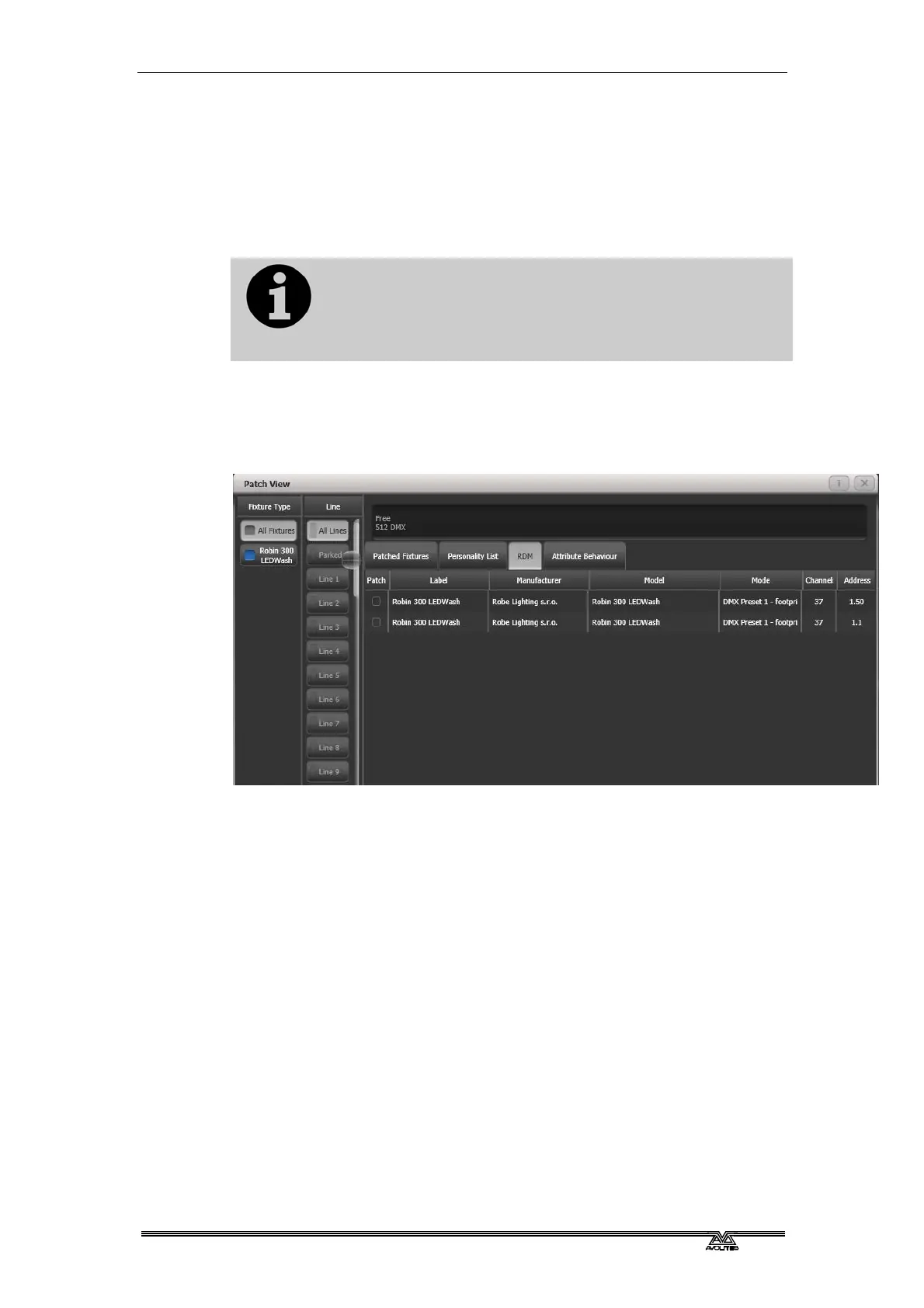
Press Window Open then Patch to open the Patch View window then
select
the RDM tab. All devices which support RDM will be listed here.
Click the Full Discover context menu button to rescan the rig for RDM
devices.
• Select one or more fixtures in the grid and click the Patch
context menu button to patch the devices.
• Click on the Mode or Address cells in the grid to change these
settings remotely.
• Click on the Identify button (at the right hand end of the
screen, you might need to scroll to see it) to turn the fixture on
so you can see where it is in the rig.
• Click on the RDM Quick Patch context menu button to
automatically patch all RDM devices.
3.1.7 Finding a lost fixture
Sometimes a fixture may be rigged with the wrong DMX address set,
or connected to the wrong DMX line.
The Find Fixture function allows you to find the start address of the
fixture by scrolling a “locate” state through all possible DMX
addresses, avoiding a trip up the rig to look at it. When the fixture
responds with its Locate state, you know its DMX address.



 To Next Page