3. Patching - Page 67
TitanUniversal_Man_v10_QU.doc 15 March 2016
4> The button will light up red and the console asks for
confirmation. Press the Select button again to confirm.
• You can delete a range of fixtures in one operation.
3.4 Advanced options
All of the options below can also be set from the Patch View window.
3.4.1 Swap pan and tilt
This allows you to make the pan channel control tilt and the tilt
control pan. This can be useful for fixtures rigged in strange
orientations.
1> Press Patch.
2> Press [Edit Fixtures].
3> Press [Swap Pan and Tilt].
4> Select the fixtures to be pan-tilt swapped. Press [Pan and Tilt
…] to select either [Swapped] or [Normal] for the selected
fixtures.
5> Press Exit when finished.
3.4.2 Invert attributes
This option inverts individual attributes of fixtures. Useful if you have
a fixture which pans right when the rest pan left, saving a trip up the
rig to set fixture options, but you can invert any attribute.
1> Press Patch.
2> Press [Edit Fixtures].
3> Press [Invert Attribute].
4> Select fixture(s) to be changed.
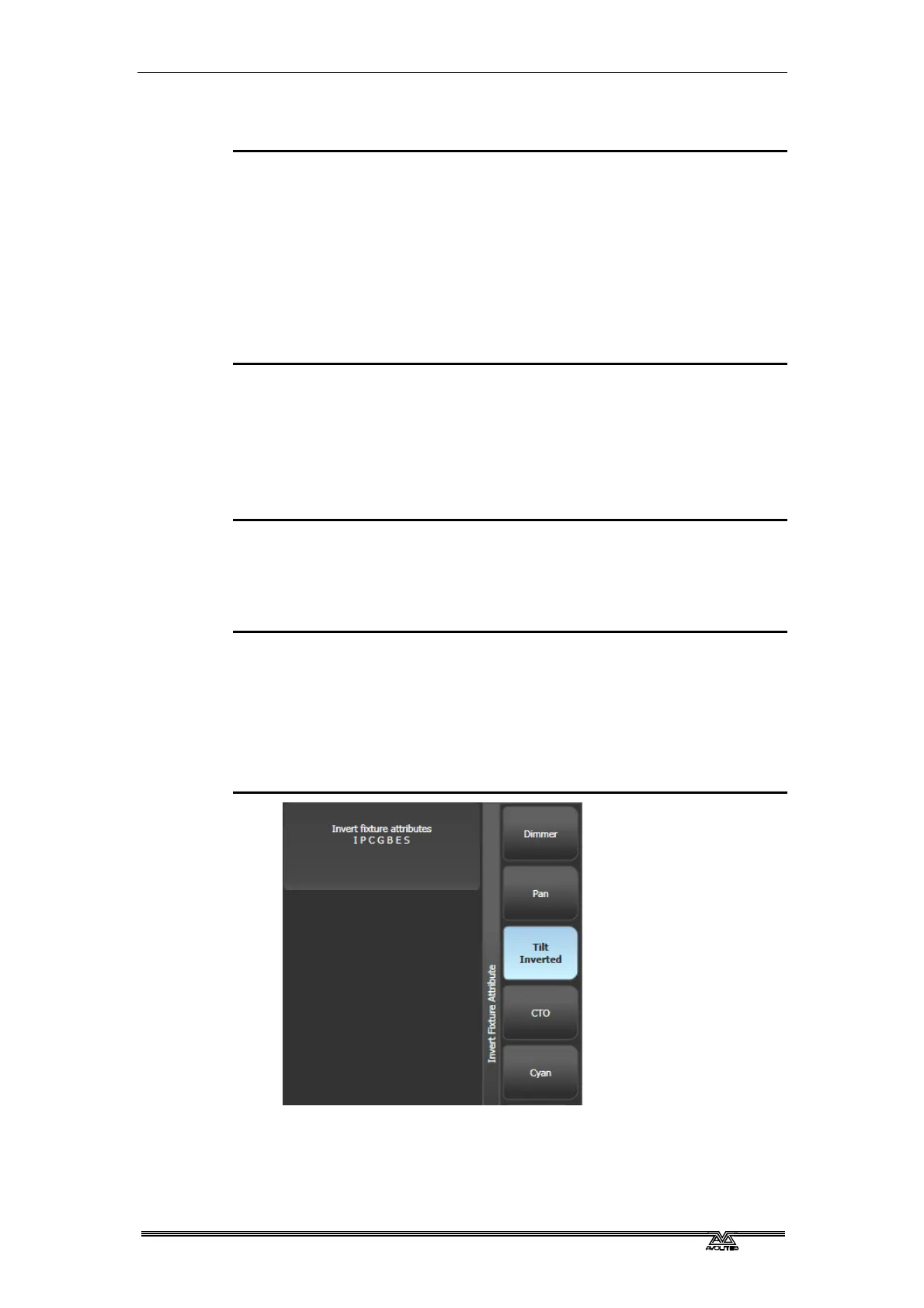
5> Select the attribute to invert from the softkeys. The display
shows [Inverted] when the attribute is inverted.
6> Press Exit to finish.
• You can change the invert on multiple fixtures by selecting
more than one, but the “Inverted” display will not show if there



 To Next Page