11. Running the show - Page 221
TitanUniversal_Man_v10_QU.doc 15 March 2016
To delete a trigger from the mapping, select it in the list and press
the rubbish bin button at the bottom.
To delete a complete mapping, select it and press the rubbish bin
button at the bottom of the left hand column.
11.5.3 Classic Pearl MIDI triggers
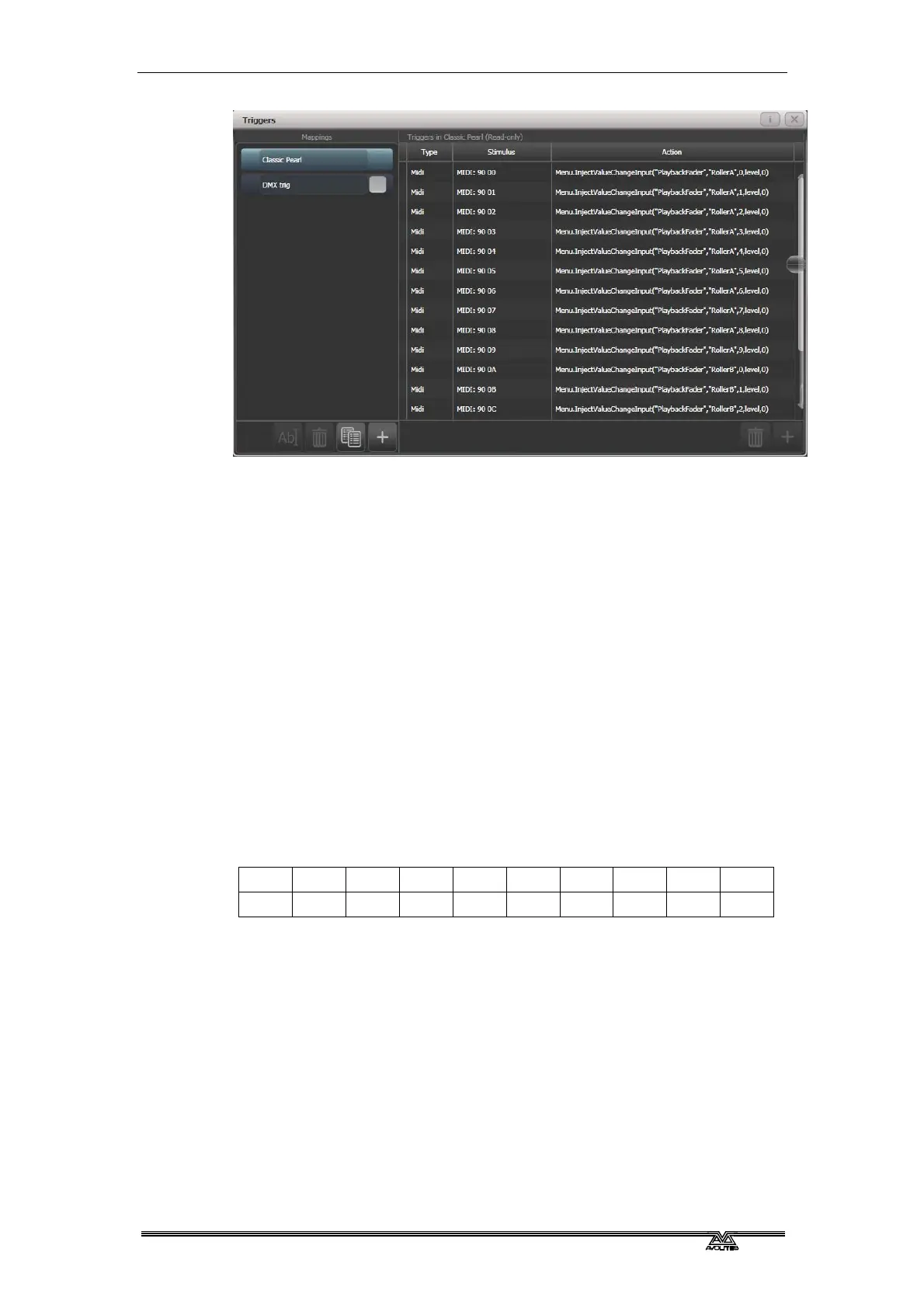
This trigger map sets up the console to mimic the MIDI setup of the
classic Pearl software. It is used for triggering playbacks from MIDI.
In this section MIDI commands are shown in hexadecimal using the $
sign, for example $Cn, where n represents the MIDI channel being
used. n is a number from 0 to 15 representing MIDI channels 1 to 16.
So to send “program change value 4 on channel 2” you would send
$C1 $04 (193 004 in decimal).
Most MIDI equipment or software will do all this for you without you
needing to know about the numbers.
Set playback page : program change ($Cn xx)
Page 1 2 3 4 5 … 28 29 30
xx $00 $01 $02 $03 $04 … $1B $1C $1D
example $Cn $02 Console changes to Page 3
Turn on a playback: note on ($9n pp ll)
Note number (pp) = playback number, from 0 - 14 (decimal)
Key velocity (ll) = playback level, from 0 - 127 (decimal). 127=Full
example $9n $03 $40 Playback Fader 4 at 50% level.
(Note that Playback Fader numbers start at zero, so subtract one
from the number on the console to get the MIDI note number).
To turn off a playback, send a note on command with velocity=0. The
console does not recognise MIDI note off ($8n) commands.


 To Next Page