Page 34 – 2. Setting up and using the console
TitanUniversal_Man_v10_QU.doc 15 March 2016
2.3.5 Visualiser
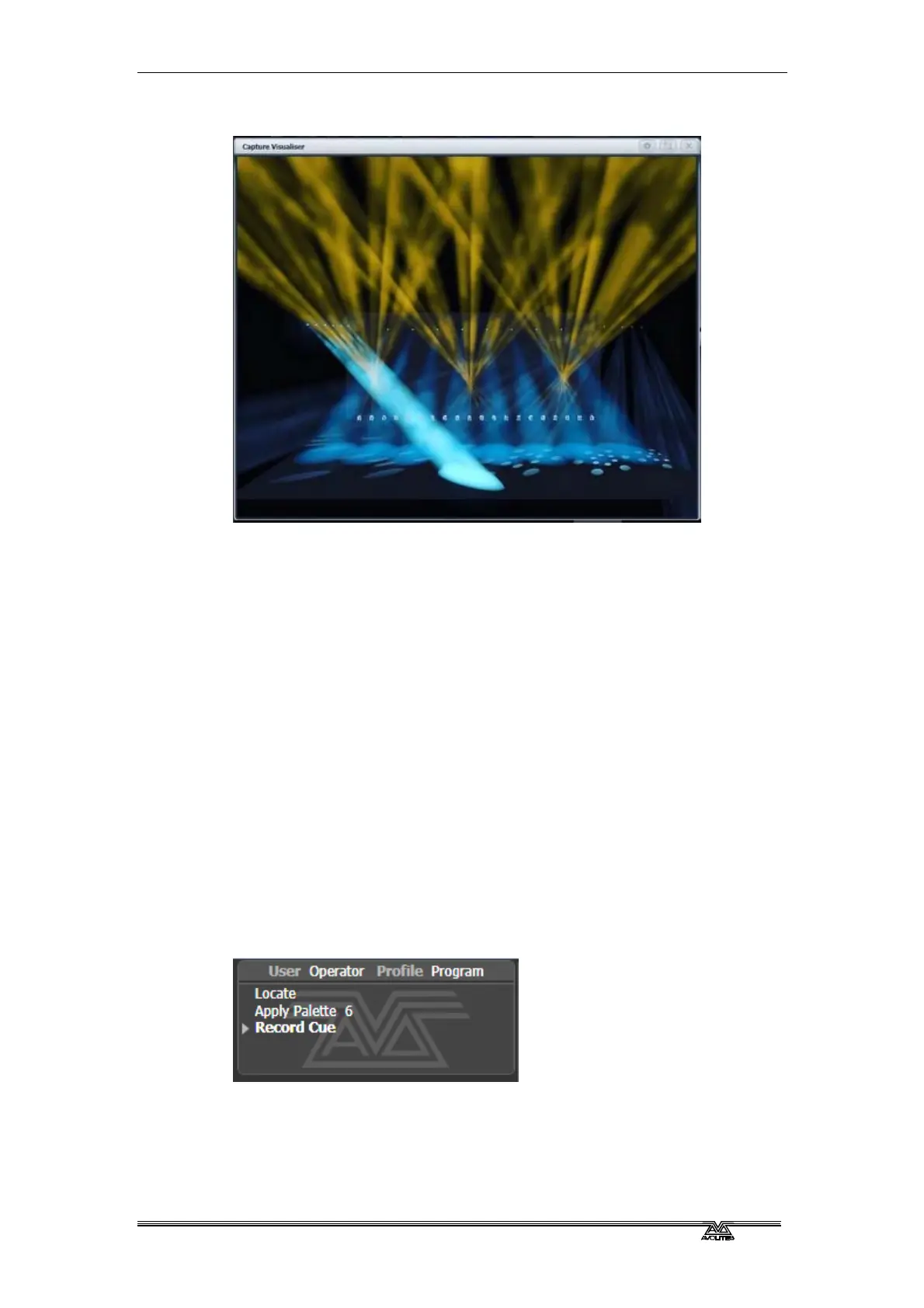
Capture visualiser is integrated into Titan from v10. This replaces the
original wireframe visualiser, which is still available using the [Legacy
Visualiser] option. .
The visualiser gives you a realistic view of the stage, allowing you to
pre-program or make changes to your show at home or in your hotel.
It can also be used in Blind mode for programming during a show.
The visualiser is described in detail in chapter 10 on page 205.
2.3.6 Key profiles
The console allows you to change the function of the blue select and
grey flash panel buttons. You can also change the way some of the
touch keys work. You can save your settings as a Key Profile.
Different profiles can be selected for different users or to enhance the
operation of the console for a particular use. See section 13.3 on
page 240 for details.
2.3.7 Undo/Redo
A short list of recent actions is shown in the prompt area to the left of
the menu.
You can undo and redo recent actions (including fixture and cue
changes) by touching the prompt area. This will automatically open
the Undo History window which shows a more detailed list of actions
you can undo.



 To Next Page