Page 44 – 2. Setting up and using the console
TitanUniversal_Man_v10_QU.doc 15 March 2016
first few letters of the show name on the touch keyboard, the
list will only include shows starting with those letters, which can
make it easier to locate the show you want.
5> If there are multiple versions of the show stored on the disk,
select the one you want.
6> Press Load Show. The console will show a loading screen as the
different elements of the show load.
7> When the show has loaded the normal operating screen will
reappear.
When loading a show you have the option to keep the existing DMX
settings of the console, or to load the settings stored in the showfile.
The DMX settings determine how the XLR sockets on the back of the
console are used and how DMX is sent over the network using
TitanNet.
You can save any number of different shows on the Quartz ’s internal
hard disk.
2.6.3 Importing parts of other shows
If you are doing a show which is similar to a previous one, you might
want to import parts of the previous showfile, for example you might
want the palettes for some Robe Robins from another show, but not
the other fixtures. This is where the Import Show function comes in
handy.
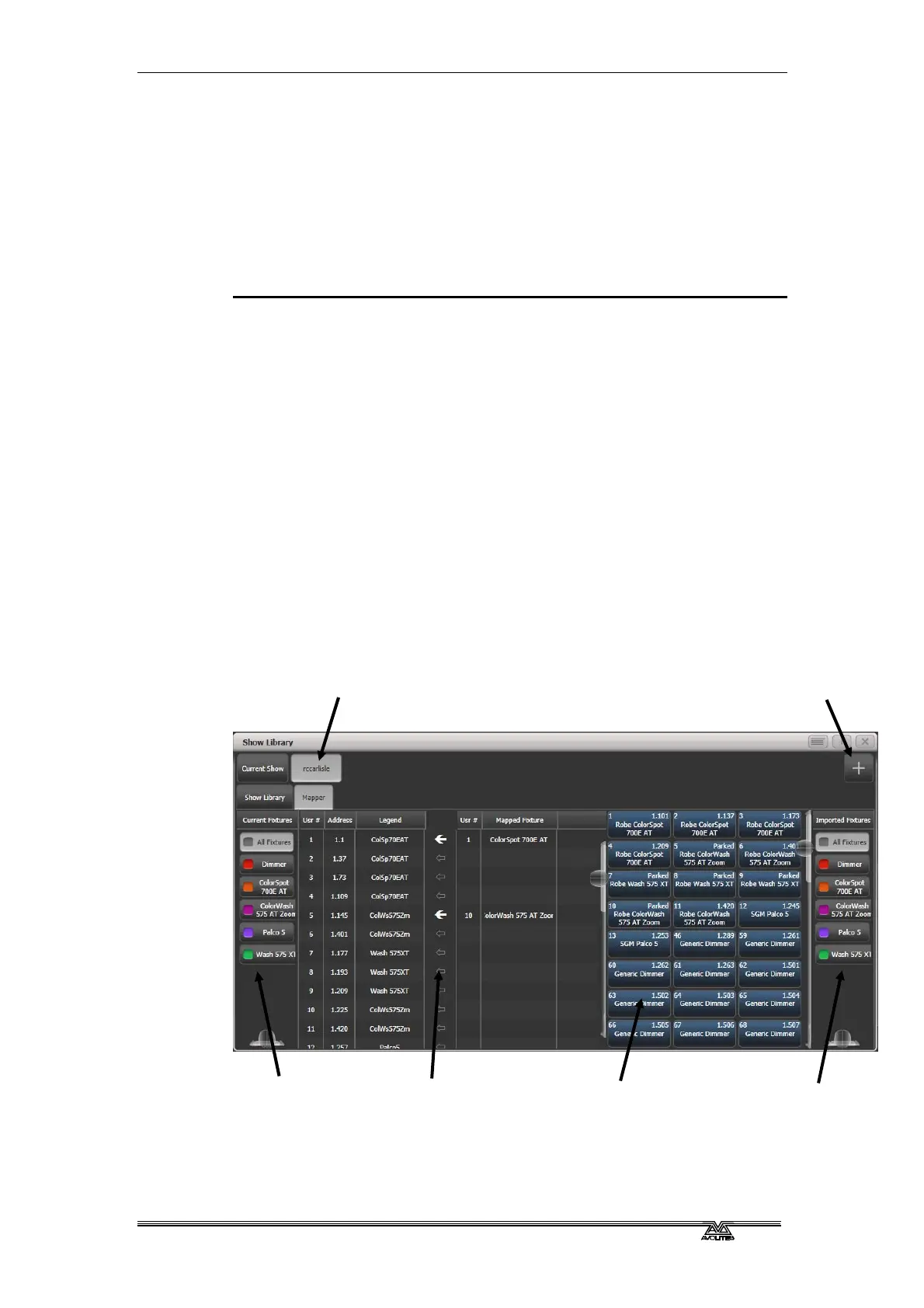
For Import Show to work, you need to map fixtures from your
imported file to fixtures in the current show so that Titan knows
where to import the programming to.
You can then select items from the imported show and store them
onto workspace or panel buttons in your current show.
Import new show
Button for
imported show
Filter fixtures in
current show
Filter fixture list in
imported show
Fixtures in
imported show
Arrow shows
mapped fixture



 To Next Page