13. User Settings and other options - Page 255
TitanUniversal_Man_v10_QU.doc 15 March 2016
13.8 Upgrading the software
The console operating software is under constant revision by the
Avolites team. You can always download the latest version of the
software from the Avolites website:
http://www.avolitesdownload.com
.
From v10 it is possible to install multiple versions of
Titan on a console, which is useful for backwards
compatibility if you need to load a show created in an
older version. To swap between versions go to Switch
Software on the Tools menu.
• If you are upgrading the software from a version earlier than
v7.4, you will have to obtain a licence from Avolites. See the
next section for details of how to do this.
Software upgrades for the Tiger Touch, Quartz and Arena must be
installed from a USB pen drive. The Sapphire Touch and Pearl Expert
has a CD-ROM drive which can be used instead of USB if you prefer.
Having downloaded a new version of software, copy it to the media
and install it on the console like this:
1> Copy the installer file to a USB drive and insert into the console.
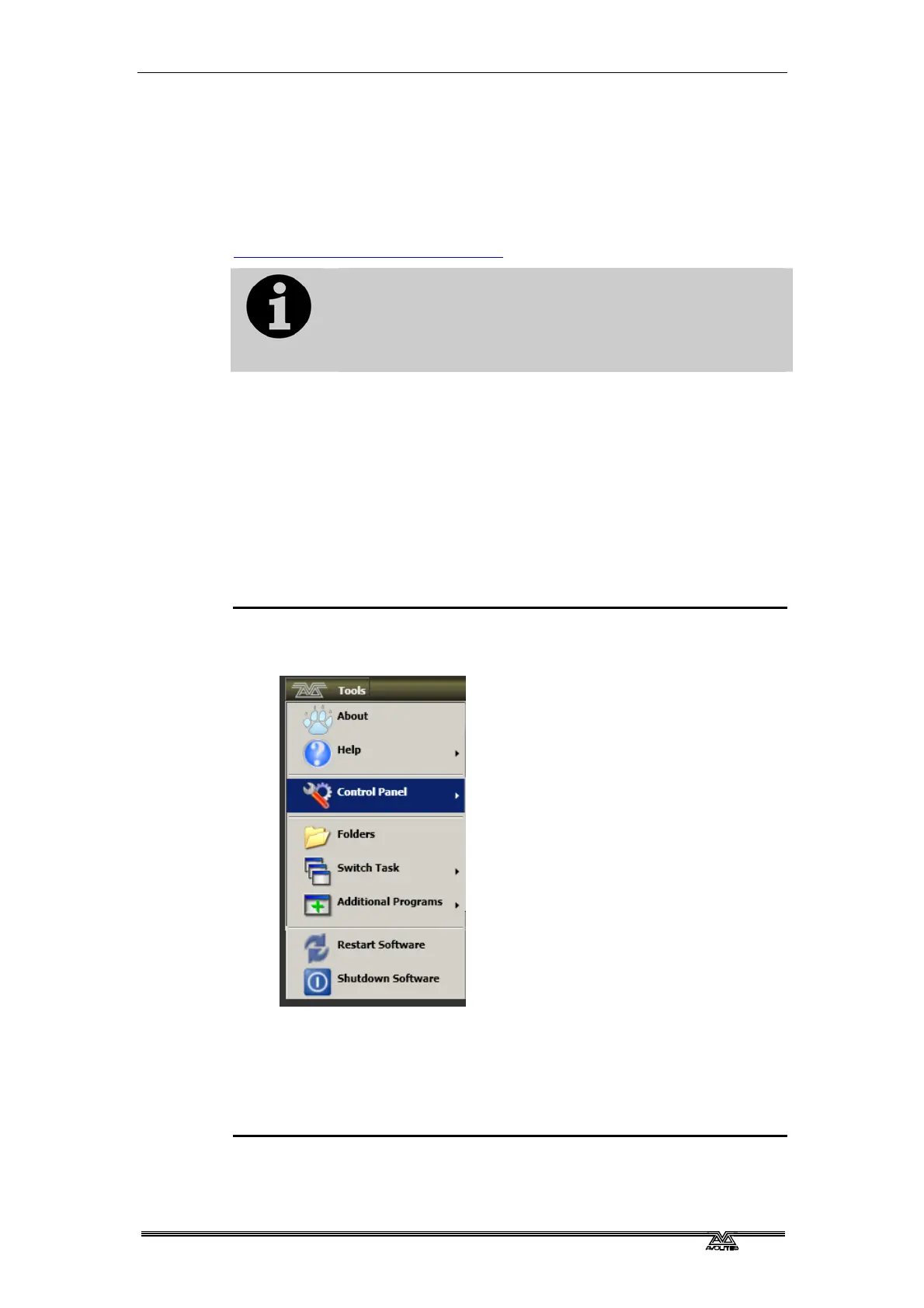
2> On the screen tools menu, stop the console software using the
Shutdown Software button at the bottom of the list.
3> Open the tools menu again, touch the Folders icon and open the
drive where the upgrade file is found.
4> Run the installer.
5> When the installation has completed, shut down the console
and restart it. This will allow any operating system updates to
install.



 To Next Page