Page 180 – 8. Chases
TitanUniversal_Man_v10_QU.doc 15 March 2016
Most of the options are the same as for Cues (see section on page
166), only the additional Chase options are described here.
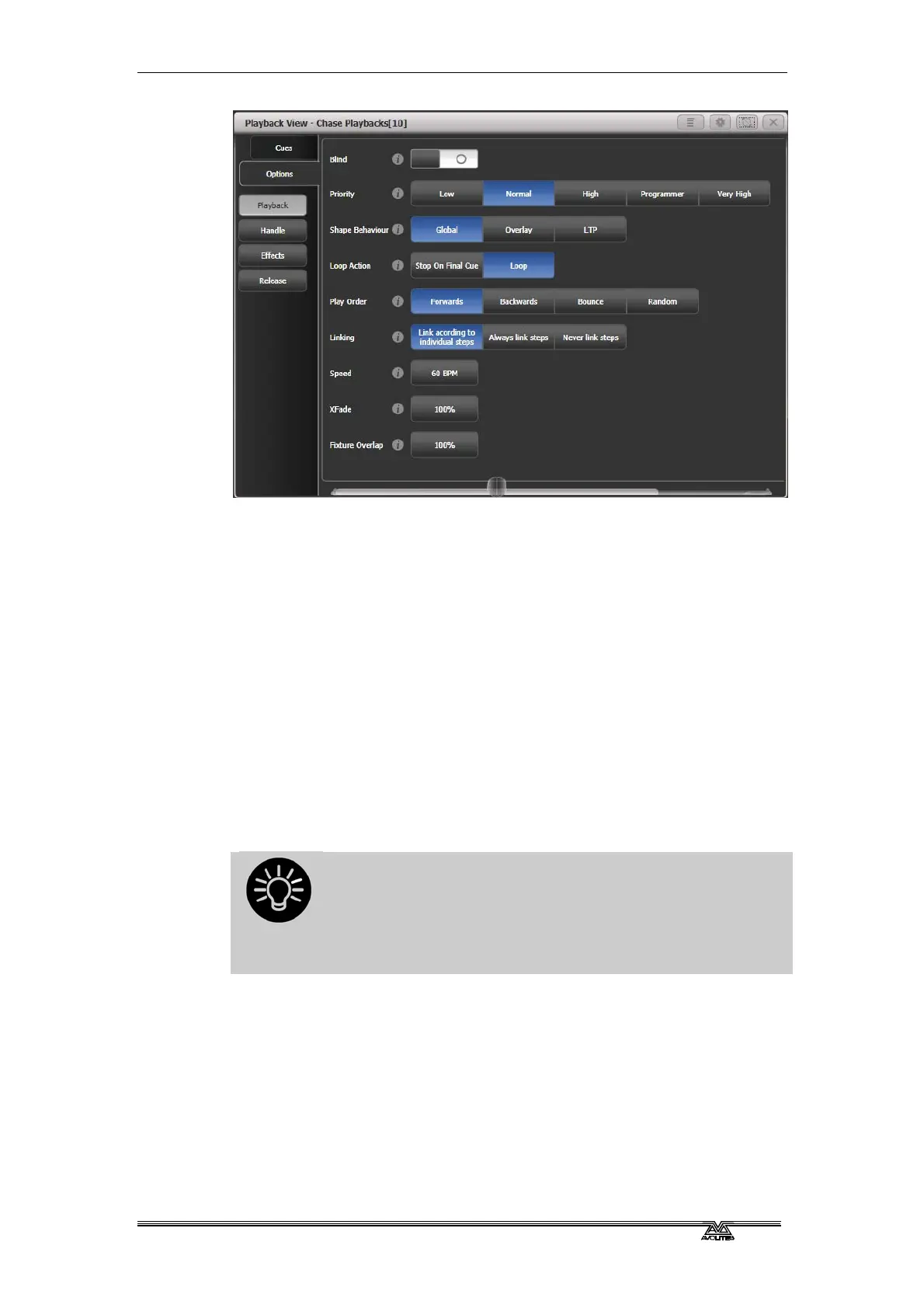
8.6.1 Chase options - Playback
Blind, Priority, Shape Behaviour are described in the Cues chapter.
Loop Action: Sets what happens at the end of the chase.
[Stop on Final Cue] – chase stops at the end
[Loop] - the chase will loop back to the beginning
Play Order: sets the direction of the chase.
Linking: Sets how the cues in the chase are linked. The options are:
[Link according to individual steps] - Each step in the chase will obey
its individual link settings which are set using the Playback View
window or the Unfold function.
[Always Link Steps] - The chase will run on its own using the times
[Never Link Steps] - The chase will pause after every delay/fade time
for the user to press Go.
When a chase is unlinked, raising the fader does not fire
the first cue, which can be a problem. To get round this,
if the chase is not looped, simply link the first cue to the
previous one. If the chase is looped, add a dummy step
at the end with 0 sec fade, 0 sec delay and link the first
step to this one.
Speed: Provides another way of setting chase speed.
XFade: Provides another way of setting chase crossfade.
Fixture Overlap: Allows you to set the fixture overlap for the chase.
8.6.2 Chase options – Handle
All options in this section are described in the cues chapter.


 To Next Page