Page 24 – 2. Setting up and using the console
TitanUniversal_Man_v10_QU.doc 15 March 2016
Pin 5 Not used
Each DMX line should pass through all the fixtures to be connected on
that line one after the other and have a DMX terminator fitted at the
end (120 ohm resistor between pins 2 and 3). You should not split
the DMX lines using passive splitters (Y-splits) as this can corrupt the
data.
2.2.6 Connecting console wings
“Wings” are additional control surfaces which can be connected to the
console to provide more faders and buttons, and in some cases extra
touch screens.
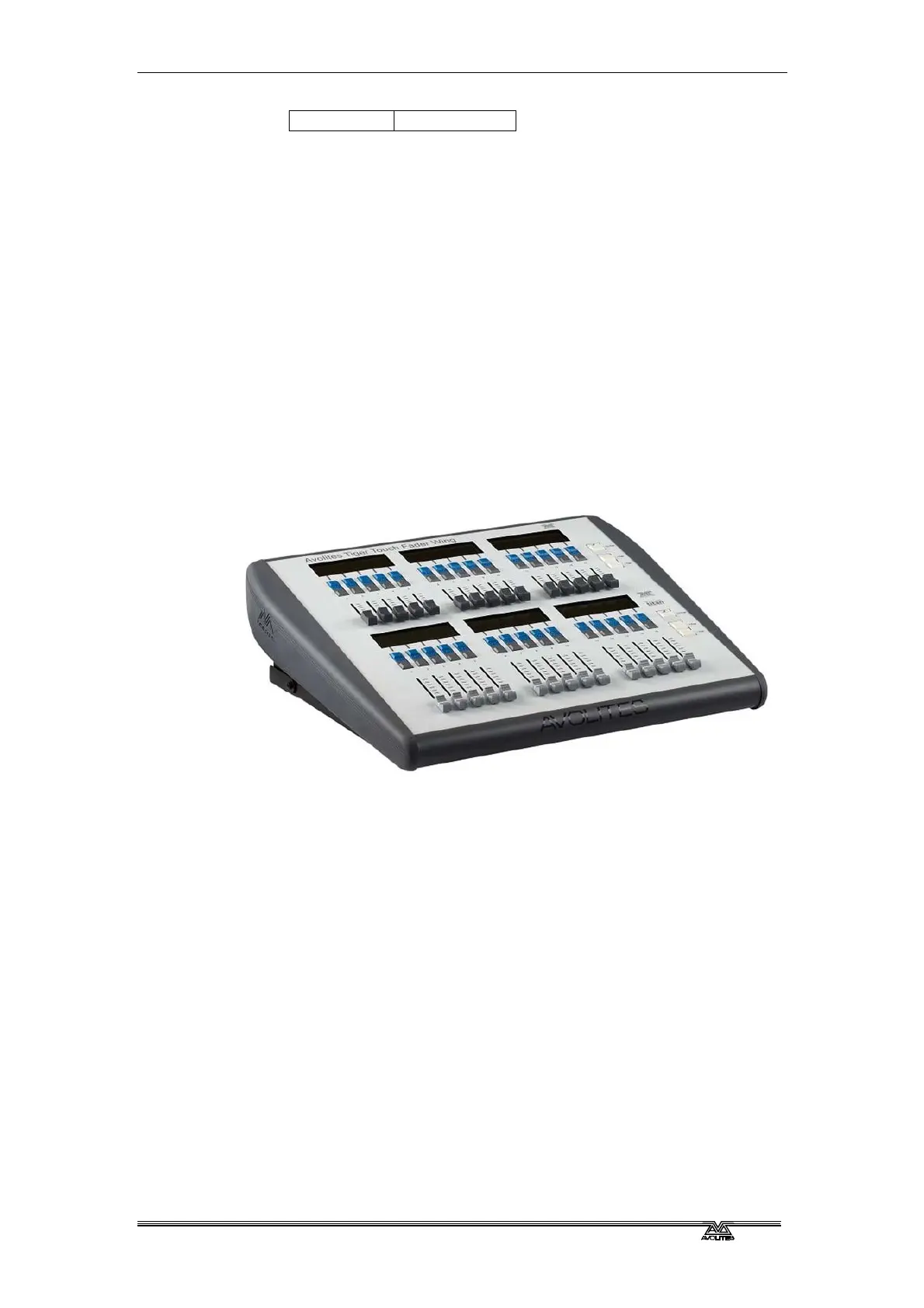
Tiger Touch Wing
The Tiger Touch wing provides 30 additional handles each with an
associated legend display. The handles can be used as playbacks or
to patch fixtures/dimmers. Each row of 15 faders has its own
independent paging control.
The Tiger Touch Wing connects by USB to the main console. It also
needs a mains power connection. The Wing has a built in USB hub to
provide 2 further USB sockets for a keyboard etc.
The Tiger Touch Wing is designed to fit next to the Tiger Touch
console but can also be used with the Pearl Expert, the Quartz and
the Sapphire Touch.
Titan Mobile Wing
The Titan Mobile Wing adds 20 additional playback faders and 30
macro/executor buttons to the main console. It connects by a single
USB cable to the console.
It is designed to fit next to the Titan Mobile panel, but it can also be
used with the Tiger Touch, Quartz, Arena and Sapphire Touch
consoles.
If you want to see the legends and function information for the wing
controls, you can open the Wing View workspace window.



 To Next Page