15. Networking the console - Page 265
TitanUniversal_Man_v10_QU.doc 15 March 2016
• Each Art-Net to DMX box (or compatible Dimmer, or compatible
moving light) is a device,
• Each device may have one or more nodes(i.e. the Art-Net to
DMX box has 2 nodes, these are the 2 DMX outputs; the dimmer
itself is a node),
• Each node can be set to a Universe (1-256). This universe is
equivalent to a 512 channel DMX line
You can then specify which console line is assigned to each node. A
console line can be assigned to multiple nodes (this will duplicate the
DMX universe), but each node should have only one console line
assigned to it.
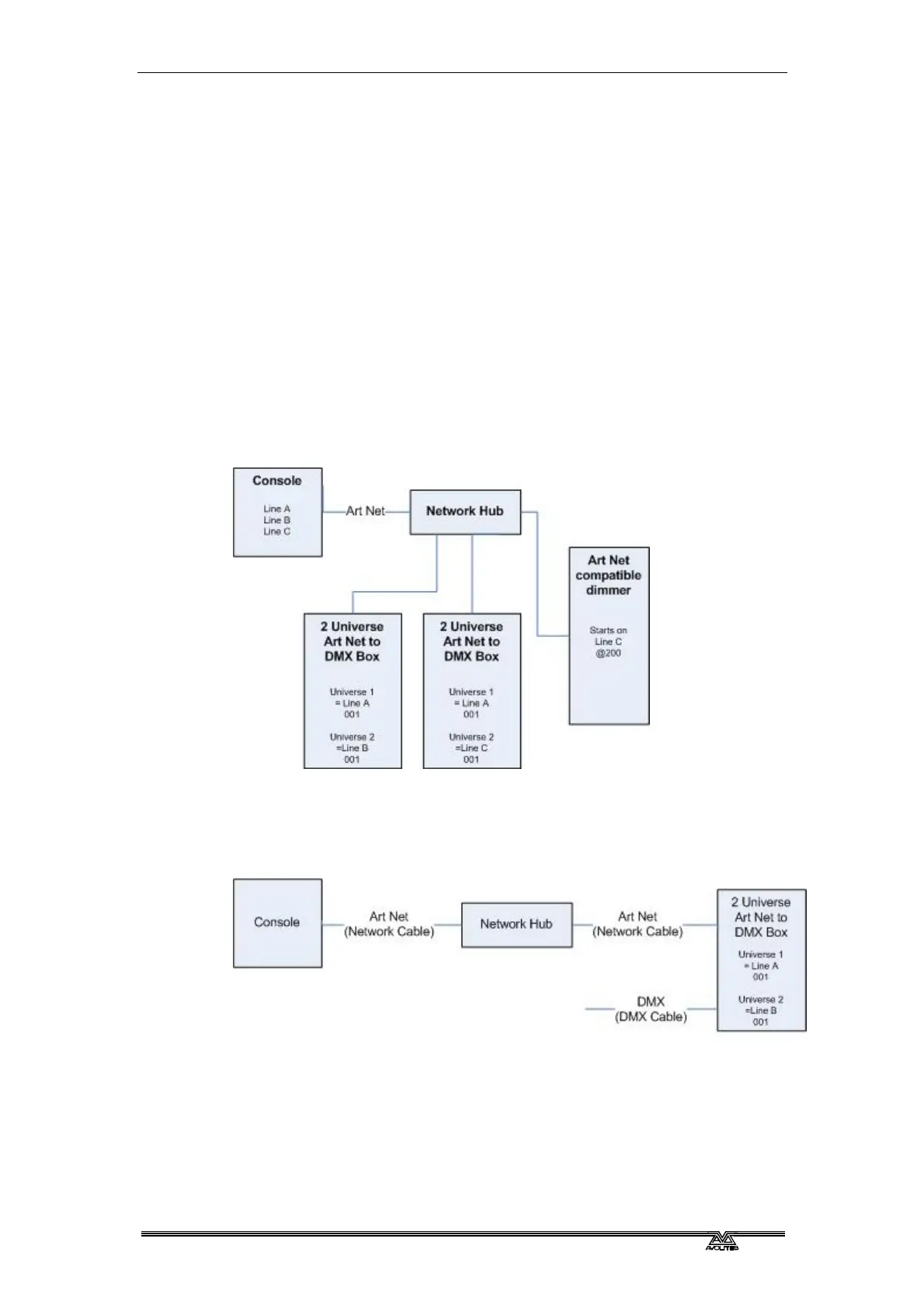
Here, the console assigns the following:
• Line A to Box 1 universe 1 and box 2 universe 1
• Line B to Box 1 universe 2
• Line C to Box 2 universe 2 and the dimmer rack
15.1.4 Setting up an Art-Net system
For this example, it is assumed that you will connect the console to
an Art-Net DMX output box (such as an Artistic License Net-Lynx) via
a network hub.
Using standard RJ45 ethernet cables, attach the devices together.
• If you are using a hub/switch as shown above, use straight-
through patch cables. If you are directly connecting the console
to another Ethernet device you need to use crossover cables.
Set the Net-Lynx box as follows:
• Subnet Mask = 0



 To Next Page