2. Setting up and using the console - Page 39
TitanUniversal_Man_v10_QU.doc 15 March 2016
3> To switch to a different handle world, press [Select Handle
World] and select a new handle world from the list (the current
one is highlighted).
4> To create a new handle world, press [Add Handle World], enter
a name for the new world and press [OK].
5> [Delete Handle World] will delete the world, any handles used
only in that world will become unassigned (and can be retrieved
using the Show Library if needed).
• Items created in a different handle world can be accessed using
the Show Library workspace and assigned to handles in the
current handle world.
• The [Follow World Page Change] option sets whether the handle
page will change if a user using the same handle world on
another console changes the page.
2.4.3 Linking to other TitanNet sessions
If multiple Titan consoles are connected in the same network you can
choose to connect them as multi-user, tracking backup, or both. This
is also how you connect TitanNet processors to expand DMX outputs.
For details of how to connect Titan consoles together on a network,
see section 15 on page 263.
1>
Press the Disk button.
2> Press [TitanNet Sessions].
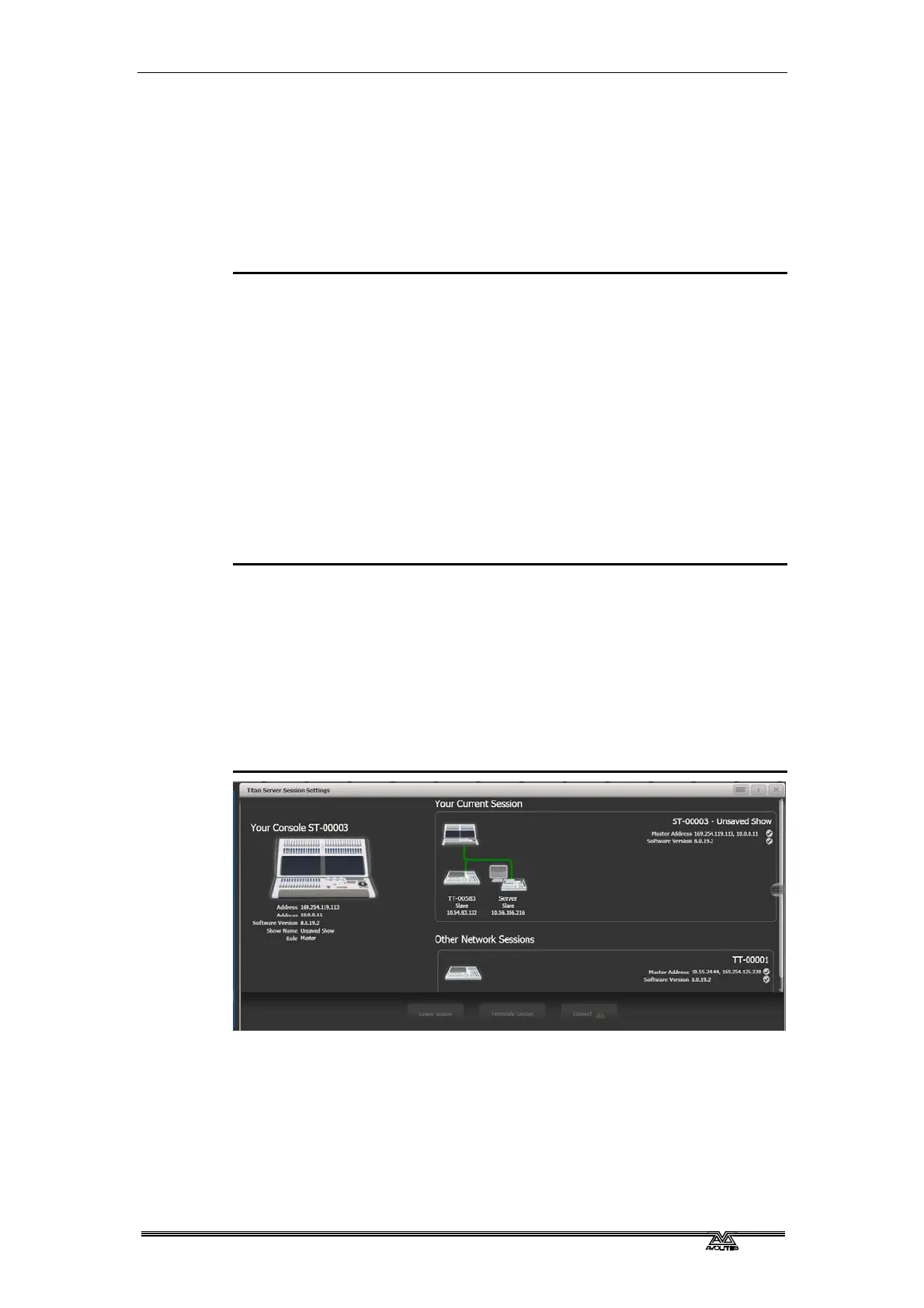
3> [Sessions View] opens a window that shows you how your
console is connected to others, and what other TitanNet
sessions are available. You can touch on another console in the
window and click [Connect] to start a connection, or use the
other buttons to leave a session.
4> Or select [Backup], [Multi-User] or [Backup & Multi-User] to
show a list of sessions which you can connect to. Click on the
session to start the connection.
• A green line shows a good connection, a dotted red line shows a
problem with a connection. Unavailable consoles are shown with
a red background.
Initially all consoles are “Master” consoles. If you connect to a session
on another console as multi-user you become a “Slave” on that
console. The show on the Master is transferred across the network to
the Slave. On the Slave you can choose to save the show locally or to
save changes back to the Master console.



 To Next Page