4
4
4-118
4-118
Disassembly/Assembly > Document Exposure/Feeder System > Removing the DADF Unit (L418S/L410/L190) > Procedure
Disassembly/Assembly > Document Exposure/Feeder System > Removing the DADF Unit (L418S/L410/L190) > Procedure
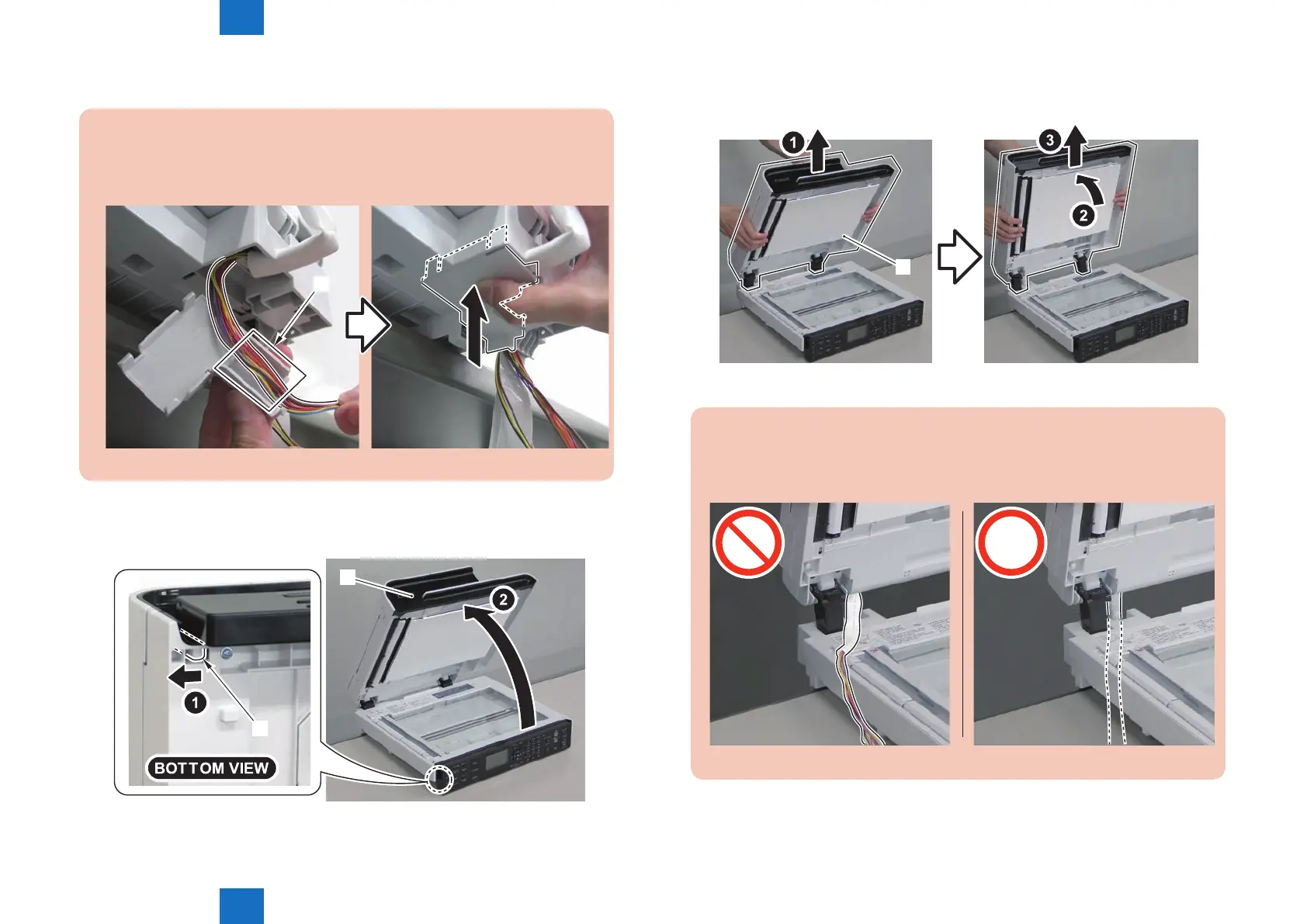
Caution:
Before installing the connector cover, be sure to store the harness, grounding wire,
and at cable in the [A] part.
[A]
2)Release the lock[1] on the lower left front side of the reader unit, and open the DADF unit.
[1]
[2]
F-4-277
3)Remove the DADF unit[1] by lift it up and then raising it vertically.
[1]
Caution:
When installing the DADF unit , be careful not to damage the harnesses with [A]
part.
F-4-279
F-4-278















 To Next Page