4
4
4-119
4-119
Disassembly/Assembly > Document Exposure/Feeder System > Removing the DADF Pickup Unit (L418S/L410/L190) > Procedure
Disassembly/Assembly > Document Exposure/Feeder System > Removing the DADF Pickup Unit (L418S/L410/L190) > Procedure
Removing the DADF Pickup Unit (L418S/L410/L190)
■
Preparation
1) Remove the left cover.
2)Remove the DADF unit and reader unit
3)Remove the DADF unit.
■
Procedure
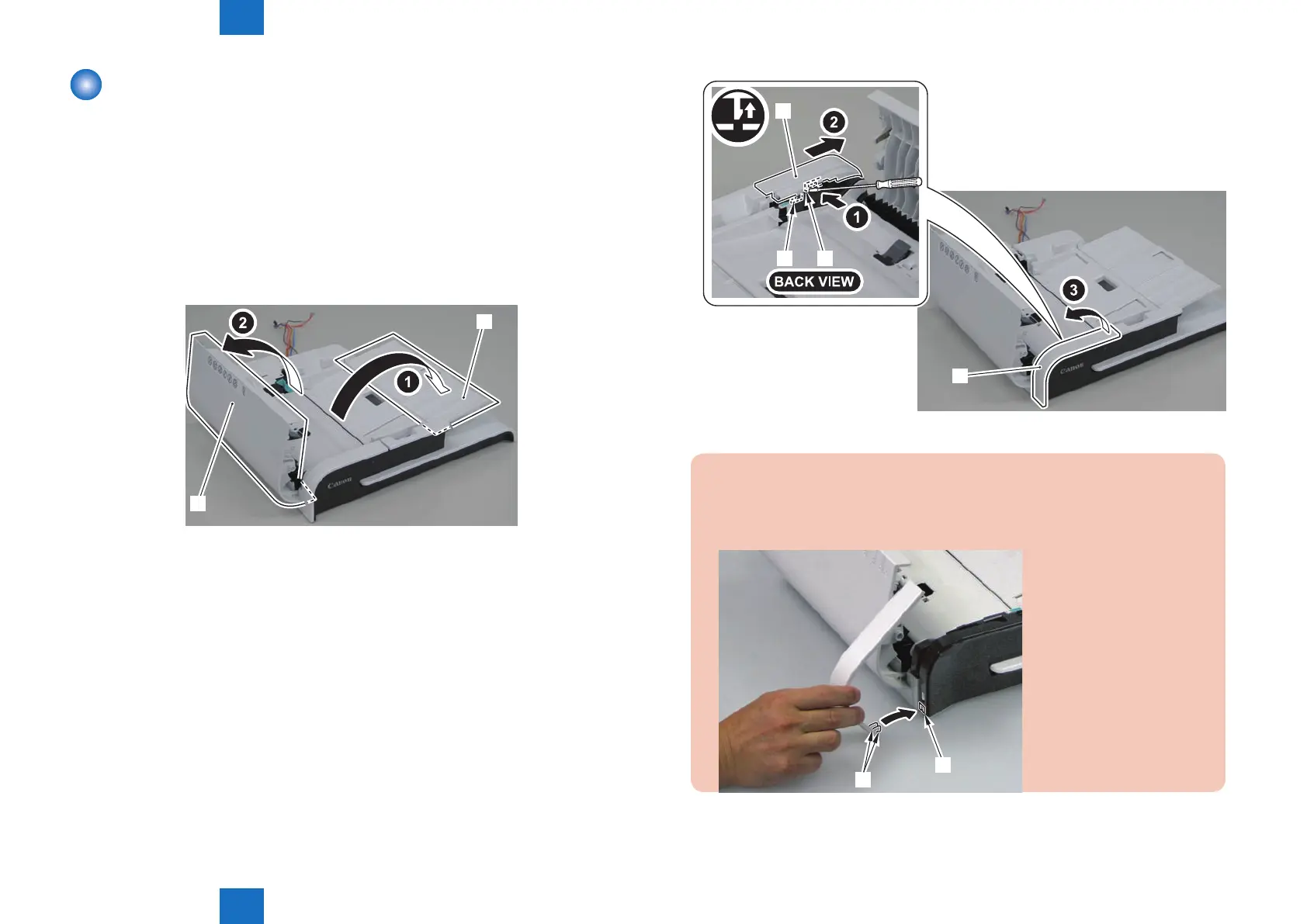
1) Open the DADF pickup tray and DADF upper cover.
[2]
[1]
2)Remove the DADF upper front cover[2] by pushing the claw.
F-4-280
[2]
[3] [1]
[2]
Caution:
When assembling the DADF upper front cover, align the 2 hooks[1] at left side to
DADF front cover hole[A] to install the cover.
[1]
[A]
F-4-281















 To Next Page