9 • DC Service
Doc. 065031-04 1/08 299
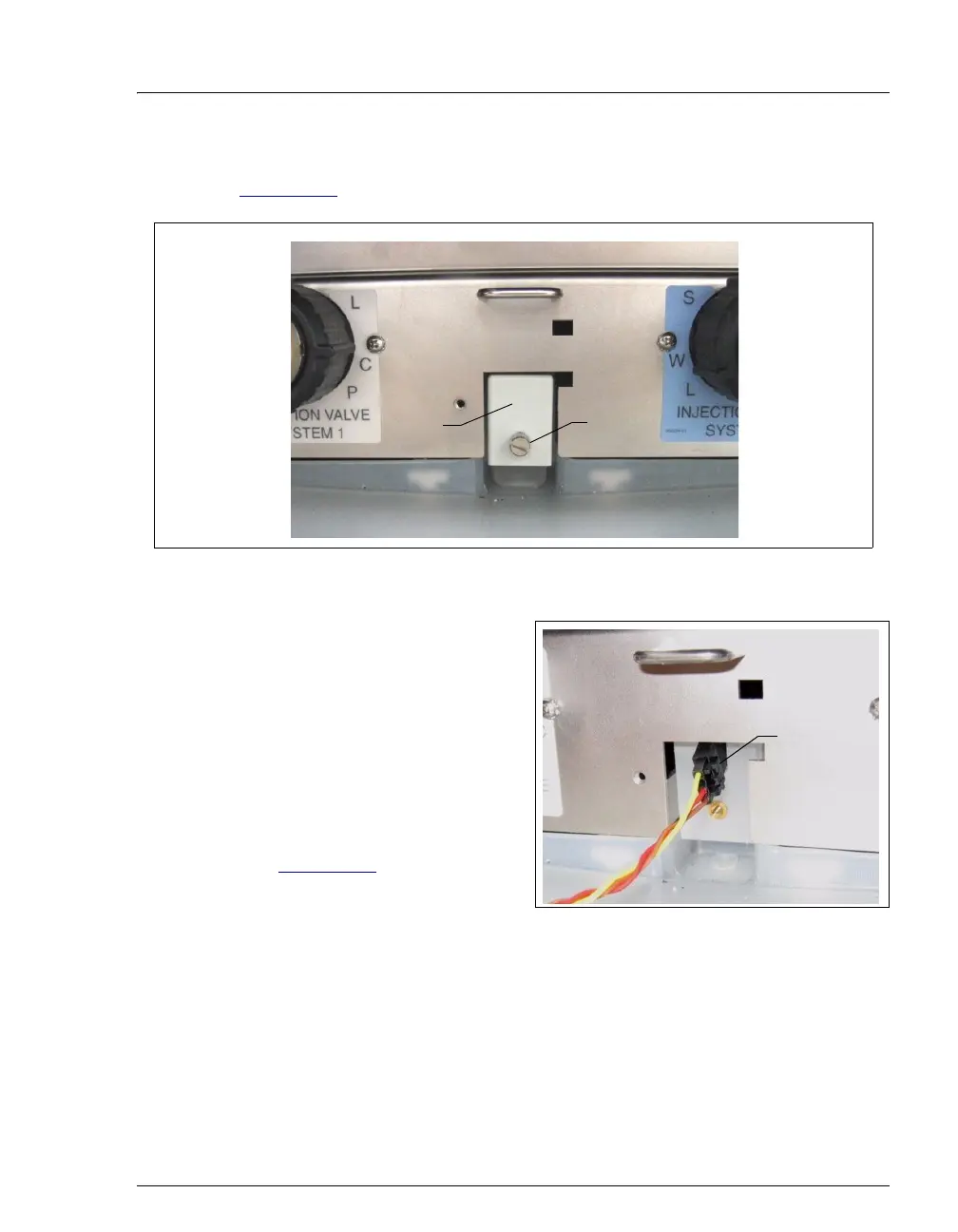
4. Loosen the screw on the front of the leak sensor (P/N 062437) (see
Figure 9-21
). Note: The screw remains attached to the sensor.
5. Pull out the leak sensor from the
component panel and continue
pulling until the attached cable is
also out of the opening.
6. The cable attached to the leak
sensor connects to a cable inside
the DC. Continue pulling the
cable until the connectors for the
two cables are outside the panel
(see Figure 9-22
).
7. Disconnect the two cables.
Figure 9-22. Leak Sensor Cable
8. Connect the cable from the new leak sensor to the DC cable.
9. Feed the cables back inside the DC. Align the leak sensor with the component
panel opening and fingertighten the screw.
10. Make sure the leak sensor does not touch the bottom of the drip tray.
Figure 9-21. Leak Sensor
Leak
Sensor
Loosen this
screw
Disconnect
cables



 To Next Page