ICS-3000 Ion Chromatography System
310 Doc. 065031-04 1/08
4. Open the DC upper door.
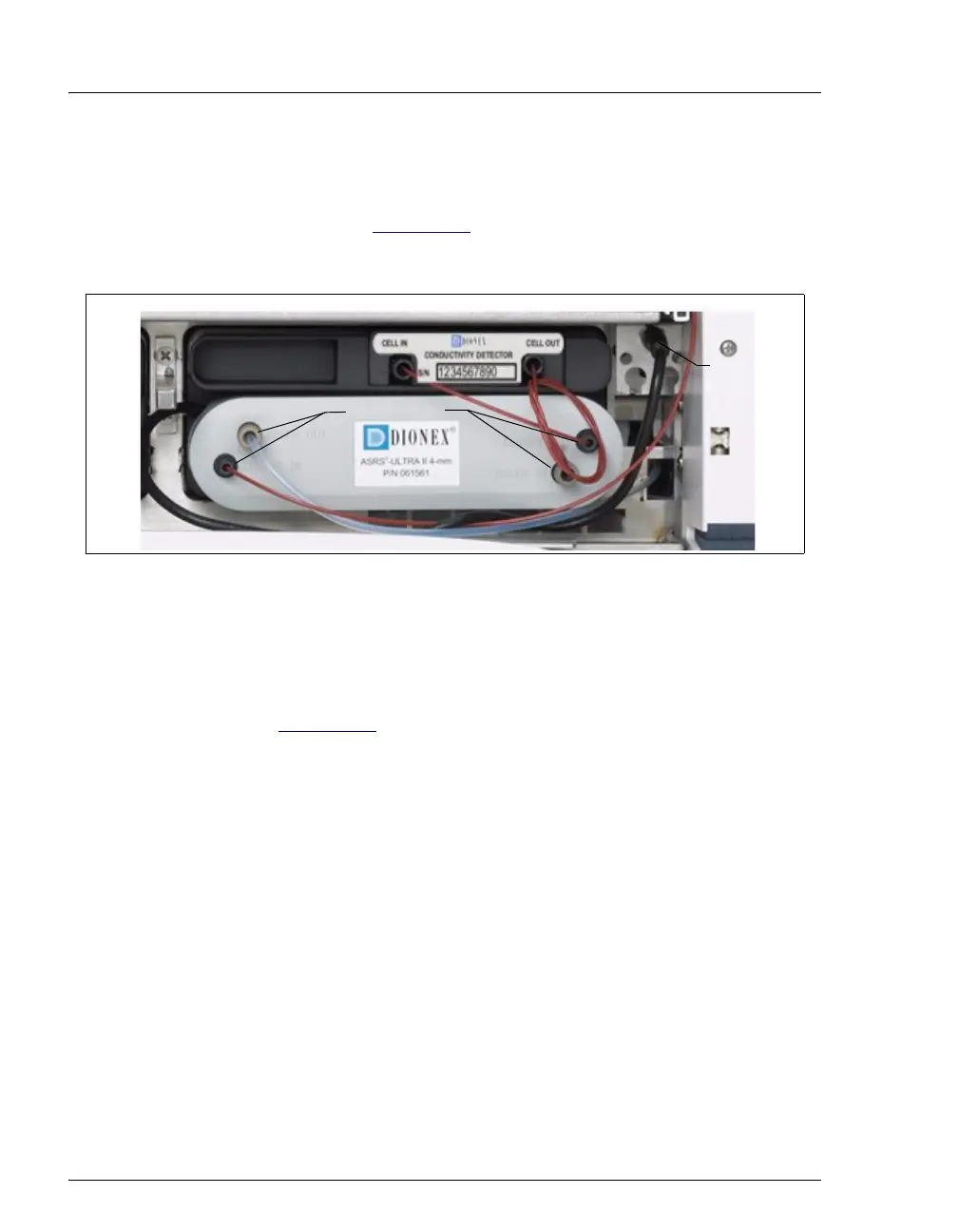
5. Disconnect the two eluent and the two regenerant lines from the
suppressor (see Figure 9-30
).
6. Unplug the suppressor cable from the detector.
7. Remove the suppressor from the detector by sliding it to the left a few
millimeters to detach it from the mounting tabs on the detector. Then,
pull the suppressor toward you.
8. Orient the new suppressor with the
ELUENT IN fitting on the bottom
(see Figure 9-30
). Press the suppressor against the back of the
detector and then slide it to the right to secure it onto the mounting
tabs. Pull out slightly on the center of the suppressor to verify that it is
securely fastened.
9. Connect the two eluent and the two regenerant lines to the new
suppressor.
10. Plug in the cable.
11. Close the DC door.
12. Turn on the DC power and restart the pump flow.
Figure 9-30. Disconnecting the Suppressor Liquid Lines and Cable
Disconnect
Unplug



 To Next Page