FOR RESTRICTED USE only Fargo Electronics, Inc.
DTC550 Direct to Card Printer/Encoder User Guide (Rev. 2.8)
6-19
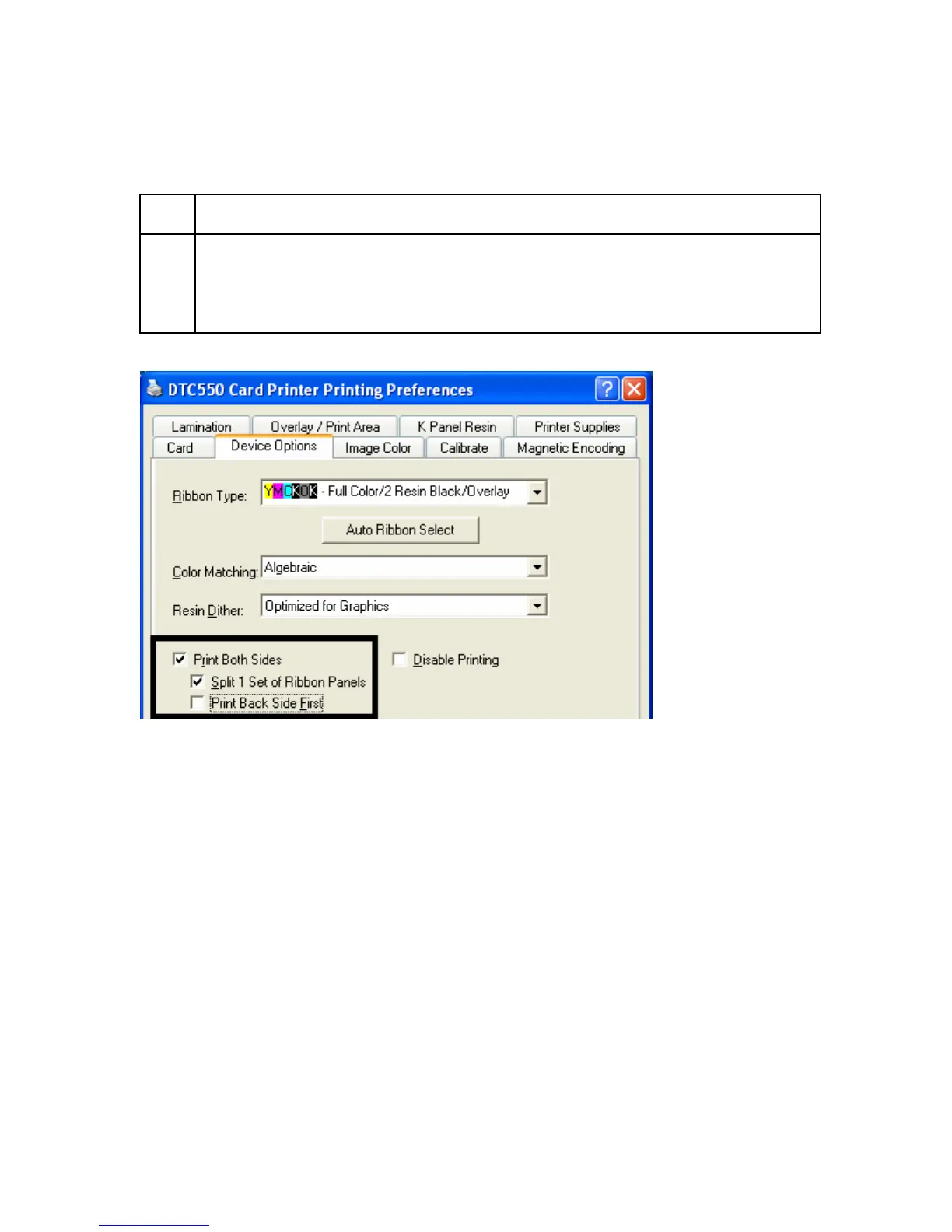
Using the Print Both Sides option
Use this option to automatically print on both the front and backside of a card.
Step Procedure
1 Select this option in conjunction with any application program that supports a
multiple-page document, duplex printing. (Note: The program must be able to
send down two or more separate pages to be printed within the same
document.)



 To Next Page