FOR RESTRICTED USE only Fargo Electronics, Inc.
DTC550 Direct to Card Printer/Encoder User Guide (Rev. 2.8)
6-46
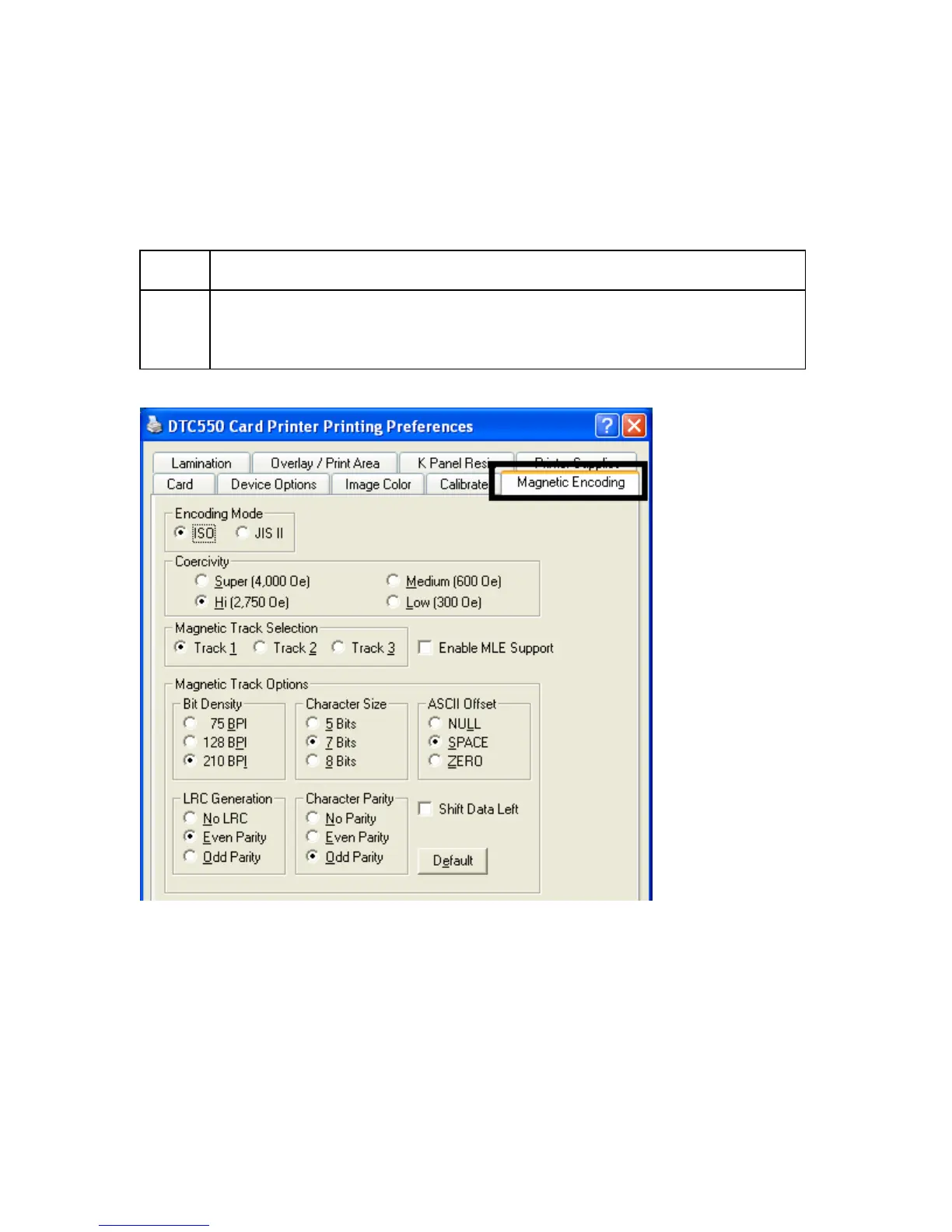
Using the Magnetic Encoding tab
Use these options only if the Printer has an optional Magnetic Stripe Encoding Module
installed.
Step Procedure
1 Select the Magnetic Encoding tab to display options for controlling the
Magnetic Stripe encoding process. (Note: The following describes these
options and the Printer's magnetic encoding process.)



 To Next Page