FOR RESTRICTED USE only Fargo Electronics, Inc.
DTC550 Direct to Card Printer/Encoder User Guide (Rev. 2.8)
6-42
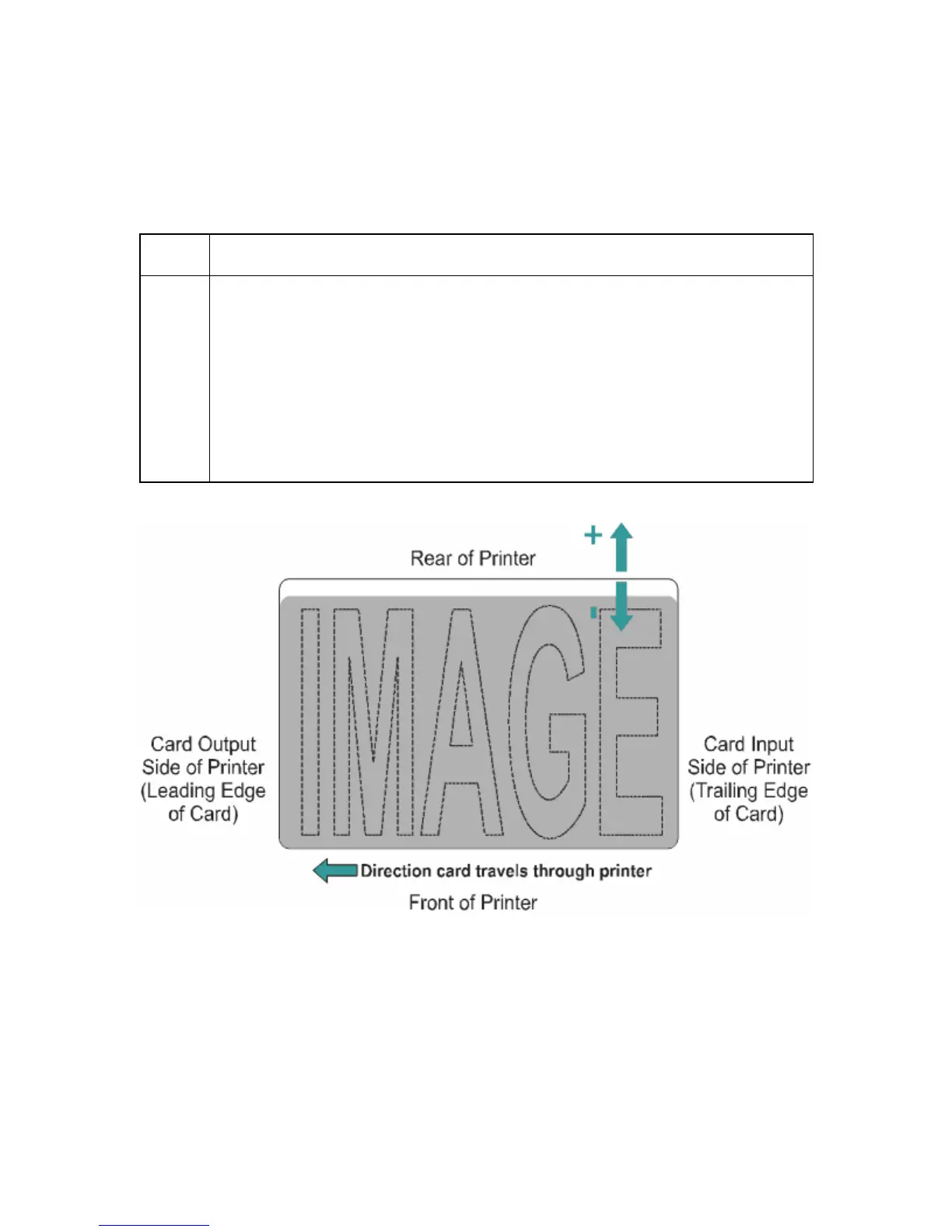
Using the Print Left of Form Option
Use this option to adjust the vertical position of the printed image on a card so it appears
centered. (Note: When adjusting this value, keep in mind that cards always remain in
the same landscape orientation while moving through the Printer.)
Step Procedure
1 Enter a negative value to move the image towards the bottom edge of the
card (See image below),
OR
Enter a positive value to move the image towards the back top edge of the
card (see image below).
Maximum Adjustment Range: The maximum adjustment range is ± 99. As
a rule, 10 equals about .030"/. 8mm. This is about the same as the thickness
of a standard CR-80 size card.



 To Next Page