FOR RESTRICTED USE only Fargo Electronics, Inc.
DTC550 Direct to Card Printer/Encoder User Guide (Rev. 2.8)
6-88
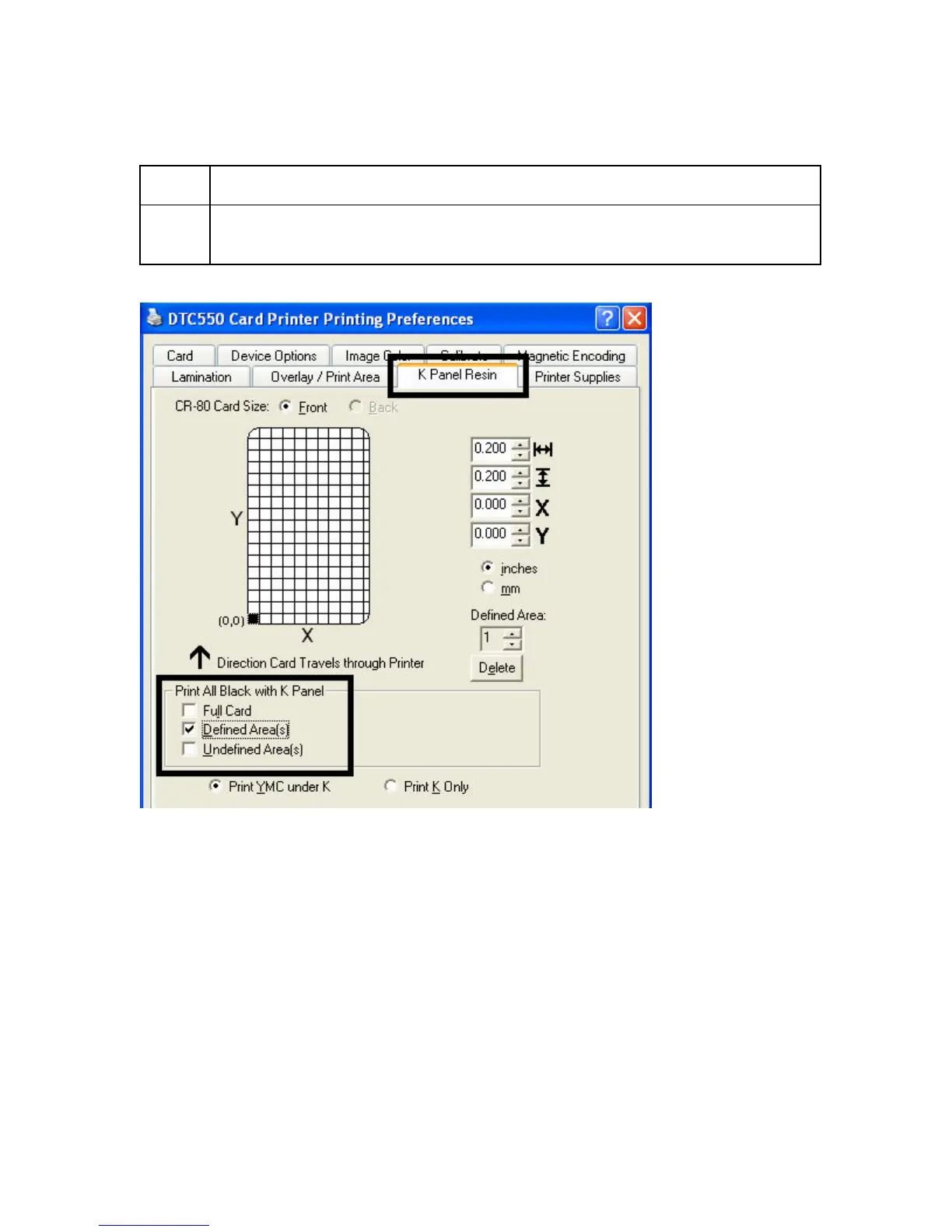
Selecting the Defined Area(s) with the K Panel Resin tab
Step Procedure
1 Select the Defined Area(s) option to print the resin black (K) panel for all
black found only in an area or areas defined, as shown below.



 To Next Page