FOR RESTRICTED USE only Fargo Electronics, Inc.
DTC550 Direct to Card Printer/Encoder User Guide (Rev. 2.8)
2-16
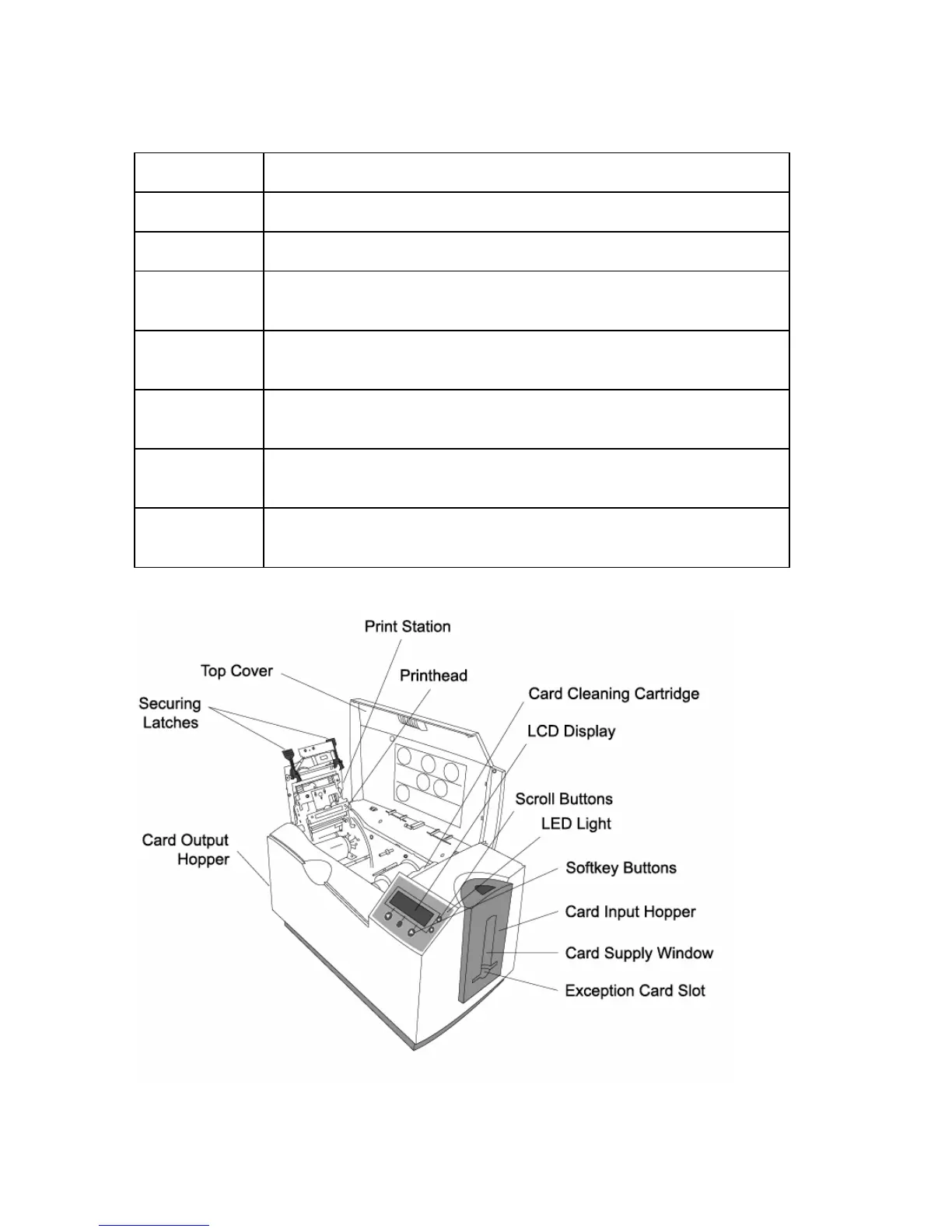
Printer Components: Adjustment Lever to Serial Interface Ports (cont.)
Component Description
Power Switch This switch turns the Printer power ON and OFF.
Power Port This port connects to the (included) power supply.
Securing
Latches
These latches lock the Print Station securely in place when closed.
Softkey
Buttons
The button function is displayed above the button. The buttons
change depending upon the Printer's mode of operation.
Scroll Buttons These buttons are used to scroll through menus and sub-menus
and to adjust certain menu options.
USB Interface
Port
This port connects to a Windows PC with a USB cable.
Serial
Interface Ports
For Encoding option: These ports are provided only if your
Printer includes one or more optional Encoding Modules.



 To Next Page